

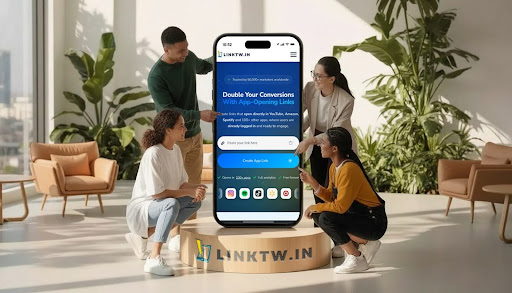
Most advice on growing a YouTube channel obsesses over thumbnails, titles, and the algorithm. That’s all crucial, but it often misses a technical hurdle that quietly sabotages growth: the broken link. Every time a potential fan on Instagram or TikTok clicks a standard YouTube link, they’re usually dumped into a frustrating, logged-out browser inside the app, making it nearly impossible to subscribe.
This is the gap where audience growth dies. Solving this problem is why tools like LinkTw.in are catching on with over 50,000 marketers and major creator brands like TubeBuddy, shifting the conversation from just content to the actual user experience.
1. Eliminate the “Conversion Killer”: The In-App Browser
The biggest thing stopping social media followers from becoming YouTube subscribers is friction. When someone on Instagram clicks a link in a Story or bio, the app is designed to keep them inside its own world. It does this by opening the link in a restrictive, built-in web browser where the user isn’t logged into their Google or YouTube account.
For a creator, this is a disaster. A potential fan who actually wants to subscribe suddenly hits a login screen, an extra step that sends most people right back to their feed. This one snag is a huge reason why cross-platform promotion often delivers disappointing results for YouTube subscriber growth.
Deep linking tools solve this problem at its root. Instead of a standard URL, a service like LinkTw.in generates a smart link that tells the user’s phone to skip the in-app browser and open the video directly in the native YouTube app. This creates a seamless, logged-in experience, letting a user subscribe, like, or comment with a single tap. The difference is huge. Data from YouAppi shows that creating a smooth user journey with deep links can boost conversion rates by an average of 66%, simply by removing these frustrating roadblocks.
2. Supercharge Your Cross-Platform Promotions
The creator economy, which Grand View Research valued at over $205 billion in 2024, is built on having a presence everywhere. A successful creator needs to guide audiences from discovery platforms like TikTok and Instagram to their main content on YouTube. Just dropping raw YouTube links in your profiles is an inefficient way to do it.
App-opening links are far more effective for YouTube creators trying to bring their audience together. By putting a LinkTw.in URL in an Instagram bio, for instance, a creator makes sure every mobile click takes a follower straight to their channel inside the YouTube app, ready to engage.
This strategy helps turn passive social media followers into active members of your YouTube community. It’s especially powerful when you’re sharing YouTube links on Instagram stories. The “link” sticker can become a direct gateway to a new video, not a dead end in a clunky browser.
3. Understand Your Audience with Smarter Analytics
If you want to get more YouTube subscribers, you need data that goes beyond what YouTube Studio offers. While YouTube can show you how viewers found a video within its own ecosystem, it offers very little insight into how your external promotions are doing. A basic link shortener might give you a total click count, but that number lacks the context you need to make smart decisions. This is where more advanced YouTube link tracking becomes so important.
Platforms like LinkTw.in offer detailed, click-level analytics that show which social media platform, geographic region, or specific campaign is actually driving traffic. You can see exactly how many clicks your TikTok bio link got compared to your last email newsletter. And with features like retargeting pixels for Facebook, Google, and TikTok, you can build custom audiences of people who have already clicked your links, opening the door for highly targeted follow-up campaigns to boost your channel’s growth even more.
4. Turn Views into Revenue with Seamless Affiliate Journeys
Growing your subscriber base and making money are two sides of the same coin. Many creators depend on affiliate marketing, especially with Amazon, to earn revenue from their content. Unfortunately, the in-app browser problem breaks affiliate tracking, too. When a viewer on their phone clicks an Amazon product link in a video description, the browser that opens isn’t logged into their Amazon account, and the creator’s affiliate cookie often gets lost. This means lost commissions, a major issue in an affiliate marketing industry that Data40 values at $27.8 billion.
As an Amazon Verified Partner, LinkTw.in solves this with deep linking for over 100 apps, including Amazon. When creators use a LinkTw.in link for affiliate products, their mobile audience gets sent directly to the Amazon app. This not only preserves the affiliate commission and boosts conversion rates, but it also creates a much better shopping experience for viewers, reinforcing the creator’s role as a trusted source for recommendations.
5. Optimize Offline Promotion with Smart QR Codes
A surprising and often-missed opportunity for subscriber growth comes from the real world. Creators who host events, sell merchandise, or speak at conferences can use QR codes to connect their physical and digital marketing. But a standard QR code made from a YouTube URL will just trigger the same broken in-app browser when someone scans it. This wastes a perfect chance to connect with a highly engaged person.
Modern YouTube marketing tools let you create dynamic QR codes that contain a deep link. By generating a QR code with LinkTw.in, a creator can be sure that anyone who scans it will land directly on their channel or a specific video right inside the YouTube app. A t-shirt, business card, or event banner instantly becomes a powerful tool for gaining new subscribers at the very moment they’re most interested.
How Does LinkTw.in’s Deep Linking Technology Work?
At its heart, deep linking uses a special address (a URI) to point to a specific spot inside a mobile app, instead of just opening its homepage. When someone clicks a link created with LinkTw.in, a very fast, sophisticated process kicks off. The service first figures out if the user is on iOS or Android. It then uses a recognized app-specific protocol, like a URL scheme or an Apple Universal Link, to send a command straight to the phone’s operating system.
This command tells the OS to open the link’s destination in the proper native app, in this case, YouTube, not in the default web browser. If the YouTube app isn’t installed, the link can be set up to smartly redirect the user to a fallback, like the app store to download it or a mobile-friendly website. This is a completely different process from a standard YouTube link shortener, which just redirects to the same URL and does nothing to solve the in-app browser problem.
Is LinkTw.in free to use for growing a YouTube channel?
Yes, LinkTw.in has a solid “Free forever” plan designed for creators focused on growth. The free plan includes all the core deep linking features you need to start turning followers into subscribers, plus a generous number of clicks per month. You can sign up without a credit card, so there’s no barrier for creators who are just starting to look into more advanced tools for YouTube creators.
For channels with more traffic or those needing features like custom branded domains and longer analytics history, LinkTw.in offers premium plans at a predictable monthly price, providing a solution that can scale with your channel.
Your Next Steps to Accelerate Subscriber Growth
Putting this all into practice is simple. To really improve your subscriber growth, it’s time to build a smarter linking strategy across all your platforms.
- Audit your links. Go check the links in your Instagram bio, TikTok profile, and recent social posts. Pull out your phone and test them yourself. Do they open in the YouTube app or a clunky browser?
- Create a test link. Sign up for a free LinkTw.in account and make your first deep link. Point it to your latest or most important YouTube video. It only takes a few seconds.
- Replace your main link. Swap out the standard YouTube URL in your most important “link in bio” spot with your new app-opening link.
- Monitor the results. After a few days, check your LinkTw.in dashboard to see the click data. You’ll see which platforms and devices are sending you traffic. Compare this with your subscriber count in YouTube Studio.
- Expand your strategy. Start creating unique deep links for different campaigns. For example, use one for your email newsletter and another for Twitter to track how well each one performs on its own.