

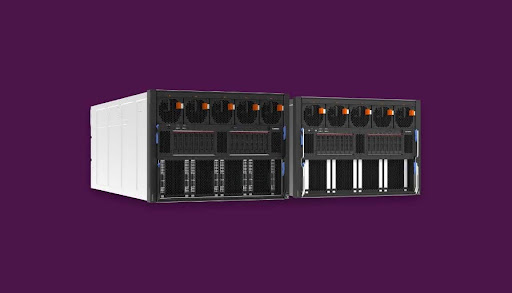
Running out of space in your server room can be stressful. Every inch matters when you manage growing data and equipment. This is where rackmount server cabinets become your best space-saving partners. They keep your setup organized, secure, and efficient. With the right use, these cabinets can turn a crowded room into a neat and structured system.
Each piece of equipment fits perfectly in place. It saves floor area and keeps airflow smooth. A well-organized cabinet also helps with faster maintenance. You can easily access every cable and server when needed. Many IT managers now prefer rack cabinets for their smart design and flexibility.
In this guide, you will learn seven smart ways to make the most out of your rack mount server cabinets
1. Utilize Vertical Space Wisely
When floor space is limited, go vertical. A rackmount server cabinet lets you store multiple servers on top of each other. This setup clears the floor area for movement and maintenance. The vertical arrangement helps you handle more servers in a smaller space.
- Stack equipment from bottom to top safely.
- Use higher rack units to hold more devices.
- Maintain weight balance by placing heavier items at the bottom.
The choice of the right size of the rack is of prime importance. If you have plans to extend the network in the future, you should should go for a 42U or 48U cabinet.
It offers plenty of space for extra servers in the future. You save money and time later because you won’t need new racks each time your needs increase. This smart step keeps your setup scalable and efficient.
As per a report, the global market of rack server mounts is continuously on the rise. The total market share is expected to hit $23.22 billion by 2032.
2. Plan Cable Management Early
Messy cables waste space and cause confusion. A clean cable layout helps you see every connection clearly. Using different colors for power, data, and network cables keeps things easy. It helps your team fix or replace cables without guesswork.
- Use cable trays or vertical cable managers.
- Label each wire to avoid mix-ups.
- Group similar cables together.
3. Maintain Proper Airflow and Cooling
Overheating can slow down your systems. Rack mount cabinets are designed for better airflow, but you must use them correctly.
- Leave some space between servers for air movement.
- Use blanking panels to block unused slots.
- Install fans or cooling systems if needed.
Proper cooling extends the life of your rack computer servers. It also improves performance and prevents unexpected shutdowns.
You can also make use of tiny sensors inside your cabinet to track heat levels. These tools send alerts when temperatures rise. This proactive step helps prevent damage and keeps energy use balanced. Cooling efficiency means cost savings and system stability.
4. Organize Equipment by Function
Group your servers and devices based on their job. This approach makes management easy and keeps everything in order.
- Keep storage devices together.
- Place networking equipment in one section.
- Separate testing systems from live servers
This smart arrangement saves you time when troubleshooting or upgrading systems. It also reduces the risk of mistakes. By keeping related equipment close, you simplify cable connections and improve the look of your rack.
Add labels to each device and rack level. This small habit avoids confusion during maintenance. Anyone accessing the cabinet can quickly identify which device belongs where. Organized labeling keeps your setup efficient and professional.
5. Use Sliding Rails for Easy Access
Pulling out a heavy server can be risky if it’s tightly fixed. Sliding rails make this task simple and safe.
- Install servers on rails that slide smoothly.
- Pull out devices for repair without removing others.
- Save time during upgrades or inspections.
This system avoids clutter and reduces downtime. It also keeps your cables safe because you don’t have to disconnect everything. Sliding rails are one of the most practical ways to improve your cabinet’s usability.
6. Secure and Protect Your Equipment
Security is just as important as space management. Rack mount cabinets protect your valuable hardware from both physical and digital threats.
- Use lockable doors and panels.
- Add side panels for extra safety.
- Keep backup devices in the same cabinet but in separate locked areas.
You can install sensors that detect movement, temperature, and humidity. Some even alert you through emails or notifications. These features make your cabinet smarter and safer.
7. Plan for Future Expansion
Your IT needs will grow. A smart rack setup should grow with you. This planning prevents the need to replace cabinets too soon. It saves both money and effort. Maintaining operational continuity during any expansions and ramp-ups of high-density storage systems to minimize any disruptions to facility operations is critical.
- Choose modular cabinets for easy expansion.
- Keep some empty rack units for future use.
- Use universal mounts to fit various devices.
Check your cabinets on a regular basis to spot wear or loose parts. Tighten screws, clean dust, and update labels. This simple routine adds years to your cabinet’s life. A well-maintained setup always runs better and faster.
Conclusion
A rackmount server cabinet is more than a metal box. The smart utilization of space not only saves time, energy, and money but also gives your data center a tidy and business-like look. Each one of these seven steps, from vertical stacking and future planning, can greatly impact. When you handle cables, airflow, and security properly, your system operates at a higher speed and has a longer life.
Make your setup simple, clean, and ready for the future. That’s how you truly optimize space with rack mount server cabinets.