

Still copying generic prompts and getting meh results? Yeah, we’ve all been there. But in 2026, the game has changed big time. The leading AI image generators now nail complex text prompts, photorealism, text in images, and wild styles without the usual glitches. Whether you’re cranking out marketing visuals, concept art, or social posts, these tools turn simple descriptions into pro-level images in seconds. Get instant access to massive productivity jumps. No setup headaches. Just better outputs, faster. Let’s dive into the ones that truly crush it.

Snippets.ai: Unlock Smarter Prompt Workflows
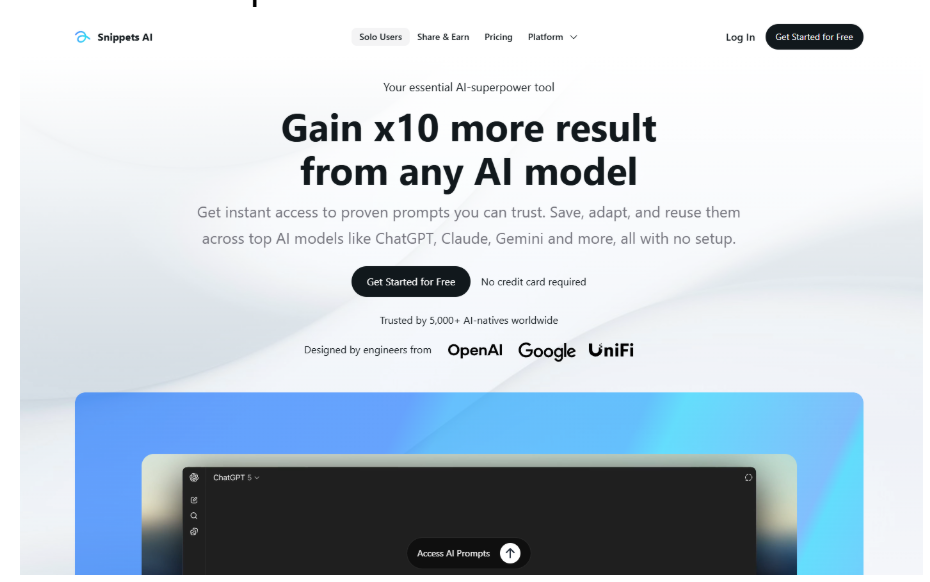
We are Snippets.ai – a straightforward prompt manager built for anyone who works with AI models every day, especially when generating images.
We give you one central place to save, organize, and reuse your best prompts instead of losing them in scattered docs, chats, or old threads. Tag them by style (like “photoreal-product” or “dark-fantasy”), version the winners, add notes on what worked, and insert any prompt straight into Midjourney, Flux, DALL-E, Stable Diffusion, Leonardo, or any other generator with a single shortcut (Ctrl + Space or Option + Space). No more copy-paste loops or frantic searches for that one prompt that finally fixed the hands or lighting.
Everything syncs across devices, runs in the browser, and supports easy sharing – private with teammates, read-only for clients, or public if you want to earn from views. Start free without a card, upgrade later for more space. In short, we turn prompt chaos into faster, more reliable image creation.

1. Leonardo.ai
Users turn ideas into visuals using this platform, which handles text-to-image creation along with style transfers and refinements. It supports a range of aesthetics from realistic photos to artistic renders, making it useful for prototyping or personal projects. Features like canvas editing and blueprints help adjust outputs without switching tools.
Consistency in characters or styles comes built-in, which suits ongoing work like design or marketing visuals.
Key Highlights:
- Text-to-image generation
- Image-to-image transformations
- Editing tools like AI Canvas
- Style consistency options
- Blueprint templates
Services:
- Photorealistic outputs
- Artistic style variations
- Character and brand alignment
- Refinement in one workspace

2. Quillbot
This tool focuses on crafting detailed prompts rather than direct image creation. Users input basic ideas, then receive expanded versions ready for other AI art generators. It adds structure, like descriptions of lighting or mood, to basic concepts.
The process involves entering text, tweaking if needed, and copying the result for use elsewhere. Sample prompts show how simple ideas turn into detailed ones, such as basic scene descriptions becoming vivid, cinematic versions.
Key Highlights:
- Prompt expansion
- Style-specific detailing
- Idea sparking
- Consistency in outputs
Services:
- Text input refinement
- Additional direction suggestions
- Ready-to-copy prompts

3. Easemate.ai
Images come from text descriptions or uploaded references on this online tool, with quick results and no subscriptions required. It supports switching between models for different needs, like styles or compositions. Customization covers aspect ratios and formats.
Both text-to-image and image-to-image modes work, allowing changes in elements like colors or lighting through descriptions. Outputs suit various projects, from social posts to designs.
Key Highlights:
- Fast generation
- Model selection options
- Customization features
- High-resolution results
Services:
- Text-to-image creation
- Image-to-image edits
- Aspect ratio adjustments
- Format choices like PNG

4. Notegpt.io
This free online generator produces visuals without requiring sign-up, using current models for quick results. It handles ideas for social media, blogs, or personal use, turning descriptions into images instantly.
The approach avoids slow manual design by delivering ready outputs fast.
Key Highlights:
- Unlimited generations
- No account needed
- High-quality visuals
Services:
- Text-to-image conversion
- Instant output
- Model-based prompts

5. OpenArt
Creators input text prompts to produce images, or upload existing ones for transformations and edits on this platform. It handles everything from basic text-to-image to more involved tasks like turning sketches into finished visuals or keeping characters consistent across multiple scenes.
A bunch of editing features let users refine results, upscale quality, or guide composition, while support for various artistic styles adds flexibility to the process.
Key Highlights:
- Text-to-image creation
- Image-to-image changes
- Editing tools like inpainting
- Character consistency
- Upscaling options
Services:
- Sketch-to-image rendering
- Style imitation
- Model training
- Composition guidance

6. Reliablesoft
Users upload pictures or paste URLs into this tool, which then analyzes the content and spits out a detailed text description. That output serves as a ready prompt for feeding into other AI image generators to recreate or vary the original visual.
The breakdown covers elements like subjects, settings, lighting, and overall mood, making it straightforward to understand how images translate into words.
Key Highlights:
- Image upload or URL input
- Detailed prompt output
- Element analysis
Services:
- Subject and style description
- Mood and perspective capture
- Ready-to-use text prompts

7. Artlist
This service offers text-to-image generation alongside image-to-image options, pulling from models like Flux for creating visuals. It ties in closely with video tools, so generated images often feed into broader video projects.
Access bundles the image features with other creative assets, aimed at users building complete video content.
Key Highlights:
- Text-to-image support
- Image-to-image capabilities
- Model integration like Flux
Services:
- Visuals for video use
- Combined with video generation

8. Recraft.ai
Text prompts turn into images on this platform, including options for vector graphics that stay editable. Users drop in reference images to build custom styles, which helps keep visuals consistent across different outputs like illustrations or realistic renders.
Editing happens right there too, with tools for erasing parts, removing backgrounds, upscaling, or expanding the canvas to tweak results further.
Key Highlights:
- Text-to-image with vectors
- Custom style creation
- Precision editing
- Mockup generation
Services:
- Photorealistic and illustrative outputs
- Background removal
- Image upscaling
- Inpainting and outpainting

9. Imageprompt.org
This site handles several steps in the prompt workflow, starting with turning uploaded images into detailed text descriptions. From there, basic ideas get expanded into full prompts ready for other generators.
Direct image creation comes built-in as well, along with a tool that describes what’s in any picture to help figure out details.
Key Highlights:
- Image-to-prompt conversion
- Prompt enhancement
- Detailed image analysis
Services:
- Magic prompt improvement
- Direct AI image output
- Object recognition in descriptions

10. Krea.ai
Generation covers images, videos, and even 3D meshes here, all from text inputs or existing assets. Enhancements like upscaling or animations apply to outputs, pulling from various models in one spot.
Free daily uses exist, though fuller access ties to subscriptions for heavier work.
Key Highlights:
- Multi-format generation
- Video animation
- 3D mesh support
- Model variety
Services:
- Image enhancement
- Video creation
- Upscaling options
- Asset editing

11. Canva
Designs get built with text-to-image features integrated right into the workspace, where users type descriptions and watch them turn into visuals ready to drop into projects. It fits smoothly for things like social posts, presentations, or docs, keeping everything in one spot without extra steps.
The tool pulls from AI generators to match whatever style or need comes up, making quick additions to layouts straightforward.
Key Highlights:
- Integrated text-to-image
- Direct use in designs
- Prompt-based creation
Services:
- Visuals for templates
- Idea-to-image conversion
- Project embedding

12. Freepik
Prompts lead to new images here, often starting from stock assets or uploads to build on existing content. Editing follows generation, with options to swap elements, change backgrounds, or push resolution higher for different uses.
Chat interactions help refine or transform pictures, blending the AI outputs with a large library of vectors and illustrations.
Key Highlights:
- Prompt-driven generation
- Object replacement
- Background changes
- Resolution upscale
Services:
- Image transformation
- Style matching
- SVG conversion
- Asset integration

13. Deep Dream Generator
Text descriptions feed into multiple models to produce art, with choices affecting the final look from realistic to surreal. Video clips come from those images too, adding short animations to the mix.
An upscaler and editor tweak results afterward, adjusting details or boosting quality for sharing.
Key Highlights:
- Multi-model text-to-image
- Video from images
- Upscaling options
- Style sliders
Services:
- Art creation
- Animation generation
- Quality enhancement
- Community browsing

14. Pixelcut
Simple descriptions or reference uploads kick off image creation, delivering results fast for various needs. The process stays direct, turning words into visuals without complicated setups.
Collaboration ties in, letting shared edits happen on the outputs.
Key Highlights:
- Fast text-to-image
- Reference-based starts
- Realistic outputs
Services:
- Prompt generation
- Shared editing
- Quick visuals
Wrapping It Up
Picking the right AI image generator really comes down to what you’re actually trying to do. Some shine when you need photorealistic shots or tight control over styles, others make it dead simple to go from a rough idea to a finished visual without much fuss. A few focus more on refining prompts or turning existing pictures into something new. At the end of the day, most of them get the job done pretty well now, and the differences often boil down to workflow fit rather than one being miles ahead.
The cool part is how fast this space moves-tools keep adding better consistency, smarter editing, and quicker results. Experiment with a couple that match your usual projects, tweak prompts along the way, and you’ll start cranking out stuff that looks way sharper than what basic tries used to give. No perfect option exists for everyone, but there’s definitely something solid out there that’ll save you hours and cut down on the trial-and-error grind.