

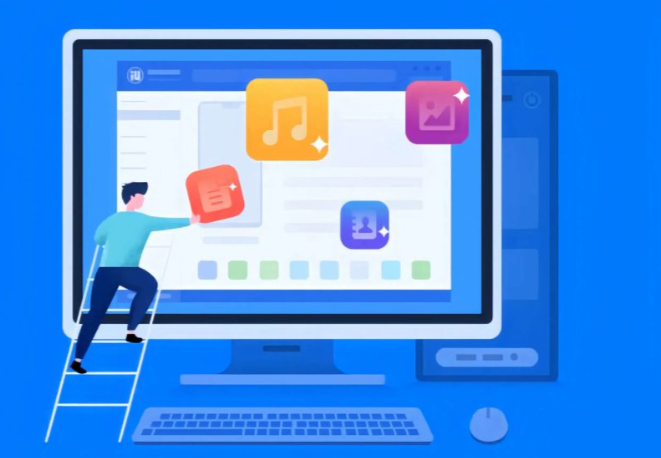
Re-understanding the importance of data migration
For any iPhone or iPad user, upgrading is almost inevitable. The excitement of getting a new device is often tempered by a single issue: how to completely, securely, and efficiently migrate your data to the new device. Contacts, text messages, photos, apps, memos, and files—everything you use frequently in daily life can cause significant inconvenience in your work and personal life if lost. Aisi Assistant’s data migration feature was designed to address this pain point. Through a simple interface and comprehensive migration mechanism, it helps users achieve a one-stop data transfer.
Advantages of Aisi Assistant Data Migration
Comprehensive support for multiple data types
Aisi Assistant(爱思助手) is not limited to transferring contacts, photos, and text messages, but also supports the migration of key content such as application data, notes, Safari bookmarks, WeChat chat history, etc. This extremely wide coverage design means that users don’t have to worry about data gaps or omissions after migration.
Safe and stable transmission mechanism
Security and integrity are paramount concerns during data migration. Aisi Assistant uses a point-to-point transmission method to ensure data does not pass through third-party servers, reducing the risk of data leakage. Furthermore, its built-in verification mechanism verifies data consistency between the source and target devices after the migration is complete.
Efficient operating procedures
Traditional iCloud migration methods are limited by network speeds and often require long waits. However, Aisi Assistant’s data migration is more direct. By connecting to a computer via USB, users can quickly complete the migration of several or even tens of GB of data, significantly improving efficiency.
Specific operational procedures for data migration
Equipment preparation and connection
Users need to first install the latest version of Aisi Assistant on their computer and connect the old device and the new device to the computer in sequence via data cables. Once connected, Aisi Assistant will automatically recognize the two devices and display their basic information on the interface.
Select the data migration function
In the iTools function panel, click the “Data Migration” option to enter the migration wizard page. At this point, users can clearly see the logos of the old and new devices to ensure that the operation is correct.
Customize the migration content
Not all data needs to be migrated. For example, some users may want to transfer only contacts and photo albums without having to bring all apps. Aisi Assistant(爱思助手下载) provides refined migration options, allowing users to select data types according to their needs, saving time and space.
Confirm and start migration
Once you’ve made your selections, simply click “Start Migration” and the system will automatically execute the transfer. Users can view a real-time progress bar and detailed status notifications throughout the migration, making the entire process transparent and intuitive.
Migration completion and verification
When the progress bar reaches 100%, the migration is complete. Users can now check their data on the new device to ensure it matches the old one. iTools also provides a migration report to help users quickly check for omissions.
Extended value of usage scenarios
Efficient application in device replacement scenarios
For users who frequently upgrade their iPhones, Aisi Assistant is undoubtedly a time-saving and energy-saving tool. Whether it’s upgrading from an old model to a new flagship, or migrating data when deploying devices in large quantities at work, it maintains efficiency and stability.
Supporting functions for data backup and restoration
Data migration and backup naturally complement each other. Users can first perform a complete backup in Aisi Assistant, and then use the data migration function to seamlessly transfer to a new device. This dual protection greatly reduces the possibility of data loss.
Batch operations in an enterprise environment
In enterprise-level applications, IT managers often need to replace or upgrade devices for all employees. Aisi Assistant’s data migration supports batch operations, significantly improving deployment efficiency and avoiding the inefficient device-by-device operation.
Comparison with other migration methods
iCloud and iTunes are Apple’s official migration methods, but they lack speed and flexibility. iCloud relies on an internet connection and takes a long time, while iTunes is complex and not user-friendly for novice users. Aisi Assistant, on the other hand, can complete the process directly through a local connection, making it not only faster but also allowing users to freely choose the content to migrate.
Tips to improve user experience
- Ensure that the devices have sufficient power : To avoid interruptions due to low battery during the migration process, it is recommended that you keep the power of both devices above 50%.
- Use original data cables : High-quality data cables can effectively reduce disconnection problems during transmission and improve stability.
- Choose the migration content appropriately : For infrequently used data or large files, back them up first and then migrate them gradually to avoid transferring too large files at once, which would take too long.
Future Outlook of Aisi Assistant Data Migration
As users become increasingly reliant on mobile devices, data migration needs are also diversifying. In the future, Aisi Assistant may introduce more intelligent mechanisms, such as automatically identifying frequently used data, optimizing migration sequences, and even using AI to recommend migration content, to further improve efficiency and user experience.
Ensure data integrity and seamless connection
Aisi Assistant’s data migration feature, with its comprehensive data support, secure and efficient transfer mechanism, and clear and intuitive operation process, has become an ideal solution for iOS device replacement. Whether it’s a personal device upgrade or enterprise device deployment, it helps users easily complete migration tasks, ensuring data integrity and seamless connection. For users who value efficiency and stability, Aisi Assistant is undoubtedly an indispensable tool.