

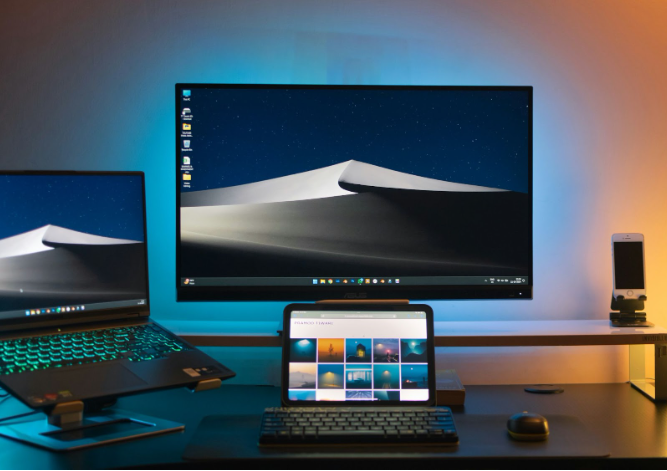
Sure, web and mobile apps get most of the attention these days, but desktop software still plays a big role-especially when you need speed, offline access, or tighter control over how things run. For a lot of industries, having a reliable app that lives right on the device just makes more sense. Whether it’s for heavy processing, working without an internet connection, or just avoiding browser limitations, desktop tools are still going strong.
This guide rounds up the teams across the U.S. that are still building solid desktop apps the way they should be-tools that actually work, fit the business, and stay out of the way when you’re trying to get stuff done. Whether you’re dealing with legacy systems, looking to create something from scratch, or just need a dependable tool that talks to your hardware or internal systems, these are the companies worth checking out.
1. A-listware
A-listware helps businesses build out desktop development teams that feel more like part of their own company than an outside vendor. They’re big on flexibility and like to get hands-on with everything from planning to daily delivery. Whether a client shows up with a vague idea or a fully detailed spec, A-listware jumps in, sorts out the priorities, and handles the setup from hiring to execution. They’ve worked with all kinds of clients-from small startups to larger enterprise teams-so they know how to adjust their process depending on who they’re working with.
Their development style leans heavily on agile. Most projects run through dedicated pods with developers, QA folks, and DevOps onboard from the start. When needed, they also offer hybrid models or extra consulting muscle to help shape strategy along the way. Security, long-term support, and clear communication are all part of how they operate. If a company needs a solid partner that’s easy to work with and sticks around for the long haul, A-listware is set up to be that kind of team.
Key Highlights:
- Builds agile teams with devs, QA, and DevOps from the start
- Flexible engagement options including dedicated or hybrid models
- Low turnover rates and stable team retention
- Strong background in complex desktop systems
- Handles everything from consulting to ongoing support
Services:
- Custom desktop application development
- Modernization of older or legacy desktop systems
- Embedded software and IoT integration
- Performance tuning and optimization
- UI/UX design for desktop interfaces
- QA automation and testing
- Infrastructure and ongoing IT support
- Security and compliance consulting
Contact Information:
- Website: a-listware.com
- Phone: +1 (888) 337 93 73
- Email: [email protected]
- Address: North Bergen, NJ 07047, USA
- LinkedIn: www.linkedin.com/company/a-listware
- Facebook: www.facebook.com/alistware
2. Zetaton
Zetaton builds desktop software for businesses that need more than just something functional – they’re usually solving a very specific workflow issue or syncing up with other tools. They work with all the usual platforms like Windows, macOS, and Linux, and they’re comfortable using native tech or going cross-platform with something like Electron. Their team often takes on full projects from scratch, but they’re just as comfortable updating or rebuilding older desktop tools too.
Some of their work involves hardware interaction, like apps that control microphones and cameras through conferencing platforms. Other times, it’s about tying into bigger systems through APIs or modernizing outdated software for smoother internal use. You’ll find them working in all kinds of industries – healthcare, e-commerce, logistics, food delivery – and they’re usually focused on building something that makes internal operations faster, easier, or less painful.
Key Highlights:
- Builds desktop apps for Windows, macOS, and Linux
- Experience with Electron and other cross-platform tools
- Can develop apps that interact with hardware directly
- Works on both standalone and web-connected tools
- Projects in industries like healthcare, food tech, and ride-hailing
Services:
- Custom desktop app development
- Software updates and modernization
- UWP and cross-platform development
- Desktop API and third-party system integration
- QA and testing automation
- Embedded systems and IoT development
- Power BI and dashboard design
- UI/UX for desktop applications
Contact Information:
- Website: www.zetaton.com
- Phone: +1 (262) 228-8803
- Email: [email protected]
- Address: 2266 N Prospect Ave Suite 606, Milwaukee, WI 53202
- LinkedIn: www.linkedin.com/company/zetaton
- Facebook: www.facebook.com/ZetatonSoftware
- Instagram: www.instagram.com/zetatonsoftware
3. Softeq
Softeq usually steps in when a desktop app needs to go beyond the basics – think system-level tools, hardware interaction, or software that needs to handle heavy-duty data. Their developers work with languages like C++, .NET, and Qt, and they’re not afraid to get into the lower levels of the stack. A lot of their projects involve things like device drivers, real-time performance, or apps that need to play nicely with sensors, chipsets, or custom hardware.
They’ve built apps for 3D modeling, media processing, enterprise monitoring, and even sports tech that syncs with gear in the field. This is the kind of team you’d call if your project needs tight OS integration or has complex tech requirements that go deeper than a nice user interface. It’s not about flashy visuals here – they’re more focused on building solid tools that just work.
Key Highlights:
- Specializes in native and cross-platform desktop apps
- Builds drivers, SDKs, and system-level tools
- Can handle projects that involve hardware and sensors
- Has experience with media, CAD, and manufacturing tools
- Works across healthcare, sports tech, and enterprise
Services:
- Custom desktop software development
- System-level programming and embedded device support
- SDK and library creation
- Native and cross-platform apps using .NET, Qt, Xamarin
- Media and streaming software
- Sensor and hardware-integrated systems
- UI/UX optimization
- Enterprise tools for industrial or monitoring use
Contact Information:
- Website: www.softeq.com
- Phone: +1 888 552-5001
- Address: Softeq Development Corp. 1155 Dairy Ashford Rd., Suite 125 Houston, Texas 77079, USA
- LinkedIn: www.linkedin.com/company/softeq
- Facebook: www.facebook.com/softeq
- Instagram: www.instagram.com/softeq
- Twitter/X: x.com/Softeq
4. BIT Studios
BIT Studios takes on all kinds of desktop projects – internal tools, customer-facing apps, even games – and they’re used to building things that slot into larger ecosystems. That means their apps often tie into cloud services, connect with web platforms, or support existing hardware. They’ve been around long enough to handle full rebuilds of older software too, especially when a client needs to modernize an interface or improve performance.
Their portfolio is pretty broad. You’ll see accounting software, healthcare platforms, productivity apps, image tools, and more. And they don’t just hand off the code and walk away – they also handle QA, testing, UI improvements, and maintenance. BIT Studios is flexible when it comes to how they work with clients, offering dedicated teams, co-dev models, or just targeted support where needed.
Key Highlights:
- Builds both standalone and integrated desktop apps
- Helps modernize older tools and improve user interfaces
- Flexible work models: full teams or support-only
- Experience across healthcare, education, finance, and more
- Handles native and cross-platform development
Services:
- Desktop app development from scratch
- Reengineering and UI modernization
- System and API integration
- Software for productivity, imaging, and business use
- QA, testing, and bug fixing
- UI/UX design for better user experience
- Plugin development and support
- SaaS desktop tools and maintenance
Contact Information:
- Website: www.bitstudios.com
- Phone: 469-707-8782
- Email: [email protected]
- Address: 700 Central Expy S #400, Allen, Dallas area, TX 75013
- LinkedIn: www.linkedin.com/company/bit-studios
- Twitter/X: x.com/bitstudios
5. Fulminous Software
Fulminous Software builds custom desktop applications that are usually meant to make business operations a little smoother. Whether it’s helping track inventory, run a POS system, or manage internal data, they focus on the kind of software that supports daily workflows behind the scenes. They build for Windows, macOS, and Linux, using tools like .NET Core, Electron, WPF, and JavaFX to keep things cross-platform when needed.
You’ll find them working across different industries – healthcare, retail, education, manufacturing – and a lot of their work revolves around internal business tools. They also take on modernization work, updating legacy systems or rebuilding older software with newer frameworks. Their projects are usually more about utility than flash, aiming to create something dependable that integrates well with whatever systems a company already uses.
Key Highlights:
- Builds business-focused desktop software for multiple platforms
- Handles full development or modernization of existing tools
- Works in retail, healthcare, education, and manufacturing
- Uses frameworks like Electron and .NET Core
- Offers long-term maintenance and deployment help
Services:
- Custom desktop app development
- Legacy system rebuilding and redesign
- Cross-platform and UWP application development
- Integration with CRMs, ERPs, and data tools
- Client-server architecture design
- Inventory tracking, e-learning, POS, and similar apps
- Ongoing updates and tech support
Contact Information:
- Website: fulminoussoftware.com
- E-mail: [email protected]
- Facebook: www.facebook.com/fulminoussoftware
- Twitter: x.com/fulminous_soft
- LinkedIn: www.linkedin.com/company/fulminous-software-solutions
- Instagram: www.instagram.com/fulminous.software
- Address: 1113, WA Gamble Rd, Manning, South Carolina, 29102
- Phone: +1-903 488 7170
6. Eternitech
Eternitech builds desktop applications that lean into the technical side of things. If your project needs low-level access, deep integration, or software that works offline and connects smoothly with other tools, that’s kind of their thing. They handle both native and cross-platform builds, and they’re comfortable working at the system level – including stuff like middleware, plugins, or even writing device drivers.
They also work on modernization projects where older software needs to be brought up to date without breaking everything else around it. Whether it’s something like a CAD system, media app, or a scientific tool with very specific requirements, they seem to be geared toward clients who care just as much about how things work under the hood as they do about the interface.
Key Highlights:
- Builds system-level, native, and cross-platform desktop apps
- Modernizes old software without disrupting existing systems
- Develops middleware, plugins, and device drivers
- Good fit for offline-first or hardware-heavy setups
- Offers end-to-end project delivery with agile methods
Services:
- Custom desktop app development
- Migration and modernization of legacy software
- UWP development for Windows platforms
- Cross-platform builds using modern frameworks
- API design and integration
- Middleware and plugin development
- Embedded software and low-level device support
- Long-term maintenance and technical consulting
Contact Information:
- Website: eternitech.com
- Phone: (+1) 786-5040180
- Email: [email protected]
- Address: 3889 Pembroke Rd., Hollywood, FL, 33021
- LinkedIn: www.linkedin.com/company/eternitech
- Facebook: www.facebook.com/pages/Eternitech/115144815239123
- Instagram: www.instagram.com/eternitech
- Twitter/X: x.com/eternitech
7. EffectiveSoft
EffectiveSoft covers a lot of ground with their desktop development – they work on everything from medical platforms and CRM systems to tools for logistics, education, and finance. Their apps run on Windows, macOS, and Linux, and their devs use a mix of old-school and modern languages like C++, Java, Python, and .NET. Basically, they meet projects where they are and pick the tech that fits best.
They’re also big on keeping things maintainable. That includes redesigning legacy systems, helping move desktop apps to the cloud when needed, and sticking around for support after launch. Clients usually get an agile team, so there’s room for feedback and adjustments as the project moves along. It’s a setup that works well for businesses with evolving systems or software that’s tied into a bunch of other services.
Key Highlights:
- Builds for Windows, macOS, and Linux
- Offers cloud migration for older desktop tools
- Covers industries like healthcare, finance, and logistics
- Works with both classic and modern programming stacks
- Uses agile to keep development collaborative and flexible
Services:
- Standalone and client-server desktop app development
- Cross-platform software builds
- Legacy system updates and redesigns
- Cloud migration services
- Testing and QA for desktop environments
- Long-term software support
- CRM, POS, GIS, and communication tool development
Contact Information:
- Website: www.effectivesoft.com
- Phone: 1-800-288-9659
- Email: [email protected]
- Address: San Diego, California, 4445 Eastgate Mall, Suite 200, 92121
- LinkedIn: www.linkedin.com/company/effectivesoft
- Facebook: www.facebook.com/EffectiveSoft
- Twitter/X: x.com/EffectiveSoft
8. W3villa Technologies
W3villa Technologies handles desktop app development alongside a broader range of software projects. They work with everyone from startups to larger businesses, and most of their desktop work focuses on solving internal workflow problems – things like automating repetitive tasks, managing data, or supporting analytics.
They use a mix of Electron JS, C++, and C# depending on what fits the job. And they’re not locked into any one structure – they adapt the tech stack, workflow, and process based on the project. Their approach leans toward utility and performance rather than shiny UI features. If a business needs a straightforward tool that works behind the scenes to keep things running, W3villa tends to focus on that type of build.
Key Highlights:
- Works with both new development and legacy upgrades
- Handles middleware and internal business tools
- Uses agile methods for fast, flexible delivery
- Develops for Windows and other environments
- Emphasizes performance and function over aesthetics
Services:
- Desktop app development from scratch
- Modernization of outdated desktop tools
- Middleware creation for larger systems
- Business automation and performance tools
- Electron JS development
- UI/UX design for internal use
- Software maintenance and support
- System and data integration
Contact Information:
- Website: www.w3villa.com
- Phone: +1 (302) 261-2668
- Email: [email protected]
- Address: 8 The Grn, Kent County, Dover, DE 19901, Delaware, USA
- LinkedIn: www.linkedin.com/company/w3villa-technologies
- Facebook: www.facebook.com/W3villaTechnologies
- Instagram: www.instagram.com/w3villa_technologies
- Twitter/X: x.com/w3villa_tech
9. iFour Technolab
iFour Technolab builds desktop apps that help businesses handle day-to-day tasks more efficiently. They work across industries like healthcare, finance, logistics, and legal, and their main goal is to create apps that are secure, reliable, and easy to use. They develop both Windows-only and cross-platform tools and often work with frameworks like .NET Core, Electron, and JavaFX.
Their team takes on both fresh builds and modernization work. That means redesigning older apps, making sure new software connects with what’s already in place, or helping companies extend desktop functionality through APIs. The result is software that feels tailored to how the business actually operates, not just something generic.
Key Highlights:
- Builds both Windows and cross-platform apps
- Projects across healthcare, legal, finance, and logistics
- Focus on security, usability, and data handling
- Updates and improves legacy desktop systems
- Supports long-term use with ongoing updates
Services:
- Desktop software development for Windows and beyond
- App modernization and redesign
- Cross-platform builds using modern frameworks
- UWP app development
- API development and system integration
- Consulting for business-specific desktop needs
- Framework experience: .NET Core, Electron, JavaFX, Qt, and more
Contact Information:
- Website: www.ifourtechnolab.com
- E-mail: [email protected]
- Facebook:www.facebook.com/ifourtechnolab
- Twitter: x.com/consultifour
- LinkedIn: www.linkedin.com/company/ifourtechnolab
- Instagram: www.instagram.com/ifourtechnolab
- Phone: +1 410 892 1119
10. Purrweb
Purrweb designs desktop apps that look clean, feel consistent across platforms, and don’t make users overthink things. They usually work with startups and midsize businesses that want to move fast, launch something that works, and then scale or refine as needed. Their apps run on Windows, macOS, and Linux, and they mainly use Electron to make sure everything works across the board.
They handle everything from UI/UX and backend logic to testing and post-launch support. A big part of what they offer is practical guidance – making sure the tech stack fits, the design stays simple, and the app holds up over time. They work across industries like fintech, logistics, and healthcare, but the through line is always usability and solid delivery.
Key Highlights:
- Builds cross-platform desktop apps with Electron
- Offers full-cycle development from idea to support
- Uses agile workflows and continuous QA
- Clients include fintech, logistics, and IoT businesses
- Keeps apps scalable and easy to update
Services:
- Desktop app development and design
- Cross-platform builds for major OSs
- UI/UX design tailored for desktop use
- QA and ongoing testing
- App updates and post-launch support
- Business analysis and planning
- Third-party integrations
Contact Information:
- Website: www.purrweb.com
- E-mail: [email protected]
- Address: 340 S Lemon Ave #9923 Walnut, CA 91789
- Phone: +1 484 460-80-69
11. ScienceSoft
ScienceSoft’s been around a long time, and desktop development is one of the many things they’ve built into their service lineup. They work across Windows, macOS, and Linux, and have internal teams that specialize in C++, .NET, and Python. They’ve built everything from image editing software to billing systems and trading platforms, often tailoring tools for industries like healthcare, finance, and logistics.
They focus more on structure, quality, and making things work across different setups than on anything flashy. They also use cross-platform frameworks like Qt to speed things up and avoid duplicate work. Their process tends to be pretty methodical, and they’re set up to handle bigger enterprise-level demands, especially if security and compliance are part of the equation.
Key Highlights:
- Internal teams for key tech stacks like C++, .NET, and Python
- Builds apps for all major OSs: Windows, macOS, and Linux
- Uses frameworks like Qt and .NET Core
- Follows agile workflows with QA, CI/CD, and code reviews
- ISO-certified for both quality and security
Services:
- Custom desktop software development
- Cross-platform apps with Qt
- Migration of older software to new OS environments
- Secure data management and encryption
- Integration with third-party tools or systems
- Business intelligence and analytics features
- Post-launch support and software updates
Contact Information:
- Website: www.scnsoft.com
- Phone: +1 214 306 68 37
- Email: [email protected]
- Address: 5900 S. Lake Forest Drive Suite 300, McKinney, Dallas area, TX 75070
- LinkedIn: www.linkedin.com/company/sciencesoft
- Facebook: www.facebook.com/sciencesoft.solutions
- Twitter: x.com/ScienceSoft
12. Extern Labs
Extern Labs works with businesses that need desktop software to run offline, stay reliable, and deliver a specific feature set that doesn’t always make sense in the cloud. Their apps are usually standalone, cross-platform builds – things you can install, open up, and just use without worrying about connectivity. They build using tools like C#, Java, ASP.NET, and SWING, and follow a pretty structured development cycle from initial analysis to final deployment.
They also pay close attention to how the software holds up over time. That means building in long-term support and making sure the app stays compatible with new OS updates. A lot of their clients are in industries like logistics, education, and healthcare, where control and stability matter more than trendy design.
Key Highlights:
- Specializes in offline-capable desktop apps
- Works across platforms using a wide range of technologies
- Follows a phased development approach
- Provides support for long-term updates and OS changes
- Serves clients in sectors where reliability is key
Services:
- Custom desktop application development
- Cross-platform software with offline-first design
- System integration and backend connection
- Embedded system development
- Maintenance and update support
- UX/UI design for desktop apps
- Planning and analysis for business workflows
Contact Information:
- Website: externlabs.com
- Phone: +1 (760) 478 9698
- Email: [email protected]
- Address: 1309 Coffeen Avenue Ste 1300 Sheridan, Wyoming 82801
- LinkedIn: www.linkedin.com/company/extern-labs
- Instagram: www.instagram.com/externlabs
- Twitter/X: x.com/externlabs
13. Entrance Consulting
Entrance Consulting builds desktop software for companies with real operational problems – usually the kind that can’t be solved with a simple web tool. A lot of their work focuses on replacing old internal systems, automating repetitive tasks, or helping teams get away from outdated processes that are slowing things down. They’re based in the U.S. and mostly build for Windows environments.
They’ve worked with industries like energy, manufacturing, and engineering, and they know how to deal with software that’s tied deeply into business operations. Whether it’s a data visualization tool, workflow automation platform, or something industry-specific, they tend to stay close to the client and build tools that make life easier on the ground.
Key Highlights:
- Focuses on Windows-based internal software
- Handles legacy system replacements and updates
- Works closely with industries like energy and manufacturing
- Keeps development practical, with a usability-first mindset
- U.S.-based team with direct collaboration
Services:
- Custom desktop application development
- Workflow and line-of-business app design
- Legacy software upgrades and modernization
- Data integration and automation
- Windows 10 support and compatibility
- Tools for engineering and energy operations
Contact Information:
- Website: entranceconsulting.com
- Phone: 1-844-262-8005
- Address: 720 Rusk, Suite 229, Houston, Texas 77002
- LinkedIn: www.linkedin.com/company/entrance
- Facebook: www.facebook.com/EntranceSoftware
- Twitter/X: x.com/CustomSoftware
14. EPAM Startups & SMBs
EPAM Startups & SMBs is the part of EPAM Systems that focuses on smaller companies and earlier-stage products. When a startup or mid-sized business needs a desktop app to support internal work, this team helps them figure it out – not just in terms of code, but in terms of aligning with business goals. They often mix development with consulting to help companies make long-term decisions, not just short-term fixes.
They’re backed by EPAM’s larger infrastructure, so they’ve got access to serious tech depth, security expertise, and a wide talent pool. Whether it’s building something new or modernizing a legacy system, the team supports full-cycle development with testing, design, and ongoing support included.
Key Highlights:
- Focuses on early-stage and growing businesses
- Mixes software delivery with strategic consulting
- Backed by EPAM’s global resources
- Offers flexible team sizes and quick ramp-ups
- Covers both new builds and legacy updates
Services:
- Desktop app development for startups and SMBs
- Modernization of older desktop systems
- UI/UX design and front-end refresh
- QA and automated testing
- Cross-platform development
- MVP design and startup consulting
Contact Information:
- Website: startups.epam.com
- Address: 275 Seventh Ave, 20th Floor, Suite 2002, New York, NY 10001, USA
15. Binary Studio
Binary Studio helps startups and smaller businesses build desktop software that actually fits their operations – not just something that looks good in a demo. They guide clients through the full process: discovery, prototyping, development, testing, and long-term support. Their team often works closely with clients throughout, which means plans can shift mid-project without everything falling apart.
They’re also strong on training and internal quality, with their own engineering academy feeding into their dev teams. Most of their projects involve cross-platform builds using Electron, and they support industries like healthcare, fintech, and real estate. Whether the app is for internal use or customer-facing, they keep the focus on security, performance, and clean design.
Key Highlights:
- Offers full-cycle desktop development with close collaboration
- Uses Electron and other tools for cross-platform builds
- Emphasizes performance, stability, and maintainability
- Works across sectors like fintech, healthcare, and green tech
- Has an in-house academy for developer training
Services:
- Custom desktop application development
- Cross-platform app design and delivery
- UI/UX prototyping and design
- Secure API development
- Legacy system upgrades and refactoring
- Maintenance, scaling, and support
Contact Information:
- Website: binary-studio.com
- E-mail: [email protected]
- Facebook: www.facebook.com/Binary.Studio.Company
- Twitter: x.com/binary_studio
- LinkedIn: www.linkedin.com/company/binary-studio_241166
- Phone: +1 877 840 66 88
Conclusion
Even with everything moving to the cloud, desktop apps aren’t going anywhere. Sometimes you just need a piece of software that runs locally, does its job without fuss, and doesn’t rely on your Wi-Fi to behave. And when performance or data privacy is a priority, having something solid on your machine can make all the difference.
The companies on this list aren’t chasing trends or cranking out cookie-cutter products. They’re building tools that solve real problems-handling things like device integrations, cross-platform compatibility, or modernizing old systems that still matter. If you’re in the market for something stable, functional, and tailored to how your business actually works, one of these teams could be exactly what you’re looking for.