

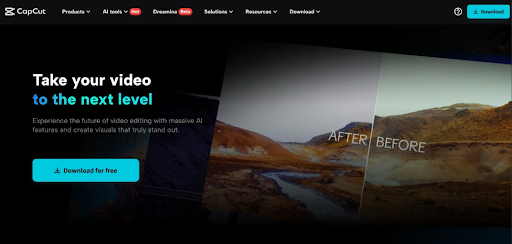
Academic presentations often suffer from engagement problems. Students struggle to maintain attention during lectures. Educators compete with digital entertainment daily. Traditional slides lack the dynamic elements modern learners expect. The right tools can transform this educational experience completely. CapCut PC offers powerful features for this purpose. This article explores practical applications for academia. Better presentations lead to improved learning outcomes. The technology is readily accessible to everyone.
The Evolution of Academic Presentations
Educational presentations have evolved significantly over decades. Chalkboards gave way to overhead projectors initially. PowerPoint revolutionized classroom presentations in the 1990s. Video integration became possible as technology advanced. Today’s students expect multimedia-rich learning experiences. Static content fails to engage digital natives effectively. Modern tools must balance engagement with educational value.
Educational psychology supports multi-sensory learning approaches. Visual and auditory elements improve information retention. Interactive components increase student participation levels. The most effective presentations address diverse learning styles. Technology now makes this accessible to all educators.
CapCut PC: An Overview
CapCut emerged initially as a mobile editing platform. The desktop version expanded capabilities significantly. The interface welcomes users of all experience levels. Complex editing becomes accessible through intuitive design. Academic content creators benefit from specialized features. The software runs smoothly on standard educational hardware.
The free version offers impressive functionality for education. Installation requires minimal technical knowledge. Regular updates keep features current and relevant. The learning curve remains gentle for busy educators. Students adapt quickly to the interface design. Cross-platform compatibility ensures accessibility for all.
Text-to-Speech: Narrating with Clarity
Narration adds essential context to academic presentations. Many educators lack professional recording equipment. Students may feel self-conscious about voice recording. The text to speech feature solves these problems effectively. Clear narration becomes available to everyone immediately. The technology has advanced tremendously in natural delivery.
Multiple voice options accommodate different presentation needs. Languages and accents can be selected as needed. Volume and pace adjustments ensure perfect delivery. The natural-sounding results improve audience comprehension significantly. Complex terminology receives consistent pronunciation throughout presentations. This feature particularly benefits non-native speakers.
To implement this effectively, prepare your script carefully. Break text into conversational segments for natural flow. Preview different voices to find appropriate options. Consider subject matter when selecting voice characteristics. This approach creates professional narration without specialized equipment.
AI Video Generation: Visual Impact
Visual elements dramatically enhance information retention. Creating custom animations requires specialized skills traditionally. Stock footage rarely matches specific academic needs perfectly. The AI video generator transforms this process entirely. Complex concepts receive visual representation easily. Abstract ideas become concrete through generated animations.
Chemistry professors illustrate molecular interactions visually. History educators recreate historical scenes for context. Mathematics instructors animate abstract concepts clearly. These capabilities were previously limited to specialized studios. Now they exist within reach of every educator.
Implementation begins with clear conceptual descriptions. Specific visual requirements guide the generation process. Review and refinement produce targeted educational content. Brief sequences effectively illustrate complex topics. The visual impact significantly improves student engagement levels.
Voice Changer: Creating Character
Storytelling enhances educational content memorably. Historical figures can “speak” in first person. Literary characters come alive through distinct voices. Scientific concepts gain personality through characterization. The voice changer feature enables these creative approaches. Educational content becomes more engaging immediately.
Students particularly respond to character-driven presentations. Information retention improves through emotional connection. Abstract concepts gain concrete associations through characters. Multiple perspectives can be presented distinctly. This approach works across various academic disciplines effectively.
Implementation requires thoughtful character selection first. Match voices to appropriate content carefully. Use the feature judiciously for maximum impact. Consistency maintains professional educational standards. The balance between entertainment and education remains crucial.
Integrating Multiple Features
The true power emerges when combining multiple features. Begin with a structured presentation outline. Create visuals using the AI generator. Add character voices for conceptual explanations. Incorporate standard narration for traditional segments. The seamless integration creates compelling educational content.
Physics concepts might include both explanation and demonstration. Literature presentations can feature character readings with analysis. Historical events gain eyewitness perspectives and context. These multi-layered presentations address diverse learning styles. Student engagement increases measurably as a result.
Case Study: Biology Presentation Transformation
Consider a standard cell biology presentation transformation. Traditional approach uses static cell diagrams alone. Enhanced version begins with professional narration through text to speech. Cell components receive dynamic visualization via ai video generator. Cellular processes show animation rather than description. Individual organelles “explain” their functions using voice changer technology.
Student feedback reveals dramatic engagement improvements. Test scores increased significantly after implementation. Concept retention showed measurable improvement over time. The multi-sensory approach reached more learning styles effectively. Technical knowledge requirements remained minimal throughout creation.
Accessibility Considerations
Educational content must remain accessible to all students. CapCut features support accessibility requirements effectively. Closed captioning integrates with voice content seamlessly. Visual descriptions complement animated elements appropriately. Multiple information channels support diverse learning needs. These considerations should guide all content creation.
The text to speech feature benefits hearing-impaired students particularly. Visual elements support those with auditory processing difficulties. These inclusive approaches improve educational outcomes broadly. Modern presentations should prioritize accessibility from conception. CapCut makes this integration straightforward for creators.
Future of Educational Content Creation
Educational presentation technology continues evolving rapidly. AI-driven content will become increasingly sophisticated. Personalization options will expand for different learners. Interactive elements will increase student participation further. Current tools represent early steps in this evolution. Educational creators should embrace these developments actively.
Students entering higher education expect dynamic content. Workplace skills increasingly include media creation abilities. The ai video generator prepares students for future requirements. Tomorrow’s educators need familiarity with these tools. The investment in learning pays dividends immediately.
Conclusion
Academic presentations need not remain static or boring. CapCut PC offers accessible tools for transformation. The text to speech feature provides professional narration. Visual concepts come alive through the ai video generator. Character development emerges through voice changer capabilities. These tools remain accessible to educators at all technical levels.
Students benefit from enhanced engagement opportunities. Educational outcomes improve through multi-sensory approaches. Content creators develop valuable contemporary skills. The barriers to creating professional presentations have fallen. Every educator now has studio-quality tools available. Academic presentations can finally compete with entertainment media. The future of education looks increasingly engaging.