

WordPress is one of the most widely used website platforms because it allows people to build and manage websites without needing to write every line of code themselves. Two of the most important parts of the WordPress ecosystem are themes and plugins. Together, they control how a website looks, behaves, and provides features to visitors.
If you are new to WordPress, understanding what is a theme in WordPress can make the entire platform much easier to navigate. A theme primarily controls the visual presentation and layout of a website, while plugins extend its functionality. Although they have different purposes, both work within the WordPress system to create a complete website experience.
This article explains how WordPress themes and plugins work, how they differ, how they interact, and what website owners should consider when choosing and managing them.
What Is a WordPress Theme?
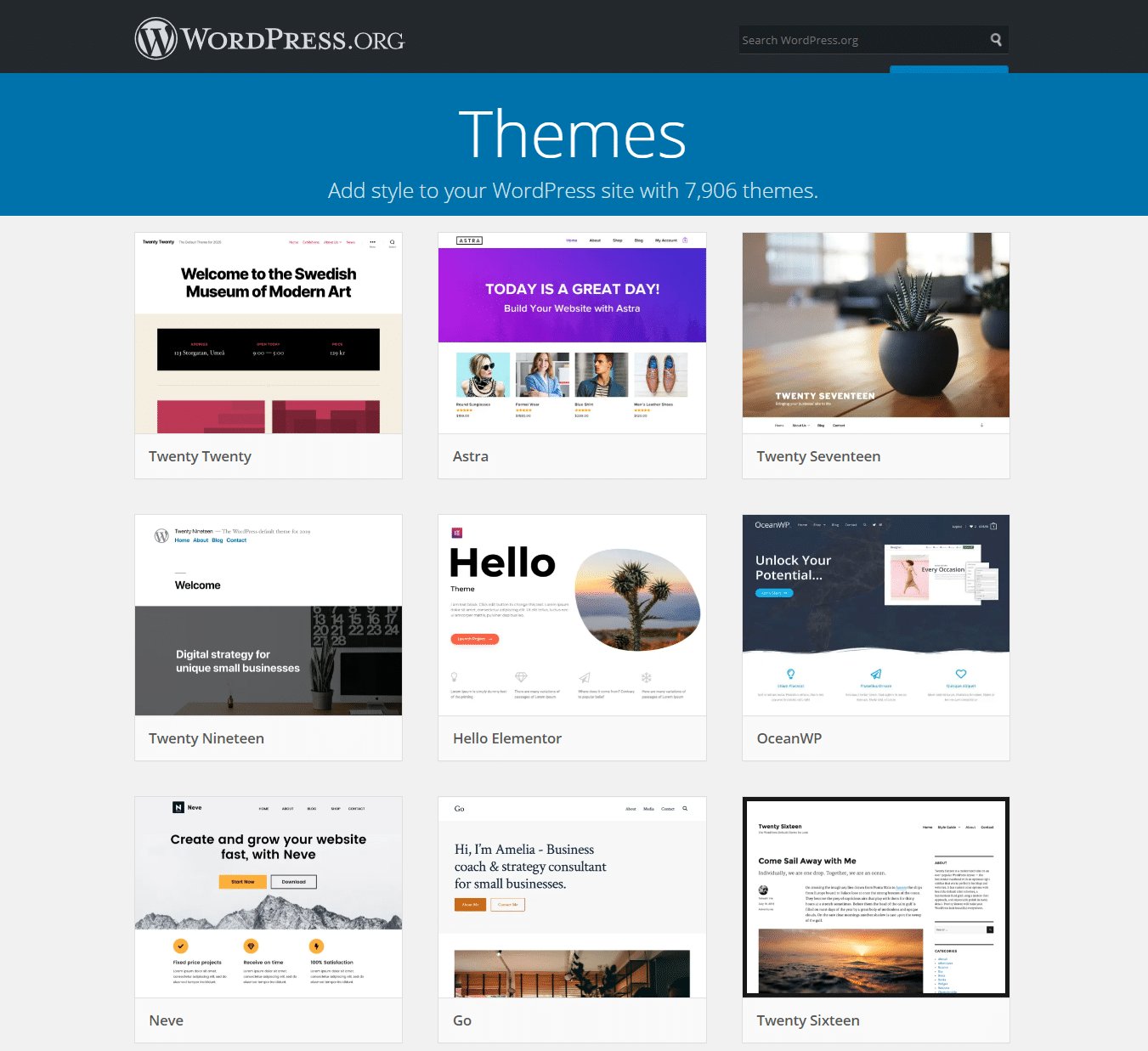
A WordPress theme is a collection of files that determines the appearance and overall presentation of a WordPress website. It controls elements such as page layouts, typography, colors, navigation menus, headers, footers, blog post designs, and other visual components.
Think of a theme as the visual framework of a website. The same WordPress content can look completely different when a different theme is activated. The text, images, pages, and posts may remain the same, but their presentation can change significantly.
Modern WordPress themes can also include customization tools that allow users to modify layouts and styles without editing code manually. Some themes provide extensive design controls, while others focus on simplicity and performance.
What Does a Theme Control?
A theme can influence many visible aspects of a website, including:
- Header and footer layouts
- Page and post templates
- Fonts and typography
- Colors and spacing
- Navigation menus
- Sidebar placement
- Featured image presentation
- Blog archive layouts
- Buttons and other interface elements
- Responsive behavior on mobile devices
However, a theme is not normally responsible for every function a website performs. Features such as contact forms, advanced search systems, backups, analytics integrations, and e-commerce capabilities are often handled by plugins or external services.
How WordPress Themes Work
Behind the scenes, a WordPress theme contains templates, stylesheets, scripts, and other files that tell WordPress how to display content. When someone visits a page, WordPress processes the requested content and uses the active theme to determine how that information should be presented.
For example, suppose a website contains a blog post titled “How to Improve Website Security.” The post itself is stored in the WordPress database. The theme determines where the title appears, how the featured image is displayed, what fonts are used, and how the content is arranged on the page.
This separation between content and presentation is one of WordPress’s major advantages. Website owners can often change the design without having to recreate all their existing content.
Theme Templates and Styles
Traditional WordPress themes commonly use template files to control different parts of a website. Depending on the theme, these may include templates for individual posts, pages, archives, search results, headers, and footers.
CSS files are responsible for much of the visual styling, while JavaScript can add interactive behavior. PHP is commonly used to process dynamic content and connect theme templates with WordPress functionality.
Newer WordPress themes may also use the Site Editor and block-based templates. These approaches allow users to customize many parts of a website visually through WordPress’s administration interface.
What Is a WordPress Plugin?
A plugin is a piece of software that adds or modifies functionality within WordPress. Instead of primarily changing how a website looks, plugins are designed to change what the website can do.
For example, a basic WordPress installation does not automatically provide every possible feature a website owner might need. A plugin can add functionality for forms, search engine optimization, security, caching, memberships, online stores, bookings, newsletters, and much more.
Plugins can be relatively simple, such as adding a small feature to the dashboard, or highly complex applications that introduce substantial functionality.
Examples of Plugin Features
WordPress plugins can provide features such as:
- Contact and registration forms
- E-commerce functionality
- Website backups
- Security monitoring
- Performance optimization
- SEO tools
- Social media integrations
- Membership systems
- Learning management systems
- Appointment booking
- Analytics integrations
- Custom content functionality
The important point is that plugins extend WordPress rather than replacing the core platform.
How Do WordPress Plugins Work?
Plugins work by interacting with WordPress through its built-in programming interfaces, commonly known as hooks. These allow plugin developers to add functionality at specific points during WordPress’s processing.
There are two major types of hooks: actions and filters.
Actions allow a plugin to execute code when a particular event occurs. Filters allow a plugin to modify data before WordPress displays or processes it.
For example, a plugin could use a filter to change how certain content is displayed. Another plugin could use an action to perform a task when a new user registers.
This system allows WordPress to remain flexible. Developers can extend its capabilities without directly changing the core WordPress files.
Themes vs. Plugins: What’s the Difference?
The easiest way to understand the difference is to think about appearance versus functionality.
A theme primarily determines how the website looks and how content is arranged. A plugin primarily determines what additional functions the website can perform.
| WordPress Theme | WordPress Plugin |
| Controls visual design | Adds functionality |
| Handles layouts | Extends WordPress features |
| Controls typography and colors | Can process forms and data |
| Determines template presentation | Can integrate external services |
| Usually one active theme at a time | Multiple plugins can be active |
This distinction is useful when troubleshooting a WordPress website. If a problem concerns the site’s layout, fonts, colors, or templates, the theme may be involved. If a feature stops working, a plugin may be responsible.
How Themes and Plugins Work Together
Themes and plugins are separate components, but they frequently interact.
Consider a website that uses an online store plugin. The plugin can provide products, shopping carts, checkout functionality, and order management. The theme then determines how those elements are visually presented to visitors.
Another example is a form plugin. The plugin may generate the form and handle submissions, while the theme controls the surrounding page layout, typography, spacing, and colors.
Good themes and plugins are designed to work with WordPress’s standard systems rather than making unnecessary changes to core files. This helps improve compatibility and makes future maintenance easier.
Why Compatibility Matters
A theme and plugin can technically be installed on the same website but still cause conflicts. Problems can occur when two pieces of software attempt to modify the same functionality or when one component has not been updated for changes introduced by WordPress or another dependency.
Common symptoms of compatibility problems include:
- Broken layouts
- Missing buttons or features
- PHP errors
- Slow page loading
- Unexpected changes in functionality
- Dashboard problems
- Conflicts between scripts or styles
For this reason, website owners should evaluate compatibility and maintain their WordPress installations carefully.
The Role of the WordPress Database
Themes and plugins do not work in isolation. WordPress also relies heavily on its database to store website information.
Posts, pages, users, settings, comments, and many other types of information are stored in the database. Plugins may also create their own settings or store additional information there.
When a visitor requests a page, WordPress combines information from the database with instructions from the active theme and functionality supplied by plugins. The result is the webpage that appears in the visitor’s browser.
This architecture allows content, design, and functionality to remain relatively independent.
Why Keeping Themes and Plugins Updated Matters
WordPress websites require ongoing maintenance. Developers release updates for themes and plugins for several reasons, including security improvements, bug fixes, compatibility changes, performance enhancements, and new features.
Running outdated software can create unnecessary security and compatibility risks. However, blindly updating everything on a production website can also cause problems if an update conflicts with another component.
A sensible maintenance process includes:
- Keep WordPress itself updated.
- Use reputable themes and plugins.
- Maintain regular backups.
- Review update notes when available.
- Test major changes before applying them to important websites.
- Remove unused plugins and themes.
- Monitor the website after updates.
Regular maintenance can make troubleshooting considerably easier.
How Many Plugins Should a WordPress Website Have?
There is no universal number that applies to every website. The quality, coding standards, functionality, and resource usage of plugins matter more than simply counting them.
A website with ten well-developed plugins may perform better than a website with three poorly developed ones. At the same time, installing unnecessary plugins can increase maintenance requirements and create additional opportunities for conflicts.
Before installing a plugin, consider whether the feature is genuinely necessary. If it is, look at its compatibility, update history, documentation, support, and reputation before adding it to the website.
Choosing a WordPress Theme
When selecting a theme, look beyond its visual appearance. A design may look impressive but still be unsuitable for long-term use.
Important factors include:
- Responsive design
- Accessibility considerations
- Performance
- Customization options
- Compatibility with current WordPress versions
- Quality of documentation
- Regular maintenance
- Clean and organized code
- Compatibility with required plugins
The best theme is not necessarily the one with the largest number of features. A lightweight theme that meets the website’s actual requirements can often be easier to maintain.
Choosing WordPress Plugins
Plugins should also be selected based on practical requirements rather than popularity alone.
Before installing one, consider its purpose and whether another installed plugin already provides similar functionality. Reducing unnecessary overlap can make a website easier to manage.
It is also useful to check whether the plugin receives regular updates and whether its developers provide adequate documentation or support.
Common Mistakes to Avoid
New WordPress users often install too many themes and plugins while experimenting with different features. This can eventually create confusion and increase maintenance requirements.
Other common mistakes include keeping inactive plugins installed indefinitely, ignoring updates, changing core files directly, and failing to create backups before major changes.
Another mistake is choosing a theme entirely because of its appearance. Website performance, accessibility, mobile usability, customization, and long-term maintenance should also influence the decision.
Conclusion
WordPress themes and plugins perform different but complementary roles. A theme provides the framework for a website’s visual presentation, while plugins extend WordPress with additional functionality. Together, they allow website owners to build sites that can be customized without developing every feature from scratch.
Understanding the relationship between these components makes WordPress easier to manage and troubleshoot. It also helps users make better decisions when selecting themes, installing plugins, maintaining their websites, and diagnosing technical problems.
The key is to treat themes and plugins as parts of a larger system. Choosing reliable software, keeping it updated, maintaining backups, and avoiding unnecessary additions can help create a WordPress website that remains functional, flexible, and easier to maintain over time.
Frequently Asked Questions
1. Can I change my WordPress theme without losing my content?
Yes. Changing a WordPress theme normally does not delete your posts, pages, media files, or users because that information is stored separately from the theme. However, some theme-specific settings, widgets, menus, or customization options may need to be configured again after switching themes.
2. Can WordPress have multiple themes installed?
Yes, you can install multiple themes on a WordPress website, but normally only one theme is active at a time. Keeping additional themes can be useful for testing or emergency purposes, although unused themes should generally be removed when they are no longer needed.
3. Do plugins slow down WordPress websites?
Plugins can affect website performance, but the number of plugins alone does not determine speed. Poorly coded, resource-intensive, or unnecessarily duplicated plugins can create performance issues. Well-developed plugins that are properly configured may have relatively little impact on a site’s overall performance.
4. What happens if a WordPress plugin conflicts with a theme?
A plugin conflict can cause visual or functional problems, such as broken layouts, missing features, error messages, or unexpected behavior. Troubleshooting usually involves identifying the conflicting component, temporarily disabling plugins, checking compatibility, and testing the website in a controlled environment.
5. Should I update WordPress themes and plugins?
Keeping themes and plugins updated is generally recommended because updates can contain security patches, bug fixes, compatibility improvements, and new functionality. Before major updates, creating a reliable backup and testing important changes can reduce the risk of unexpected problems on a live website.