

Immersive audiovisual experiences have become essential across professional environments, from corporate command centers and broadcast studios to live event venues and retail spaces. As video wall LED displays grow larger and more sophisticated, audio professionals face a persistent challenge: delivering high-quality, perfectly synchronized sound that matches the visual impact of these expansive screens. Mismatched signals, format incompatibilities, and latency issues can undermine even the most impressive visual installation. Audio converters serve as the critical bridge in these setups, translating audio signals between formats to ensure seamless communication between source devices and display processors. When paired with complementary equipment such as HDMI splitters for multi-screen video distribution and AV control panels for centralized system management, audio converters become the backbone of a cohesive integration strategy. This article provides a clear, practical guide for audio engineers and AV integrators looking to achieve flawless audio-video synchronization in video wall environments, covering equipment selection, configuration steps, and proven best practices for reliable performance.
Understanding Video Wall LED Displays and Audio Components
Video wall LED displays consist of multiple LED panels tiled together to create a single, seamless visual canvas. These configurations power everything from stadium scoreboards and concert backdrops to corporate lobby installations and traffic management control rooms. Each application demands not just striking visuals but also audio that arrives at the listener’s ears in perfect lockstep with on-screen content. The audio requirements for video wall environments are particularly demanding because processing delays introduced by video scalers and wall controllers can push visual output several frames behind the original source signal. Without compensating on the audio side, viewers perceive a distracting lip-sync mismatch or misaligned sound effects. Audio converters address this by translating signals between formats—extracting embedded HDMI audio streams into analog or AES/EBU digital outputs, or embedding standalone audio back into an HDMI path—so that every component in the signal chain speaks the same language. In larger deployments, HDMI splitters distribute a single source to multiple wall processors while preserving the embedded audio, and audio extenders carry converted signals over Cat6 or fiber runs to amplifiers positioned dozens or even hundreds of meters from the source rack, ensuring consistent quality regardless of installation scale.
The Role of Audio Converters in Professional AV Integration
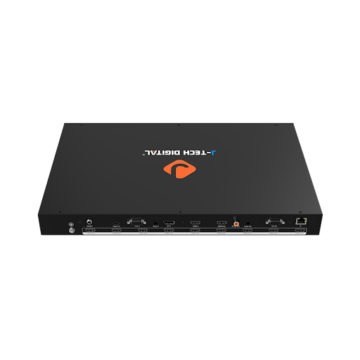
Audio converters function as translators between incompatible signal domains, ensuring that analog and digital audio systems communicate without degradation. A digital-to-analog converter (DAC) takes digital streams—whether AES/EBU, S/PDIF, or HDMI-embedded PCM—and outputs line-level analog signals suitable for amplifiers and powered speakers. Conversely, an analog-to-digital converter (ADC) captures microphone or mixer outputs and encodes them into digital formats that video wall processors can accept and route alongside video data. For audio engineers working in professional AV integration, signal integrity through the conversion stage is non-negotiable. Key specifications to evaluate include bit depth (24-bit minimum for professional applications), sample rate support (up to 192 kHz for high-resolution workflows), total harmonic distortion, and signal-to-noise ratio. Beyond basic conversion, modern units incorporate low-latency processing architectures that keep conversion delay under one millisecond—critical when audio must remain synchronized with video passing through wall controllers that introduce their own processing time. Recent advancements include converters with built-in frame synchronizers, automatic format detection that switches between stereo PCM and multi-channel audio without manual intervention, and network audio protocol support such as Dante or AES67. These features give integrators flexibility to adapt a single converter to evolving system requirements without replacing hardware, making them indispensable tools in any video wall audio chain.
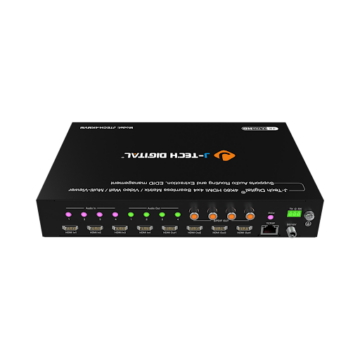
Step-by-Step Guide to Integrating Audio Converters with Video Wall LED Displays
Successful integration begins with thorough planning. Before purchasing any equipment, document every audio source in your signal chain—media servers, Blu-ray players, live camera feeds, microphone systems—and map each one to its destination on the video wall processor. Note the native output format of each source and the input format your wall controller accepts. This assessment reveals exactly where conversion is needed and what cable infrastructure you must run between components.
Start by selecting an audio converter that matches the format requirements you identified. If your sources deliver HDMI-embedded audio but your amplification system requires balanced analog inputs, choose an HDMI audio extractor with professional-grade DAC circuitry. For setups where standalone microphone feeds must be embedded into an HDMI stream feeding the wall processor, an ADC with HDMI embedding capability is the right tool. Confirm that the converter supports the channel count and sample rates your content demands.
Next, make your physical connections. Route the source output into the converter’s input, then connect the converter’s output to the video wall processor’s audio input or directly to your amplification system. Use shielded cables appropriate to each signal type—balanced XLR for analog runs, 75-ohm coaxial for S/PDIF, and certified high-speed HDMI cables for embedded audio paths. Once connected, access the converter’s configuration interface to set sample rate, bit depth, and channel mapping. Most critically, adjust the audio delay parameter to compensate for the video processing latency introduced by your wall controller. Many processors publish their throughput delay in their documentation; use this figure as your starting offset value.
Verify alignment using a lip-sync calibration tool or a test pattern that generates simultaneous audio and visual transients. Watch for the flash-to-click relationship on a slow-motion capture or use dedicated measurement hardware that reports offset in milliseconds. If audio arrives early, increase the converter’s delay buffer incrementally until synchronization is achieved. Common troubleshooting scenarios include intermittent audio dropouts caused by HDCP handshake failures—resolved by ensuring all devices in the chain support the same HDCP version—and ground loop hum, which balanced connections or inline isolators eliminate quickly.
Configuring Audio Converters for Multi-Zone Audio
Large video wall installations often span multiple zones, each displaying different content with its own audio feed. In a broadcast operations center, for example, one wall section might show a live news feed while an adjacent section displays satellite telemetry with separate commentary. Configure your audio converter’s output routing to direct discrete channels to zone-specific amplifiers. Converters with multiple output pairs or network audio connectivity simplify this by allowing independent channel assignment per zone from a single unit. When zones are physically distant from the equipment rack, pair the converter with audio extenders over Cat6 or fiber to maintain signal quality across long runs while preserving the precise delay settings you calibrated for each zone independently.
Enhancing Integration with HDMI Splitters and AV Control Panels
HDMI splitters play a vital role in video wall deployments where a single source must feed multiple display processors simultaneously. A well-designed splitter duplicates both video and embedded audio without introducing additional latency or degrading signal quality, ensuring that each wall module receives an identical copy of the source material. Manufacturers such as J-Tech Digital Inc offer HDMI distribution solutions designed specifically for professional AV environments, supporting transparent audio passthrough including multi-channel PCM and bitstream formats without forcing unwanted downmixing. When paired with audio converters downstream, this architecture allows integrators to extract audio at any point in the distribution chain—feeding zone-specific amplifiers from individual splitter outputs while the video continues uninterrupted to wall controllers.
AV control panels bring centralized management to these complex systems, giving operators a single interface to adjust audio converter settings, switch sources on the splitter, and monitor signal health across the entire chain. Rather than accessing each device individually through separate configuration utilities, a control panel consolidates routing changes, delay adjustments, and volume control into programmable presets. In a corporate briefing room, for instance, an operator can recall a “presentation” preset that routes laptop audio through the converter to ceiling speakers while simultaneously splitting the HDMI feed across six wall panels—all from one button press. This unified approach reduces human error during live events, speeds up troubleshooting by providing real-time status feedback, and satisfies audio professionals’ demand for efficient, repeatable system management without sacrificing granular control over individual components.
Using Audio Extenders for Seamless Audio Distribution in Large Setups
Audio extenders solve a fundamental problem in large-scale video wall installations: maintaining signal quality when amplifiers, speakers, or processing equipment sit far from the source rack. In auditoriums, houses of worship, and outdoor event stages, the distance between the control room and speaker positions can exceed the practical limits of standard analog or digital audio cabling. Cat6-based audio extenders transmit balanced audio over structured network cable for runs up to 100 meters, while fiber optic extenders push that range beyond a kilometer with complete immunity to electromagnetic interference—a critical advantage in environments surrounded by LED drivers and high-power switching equipment. When integrating extenders with audio converters, place the converter at the head end to handle format translation, then feed the converted output into the extender’s transmitter. At the receive end, the signal arrives ready for amplification without additional processing. To minimize degradation, always use shielded Cat6A cable in environments with heavy EMI, terminate fiber connectors professionally to avoid insertion loss, and choose extenders that support the full bandwidth of your audio format rather than compressing or downsampling during transmission. This approach ensures that the precise delay calibration and signal quality established at the converter carry through intact to every speaker position in the venue.
Best Practices and Common Pitfalls in Audio-Video Wall Integration
Reliable audio-video wall integration depends on disciplined habits throughout the project lifecycle. Always use certified, shielded cables rated for your specific signal type—cheap HDMI cables and unshielded analog runs invite interference and dropouts that surface unpredictably during critical presentations. Keep converter firmware current, as manufacturers frequently release updates that resolve handshake issues, add format support, and improve latency performance. Proper grounding across all rack equipment eliminates the hum and buzz that plague systems where multiple power sources create ground potential differences.
The most common mistakes integrators make include mismatching audio formats between source and converter—sending bitstream Dolby to a converter expecting PCM, for example—which results in silence or noise rather than usable audio. Overlooking latency compensation ranks equally high; installers who skip delay calibration leave visible lip-sync errors that erode audience confidence in the entire system. Another frequent oversight is neglecting EDID management, causing sources to output incorrect channel counts or sample rates. Solve these by maintaining a detailed signal flow document updated after every change, performing lip-sync verification with calibrated tools after each configuration adjustment, and scheduling quarterly system audits that confirm all components still communicate correctly following any firmware or content source updates.
Building a Synchronized Audio-Video Wall Ecosystem
Integrating audio converters with video wall LED displays requires deliberate planning, precise calibration, and the right supporting infrastructure. The process begins with mapping every source and destination in your signal chain, selecting converters that match your format and latency requirements, and methodically calibrating delay offsets until audio and video arrive in perfect synchronization. HDMI splitters ensure identical source material reaches every wall module without degradation, while AV control panels consolidate complex routing and preset management into an operator-friendly interface. For installations where distance separates equipment racks from speaker positions, audio extenders over Cat6 or fiber preserve the signal quality and timing you worked to establish at the converter stage. Together, these components form an integrated ecosystem that delivers the immersive, synchronized experiences audiences expect from modern video wall environments. Audio professionals who follow this guide gain repeatable workflows for deployments of any scale—from compact corporate briefing rooms to sprawling event venues. As network audio protocols mature and converters gain intelligent format detection and remote management capabilities, the integration process will become even more streamlined, but the fundamentals of careful planning, proper calibration, and disciplined signal chain management will remain the foundation of every successful installation.