

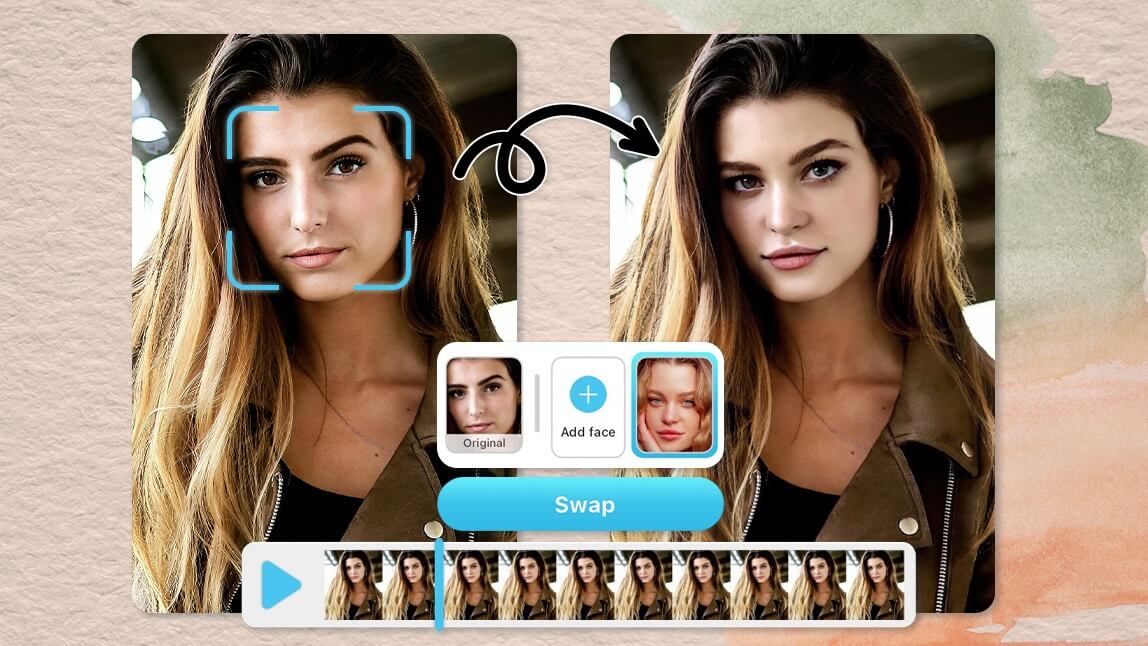
Face swapping has become one of the most fun and popular trends in photo and video editing. Whether you want to create hilarious images, make creative content, or just surprise your friends, swapping faces can add a whole new level of excitement to your media. But many people think face swapping is complicated and requires expensive software or technical skills. The good news is—it doesn’t have to be that way.
Today, you can easily swap faces in photos and videos using simple online tools. These tools use smart technology to quickly and smoothly change faces without needing hours of editing or special equipment. In this article, we’ll walk you through how to swap faces easily and show you the best resources to get started.
What Is Face Swapping?
Face swapping means taking the face from one person and replacing it with the face of another person in a photo or video. It can be funny, artistic, or even useful for making better selfies or videos. The technology behind it uses AI (Artificial Intelligence) to recognize faces and map them onto each other naturally.
How to Swap Faces in Photos
Swapping faces in photos is one of the easiest ways to try this fun effect. You don’t need to know Photoshop or complicated editing software. Instead, you can use Face Swap AI tools online that do all the hard work for you.
For example, by visiting Face Swap AI, you can upload your photos and instantly swap faces with just a few clicks. These platforms automatically detect faces, match skin tones, and adjust the images to make the swap look natural and realistic.
You can swap faces between two friends, celebrities, or even swap your face with a pet for a funny twist. The whole process usually takes just a minute or two, and you get high-quality results that you can save or share.
How to Swap Faces in Videos
Swapping faces in videos used to be very challenging. It required special software and hours of work to get the faces aligned properly throughout the entire video. But thanks to modern AI tools, swapping faces in videos has become easy and accessible to everyone.
With the help of video swap tools like Video Swap, you can upload your video clips and swap faces smoothly. The AI analyzes each frame of the video, ensuring the face swap stays natural, even when the person moves or changes expressions.
This is perfect for making funny videos, pranks, or even creative projects like movie edits or memes. Once you finish the swap, you can download the video and share it on social media or with friends.
Why Use Online Face Swap Tools?
There are many reasons why online face swap tools are the best choice for swapping faces in photos and videos:
- Easy to use: No special skills are needed. Just upload your files, and the AI does the work.
- Fast results: You get your swapped images or videos in minutes.
- No downloads required: These tools work directly in your browser.
- High quality: The AI technology ensures the swapped faces look realistic.
- Safe and private: Most platforms respect your privacy and delete files after processing.
How to Get Started
Getting started with face swapping is simple. Here’s a quick step-by-step guide:
- Visit an online face swap platform like Image Swap.
- Upload the photos or videos you want to edit.
- Select the faces you want to swap.
- Let the AI process the images or videos.
- Download the final swapped photo or video.
That’s it! You don’t need to be a professional editor, and you can try as many swaps as you want.
Final Thoughts
Face swapping is no longer just for experts or tech-savvy users. With modern AI-powered tools, anyone can easily swap faces in photos and videos within minutes. Whether you want to make funny memes, surprise friends, or create unique content, these tools make the process smooth and fun.