

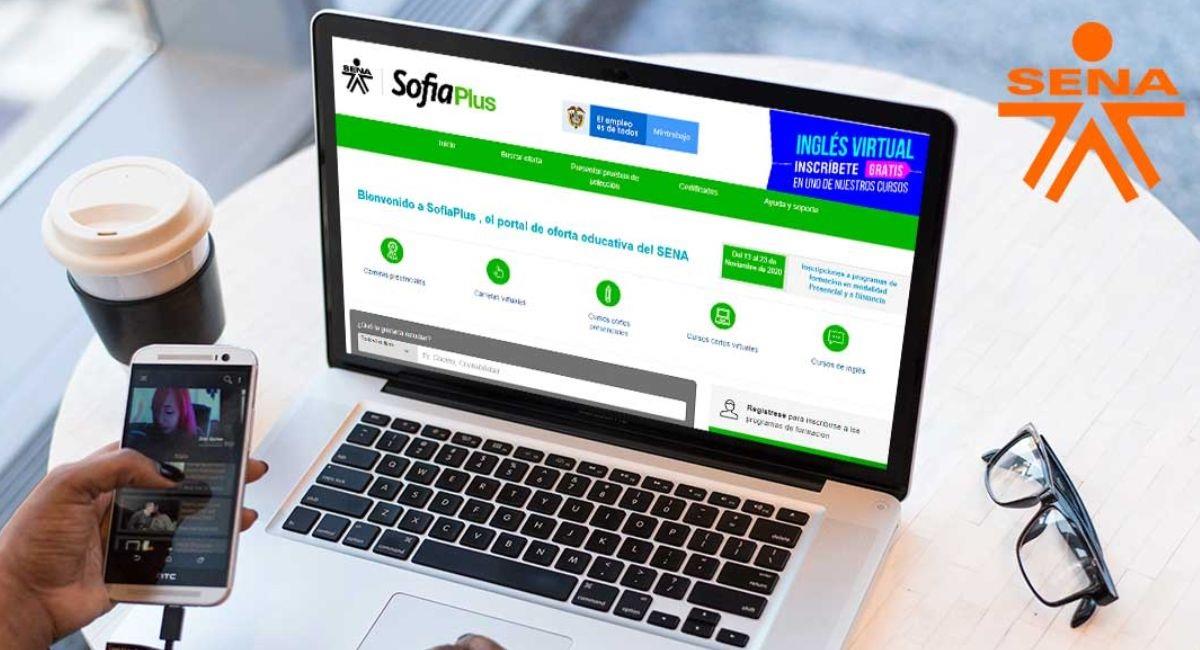
Your certificate is ready, but you cannot find it. Your enrollment is confirmed, but the system shows nothing. These two platforms can feel like mazes—unless you know exactly where to click.
Understanding the Purpose of Each Platform Before You Start
Before navigating either system, it helps to know what each one is built for. SENA Sofia Plus is a learning management and administrative system for Colombia’s Servicio Nacional de Aprendizaje. Buscador de Estatus is a status-verification tool available through several Mexican government portals including the Secretaría de Educación Pública (SEP) and the Instituto Mexicano del Seguro Social (IMSS).
These platforms do not serve the same country or the same purpose. Treating them as interchangeable leads to confusion. This guide walks you through both, step by step, so you know exactly what to do on each one.
How to Log In to SENA Sofia Plus
Step 1: Open your web browser and go to sofiaplus.edu.co. This is the only official SENA Sofia Plus URL. Avoid third-party sites that claim to offer access.
Step 2: Click on the login button located in the upper right corner of the homepage. You will see two access options: one for Aprendices (learners) and one for Instructores/Funcionarios (instructors and staff).
Step 3: Select the correct user type. Learners should click Aprendices. Enter your registered document number (cédula, tarjeta de identidad, or passport number) and your password.
Step 4: If you forget your password, click ¿Olvidé mi contraseña? The system will send a recovery link to the email address registered with SENA. Check your spam folder if the email does not arrive within five minutes.
Step 5: After logging in, your dashboard displays your current and past program enrollments, attendance records, grades, and any available certificates.
How to Download a Certificate from SENA Sofia Plus
Step 1: From your dashboard, click on the program for which you want a certificate. Only programs marked as Culminado (completed) will have a certificate available.
Step 2: Navigate to the Certificados section within the program detail page. If the certificate is ready, a download button will appear. Click it to download the PDF.
Step 3: Certificates downloaded from Sofia Plus carry an official SENA digital seal. They are valid for administrative and employment purposes within Colombia.
Step 4: If no certificate appears despite completing the program, contact your regional SENA office or your instructor to confirm that your completion status has been formally recorded in the system.
How to Use Mexico’s Buscador de Estatus for SEP Certificates
Step 1: Visit the official SEP portal at sep.gob.mx. Navigate to the section for Títulos y Cédulas Profesionales or search for Buscador de Estatus in the site’s search bar.
Step 2: The search tool will ask for one or more of the following: your full name, your CURP (Clave Única de Registro de Población), your institution name, or your certificate folio number. Enter the information you have available.
Step 3: Click the search button. The system will return results showing the official registration status of your professional degree or academic certificate. A status of Registrado confirms it is officially recognized by the Mexican government.
Step 4: If your credential shows as No Encontrado or Pendiente, it means the document either has not been processed yet or was submitted to a different federal entity. Contact your school’s control escolar department for follow-up.
How to Check IMSS Status Using Buscador de Estatus
Step 1: Visit imss.gob.mx and navigate to the Servicios en Línea section. Look for Consulta de Vigencia de Derechos or the IMSS Digital portal.
Step 2: Enter your NSS (Número de Seguridad Social). This is an 11-digit number found on your IMSS card or any official IMSS document.
Step 3: The system will show your current enrollment status, the name of your registered employer, and the validity of your healthcare benefits. An active status means your benefits are current.
Step 4: If your status appears inactive but you are employed, notify your employer immediately. Employers are legally required to register and maintain active IMSS contributions for all employees in Mexico.
Common Mistakes to Avoid on Both Platforms
| Mistake | Platform | How to Avoid It |
| Using unofficial websites | Both | Always type the official government URL directly |
| Entering wrong document type | Sofia Plus | Use the exact ID type registered at enrollment |
| Searching without CURP | SEP Buscador | Prepare your CURP before starting the search |
| Ignoring spam folder for recovery emails | Sofia Plus | Check all email folders after requesting reset |
| Expecting instant certificate processing | Sofia Plus | Wait 15–30 business days after program completion |
| Confusing NSS with CURP | IMSS Buscador | NSS is 11 digits for IMSS; CURP is 18 characters for SEP |
What to Do When the System Does Not Show Your Records
Both systems rely on data entered by institutions or employers. If your record does not appear, the issue is almost always an administrative delay or a data entry error on the institutional side—not a problem with the platform itself.
For Sofia Plus, reach out to your SENA instructor or the regional center’s administrative office. For SEP’s Buscador de Estatus, contact your university’s titulación or control escolar office. For IMSS, speak with your employer’s HR department.
Conclusion
Both SENA Sofia Plus and Buscador de Estatus are functional, reliable platforms when used correctly. Sofia Plus gives Colombian learners full control over their training journey, while Mexico’s Buscador de Estatus tools provide fast, transparent access to institutional records. Following the steps in this guide eliminates most of the friction people experience when using these platforms for the first time.
Frequently Asked Questions
- Can I use SENA Sofia Plus on a mobile phone?
Yes. The sofiaplus.edu.co portal is mobile-browser compatible, though the experience is optimized for desktop. A dedicated app may be available through official SENA channels.
- What if I never received a Sofia Plus password during enrollment?
Visit your local SENA regional center with your identification document. Staff can reset your credentials and resend login information to your registered email.
- How many times can I download my SENA certificate?
There is no stated limit. You can download the certificate PDF as many times as needed from your Sofia Plus account.
- Does the SEP Buscador de Estatus work for high school (bachillerato) diplomas?
The SEP Buscador primarily handles professional-level credentials. For bachillerato or basic education certificates, contact your state’s education secretary (Secretaría de Educación del Estado).
- Is the IMSS Buscador de Estatus available 24 hours a day?
The IMSS online portal is generally available 24/7, though scheduled maintenance windows may temporarily affect access, usually announced on the IMSS website.
- Can a foreign national use the SEP Buscador de Estatus?
Yes, if the individual holds a degree recognized by a Mexican institution and has a CURP or folio number, they can use the search tool.
- What document do I need to log into Sofia Plus as an instructor?
Instructors log in using their Colombian cédula de ciudadanía and a SENA-assigned password. First-time instructors receive credentials through SENA’s human resources process.
- Why does my SENA program show as Cancelado on Sofia Plus?
A program marked Cancelado means it was either withdrawn by the learner, the learner exceeded allowed absences, or the program was administratively closed. Contact your regional center for reinstatement options.
- Can I check someone else’s SEP credential status?
Yes. The SEP Buscador de Estatus is public-facing, so employers and third parties can search for any professional credential registered in the system using publicly available data.
- Is there a cost to register for SENA programs?
SENA programs are free of charge for Colombian citizens and legal residents. The institution is publicly funded by Colombia’s Ministry of Labor and employer parafiscal contributions.