

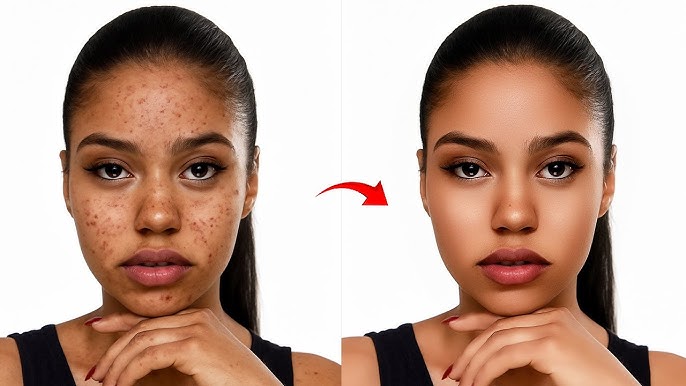
I’ve never been good at photo editing. I don’t have a design background, I don’t own Photoshop, and every time I’ve tried to follow a YouTube tutorial about layers and masks, I’ve given up about four minutes in. I’m just someone who wants my pictures to look decent — whether it’s product shots for my small online shop, vacation photos I want to post, or the occasional profile picture update.
A few weeks ago, while browsing for a simpler way to fix up some product images, I stumbled onto an AI Picture Editor — and honestly, it’s one of those discoveries that makes you wonder why you struggled for so long.
I wasn’t expecting much. I’d tried “easy” photo tools before, and they always seemed to promise more than they delivered. This one was different.
Why AI-Powered Photo Editing Feels Like Magic
There’s something almost surreal about watching AI edit a photo in real time. You upload an image, type what you want in plain English, and seconds later — it’s done. The stray object is gone. The background looks professional. The lighting actually looks good.
What makes it feel different from traditional editing is the complete absence of friction. No toolbars. No dropdown menus with 47 options you don’t understand. No undo history that you get lost in. Just you describing what you want, and the tool doing it.
The things that drew me in immediately:
- Instant results — no waiting, no rendering progress bars
- Natural language input — I just typed what I wanted like I was texting a friend
- Browser-based — nothing to download, nothing to install, nothing to update
- Actually free to start — I could test everything before committing a single dollar
My First Experience with the AI Picture Editor
When I first opened the AI Picture Editor, I had a very specific problem to solve. I sell handmade candles on the side, and my product photos were… not great. The candles themselves looked fine in person — warm soy wax, nice glass jars, subtle colors. But in photos, the backgrounds were always cluttered (my kitchen counter, mostly), the lighting was inconsistent, and the whole thing screamed “amateur with a phone camera.”
I uploaded a photo of a lavender candle that I’d taken on my kitchen counter. The background had a coffee mug, some mail, and part of a dish rack. Not exactly the boutique aesthetic I was going for.
I typed: “Remove everything from the background and replace with a clean cream-colored surface, soft natural lighting, spa-like atmosphere.”
Ten seconds later, I was looking at a photo that looked like it came from a professional product shoot. The candle was sharp, the wax texture was visible, and the background was this beautiful, minimal cream surface with soft shadows. My coffee mug and dish rack had vanished into the digital void.
I just sat there staring at it for a moment. Then I immediately uploaded four more product photos.
What stood out to me most:
- How accurately it understood my prompt on the first try
- The background replacement looked natural, not like a bad cutout
- The original product stayed perfectly intact while everything around it changed
- The lighting on the candle actually matched the new background
No Cost, No Complexity
Everything I’ve described started with the free tier. I didn’t enter a credit card, didn’t sign up for anything I’d have to remember to cancel later. I just opened the site, uploaded an image, and started editing.
For someone like me — no design training, no patience for complicated software, no budget for professional photo services — that’s everything. I didn’t watch a single tutorial. I didn’t read a manual. I just described what I wanted and got results that genuinely surprised me.
Speed Makes Creativity More Enjoyable
Traditional photo editing, at least the way I used to attempt it, was slow. Really slow. I’d spend 20 minutes trying to remove a background in some free tool, only to end up with jagged edges and a headache. Each photo was a project. A batch of 10 product images could eat up an entire evening.
With the AI Picture Editor, I edited 15 product photos in under 30 minutes. The actual editing part — the AI doing its thing — took seconds per image. Most of my time was spent thinking about what I wanted each photo to look like, which is the part I actually enjoy.
That speed difference changes how you approach creative work. When editing takes seconds instead of hours, you try things. You experiment. You type “what if the background was a dark slate instead?” just to see what happens. You iterate without frustration because each attempt costs you almost nothing in time or effort.
Perfect for Beginners and Casual Creators
This tool is genuinely built for people like me:
- Small sellers who need product photos that don’t look homemade — Upload a phone photo, clean up the background, and suddenly your Etsy shop looks legitimate.
- Social media users who want their posts to stand out — Transform a regular selfie or travel snap into something that stops the scroll.
- Hobbyists who just enjoy playing with images — No goal, no deadline, just the fun of seeing what AI can do with your photos.
- Anyone who’s ever said “I wish this photo looked better” — That’s basically everyone, and now there’s actually a way to fix it without learning Photoshop.
Ways I’ve Been Using It
Since that first candle photo, I’ve found myself reaching for the AI Picture Editor for all kinds of things:
- Product photos for my shop: Every new candle now gets the full treatment — clean background, balanced lighting, professional-looking composition. My shop looks cohesive for the first time ever.
- Social media posts: I turned a gray, overcast beach photo into something with warm golden-hour light that actually got comments from friends asking where I took it.
- Removing unwanted objects: A beautiful family photo from a park outing, except there was a random stranger in the background doing stretches. Gone in five seconds.
- Profile pictures: I had a decent selfie but the background was my messy bedroom. Now it looks like a proper headshot with a blurred, neutral backdrop.
- Gift ideas: I made a whimsical image of my friend’s cat “wearing” a tiny birthday hat for a digital birthday card. Silly, but she loved it.
Final Thoughts
After weeks of using the AI Picture Editor for everything from product photography to goofy personal projects, I can honestly say it’s one of those rare tools that delivers exactly what it promises. It’s fast, it’s approachable, and it makes professional-looking photo edits accessible to someone like me — and I genuinely mean someone who has no idea what a layer mask is.
If you’ve ever looked at your photos and wished they were just a little better — cleaner background, better lighting, fewer random strangers doing stretches — this is absolutely worth trying. Sometimes all it takes is uploading a photo, typing what you want, and letting the AI do the rest.