

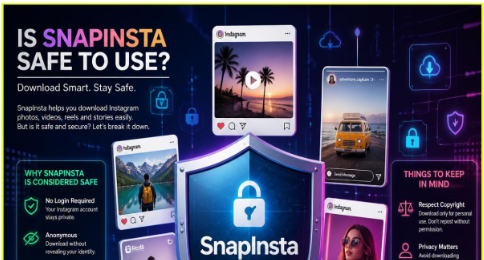
Yes, SnapInsta is generally safe to use for downloading publicly available Instagram content when you access the official SnapInsta website and follow basic online safety practices. SnapInsta allows users to download supported Instagram Reels, videos, photos, Stories, and carousel posts without requiring an Instagram login for standard public downloads. Because the web version typically does not ask users to share their Instagram username or password, it reduces the risk of exposing account credentials. However, users should always verify they are using the authentic SnapInsta website, avoid unofficial clone sites, ignore suspicious advertisements, and respect copyright laws when downloading Instagram content.
Understanding SnapInsta
SnapInsta is a browser-based Instagram downloader that helps users save publicly available Instagram content directly to their devices. Instead of requiring software installation or account registration, SnapInsta works by processing the public URL of an Instagram post.
Users can typically download several types of Instagram content through SnapInsta, including:
- Instagram Reels
- Instagram videos
- Instagram photos
- Instagram Stories
- Carousel posts containing multiple photos or videos
Because SnapInsta operates through a web browser, it is accessible from smartphones, tablets, laptops, and desktop computers, making it convenient for users across different platforms.
Is SnapInsta Really Safe?
For most users, SnapInsta is considered safe when used correctly.
The most important factor is accessing the official SnapInsta website rather than unofficial websites that imitate the brand.
Unlike some third-party services, SnapInsta generally does not require users to log into their Instagram account to download publicly available content. Instead, users simply paste a public Instagram link into the website.
Not requesting Instagram login credentials significantly reduces the possibility of exposing sensitive account information during the download process.
However, as with any online service, overall safety also depends on how users interact with the website and whether they follow good cybersecurity practices.
Why Many Users Trust SnapInsta
Several features contribute to SnapInsta’s reputation as a safe and convenient Instagram downloader.
No Instagram Login Required
One of the biggest security advantages of SnapInsta is that users generally do not need to enter their Instagram username or password.
The platform typically processes only the public URL of the Instagram content.
This reduces the likelihood of account credential theft through the downloading process.
Browser-Based Service
SnapInsta operates entirely through a web browser.
Because users usually do not need to install desktop software or browser extensions, there is less exposure to unknown installation files that could pose security risks.
The browser-based approach also makes SnapInsta easier to access across multiple devices.
Simple Download Process
The downloading workflow is straightforward:
- Copy a public Instagram link.
- Visit the SnapInsta website.
- Paste the URL.
- Generate the download.
- Save the file to your device.
The simplicity of the process helps users avoid unnecessary software installations or complicated setup procedures.
Potential Risks Users Should Know
Although SnapInsta is widely used, no third-party online tool is entirely free from potential risks.
Understanding these risks allows users to make informed decisions.
Fake SnapInsta Websites
One of the most common threats is imitation websites.
Some fraudulent websites copy the SnapInsta name, branding, or appearance in an attempt to collect personal information or distribute unwanted software.
Always verify that you are visiting the official SnapInsta website before downloading Instagram content.
Misleading Advertisements
Free online services may display advertisements to support their operations.
Users should avoid clicking advertisements that promote unrelated software, system updates, or prize offers.
Remaining focused on the intended download process helps reduce unnecessary risks.
Unnecessary Software Downloads
The web version of SnapInsta generally works without requiring software installation.
If a website claiming to be SnapInsta asks you to install unknown applications before downloading Instagram content, proceed with caution and verify the site’s authenticity.
Best Practices for Using SnapInsta Safely
Following a few simple safety recommendations can significantly improve your experience.
Use the Official SnapInsta Website
Always access SnapInsta through its official website.
Avoid unofficial domains that imitate the platform.
Never Share Your Instagram Password
SnapInsta generally does not require your Instagram login credentials for downloading public content.
If any website requests your Instagram password while claiming to be SnapInsta, you should leave the site immediately.
Keep Your Browser Updated
Modern web browsers include security improvements that help protect users from malicious websites and phishing attempts.
Installing browser updates regularly enhances your overall online security.
Use Trusted Antivirus Software
Reliable antivirus software can provide an additional layer of protection against harmful downloads or suspicious websites.
Although downloading media files is generally considered low risk, comprehensive device protection is always recommended.
Avoid Suspicious Pop-Ups
If unexpected pop-ups ask you to install software or provide personal information, close them and continue only with the official SnapInsta interface.
Does SnapInsta Collect Personal Information?
SnapInsta generally processes publicly available Instagram URLs rather than requiring users to register for an account.
Because the service typically does not ask for Instagram login credentials, the amount of personal information involved is relatively limited.
However, users should review the current Privacy Policy published by SnapInsta to understand how browsing data, cookies, analytics, or technical information may be handled.
Privacy policies may change over time, making it worthwhile to review them periodically.
Does SnapInsta Store Downloaded Instagram Content?
SnapInsta is designed to process publicly available Instagram links and provide downloadable versions of supported content.
Downloaded files are generally saved directly to the user’s own device through the browser.
Users seeking the latest details regarding storage practices should consult the official documentation provided by SnapInsta.
Is SnapInsta Safe on Mobile Devices?
Yes. SnapInsta is designed to work on Android smartphones and iPhones through supported mobile browsers.
Whether you use Android or iOS, the same safety principles apply:
- Visit the official SnapInsta website.
- Keep your mobile browser updated.
- Avoid unofficial apps claiming to represent SnapInsta.
- Do not share Instagram login credentials.
- Ignore suspicious advertisements or unexpected download prompts.
These practices help reduce unnecessary risks when downloading Instagram content.
Is SnapInsta Safe on Windows and Mac?
SnapInsta is compatible with major desktop operating systems, including Windows and macOS.
Users commonly access SnapInsta through browsers such as Google Chrome, Microsoft Edge, Mozilla Firefox, and Safari.
Since the service operates through the browser, most users can download supported Instagram content without installing additional software.
Can SnapInsta Affect Your Instagram Account?
For standard public downloads, SnapInsta generally does not require users to connect their Instagram account to the platform.
Because users simply paste a public Instagram URL, SnapInsta typically does not gain direct access to account credentials.
As a precaution, users should never enter their Instagram username or password into third-party websites unless they fully understand why the information is requested and have verified the website’s authenticity.
Is SnapInsta Safe for Downloading Your Own Content?
Many creators use SnapInsta to save copies of their own Instagram Reels, videos, Stories, and photos.
Downloading your own content is often useful for:
- Creating backups
- Cross-platform publishing
- Editing content
- Offline storage
- Building content archives
Since creators own their original content, using SnapInsta for personal backups is a common use case.
Copyright and Responsible Use
Although SnapInsta provides downloading functionality, users remain responsible for how downloaded content is used.
Before downloading another person’s Instagram content, consider:
- Whether you have permission from the creator.
- Whether your intended use complies with copyright law.
- Whether the content will be redistributed or used commercially.
- Whether attribution is required.
Respecting intellectual property rights supports ethical content sharing and protects creators’ work.
Common Misconceptions About SnapInsta
SnapInsta Requires My Instagram Login
This is one of the most common misunderstandings.
The web version of SnapInsta generally downloads publicly available content without requiring Instagram account credentials.
SnapInsta Automatically Installs Software
The browser-based version typically does not require software installation.
Users should be cautious if any website asks them to download unrelated programs.
Every Website Named SnapInsta Is Official
Unfortunately, no.
Some websites imitate well-known services using similar names or layouts.
Always verify that you are using the authentic SnapInsta website.
Frequently Asked Questions
Is SnapInsta safe for beginners?
Yes. SnapInsta is designed with a simple browser-based interface that many users find easy to use. Following basic online safety practices further improves security.
Does SnapInsta ask for personal information?
For standard public downloads, SnapInsta generally does not require account registration or Instagram login credentials.
Can SnapInsta infect my device?
Downloading standard media files from the official SnapInsta website is generally considered low risk. However, users should avoid unofficial websites, suspicious advertisements, and unnecessary software downloads.
Is SnapInsta better than installing unknown downloader software?
Many users prefer browser-based services like SnapInsta because they typically do not require installing additional applications. Regardless of the method, users should verify the authenticity of the service they choose.
Can I use SnapInsta regularly?
Many users access SnapInsta frequently to download publicly available Instagram content. Maintaining safe browsing habits and using the official website are the best ways to ensure a secure experience.
Final Thoughts
SnapInsta has become a trusted browser-based solution for downloading publicly available Instagram content by combining convenience with a straightforward user experience. For users asking, “Is SnapInsta safe to use for downloading Instagram content?” the answer is generally yes when the official SnapInsta website is used, no Instagram credentials are shared, and basic cybersecurity practices are followed.
Like any third-party online service, SnapInsta should be used responsibly. Always verify that you are visiting the authentic SnapInsta website, avoid unofficial clone sites, keep your browser and device updated, and respect copyright laws when downloading Instagram content. By following these best practices, users can enjoy the benefits of SnapInsta while protecting their privacy, maintaining account security, and respecting the rights of content creators.