

Ever had a device and wanted to check an eSIM device list to see if it’s supported? You’re not alone. So many new features on modern smartphones can feel like a challenge to keep pace with them. But don’t fret: Figuring out whether your device supports eSIM is super easy, and this guide will guide you through it all in friendly and understandable terms.
One reason eSIM is catching on is that it eliminates the requirement for a physical SIM card. It allows mobile data plans to be utilized without any cards to insert or remove. Now on to the ways you can figure out whether your phone or tablet even has the option.
What Is an eSIM and Why People Love It?
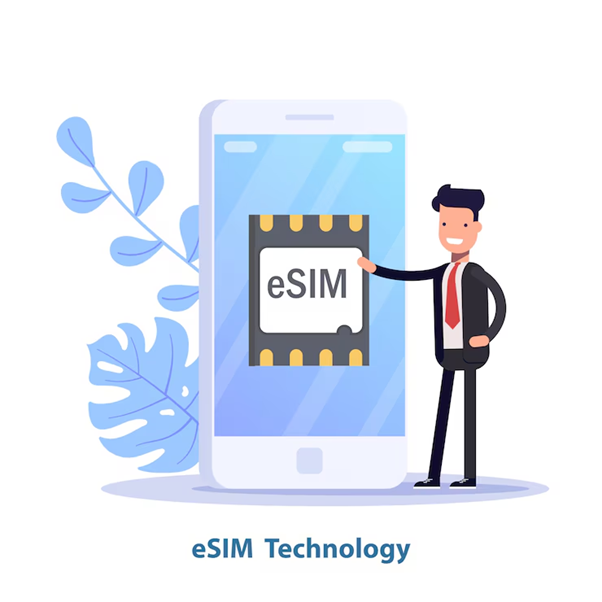
eSIM stands for “Embedded SIM.” The SIM isn’t a small card you insert into your phone: It’s already part of the device, built to stay in place throughout the life of the phone. This makes it easier for users to switch carriers. It’s great for new products and for travelers or pedants who are hesitant to try new products in person.
If you are thinking about a little bit of travel and don’t want to buy local SIM cards while on the road, adding a free global eSIM might just be the simplest way to add service. It’s a simple, elegant way to keep connected online when traveling abroad.
How to Check If Your Phone Supports eSIM
So, now that we know what eSIM is, let’s see if your phone supports it. It’s just a few steps, and you can do it all on your own at home.
1. Check the Settings
Most phones these days have the option to add an eSIM directly from the settings.
For iPhone:
- Go to Settings
- Tap Cellular or Mobile Data
- Look for an option that says Add eSIM or Add Cellular Plan
For Android (like Samsung or Pixel):
- Go to Settings
- Tap Network & Internet or Connections
- Then tap Mobile Network and check if there’s an Add carrier or Download SIM option
If you see something like that, it means your phone can use eSIM.
2. Use the Phone’s Model Number
Another method is by looking up your phone’s model number. Almost every phone includes a model name or number, and this will help you know if it’s a phone that supports eSIM.
- For iPhones, phones released iPhone XR and beyond typically are compatible with eSIM.
- For Samsung, models like Galaxy S20, S21, S22, and newer ones usually support eSIM
- Google Pixel 3 and above support eSIM as well
Just search your model number on the internet along with the word “eSIM” to see.
3. Ask Your Carrier or Visit Their Website
If you’re unsure and want to confirm, you can ask your mobile network provider. They’re going to be the most informed on which devices are compatible with eSIM and can walk you through each step if necessary.
4. Use an Online eSIM Checker
Some websites and eSIM providers allow you to check if your phone is compatible. You can enter your phone’s name or model, and it will show you the result. Quick and simple.
Popular Devices That Support eSIM
eSIM is already supported by many phones, with more added regularly. Here are a few of the popular phones that can utilize eSIM:
- iPhone XR, XS, the 11 series,
- 12 series, 13, 14, 15 series Samsung Galaxy S20, S21, S22,
- S23 series Google Pixel 3, 4, 5, 6, 7, 8 series
- A few of the newer iPads and tablets also support eSIM.
Benefits of Using eSIM
It’s always nice to know what good things you get from a new feature. Here are some simple and real reasons why people like using eSIM:
- No physical SIM card needed: Nothing to lose, no tiny tools required.
- Faster carrier switch: You can switch your network plan directly through your phone.
- Useful for travel: You can use international eSIM plans and stay connected wherever you go.
- Cleaner design: Fewer slots mean a more neat and compact phone design.
eSIM Options While Travelling to the USA
If you’re visiting the United States, a USA eSIM plan is a great option for you. It gives you a way to stay connected from the second you land, without having to find and buy a SIM card after landing, or stand in line at the airport. You can select your plan and buy online before you leave (or right after you land). (It’s also useful if you’re traveling with friends or family.)
Anyone can now select a plan depending on the amount of data they will use. And because it’s all digital, you don’t have to worry about losing or damaging any physical SIM cards.
Final Thoughts
Verifying whether your phone has eSIM capability takes little time, and it can prepare you to take advantage of numerous convenient and flexible options for mobile connectivity. Whether you want the convenience of travel eSIM or need to juggle multiple numbers, eSIM gives you the flexibility to do so without any hassle.
Well then, check your phone. If your device is ready for eSIM, you are just a few taps away from more options and less hassle with your data wherever you happen to be.