

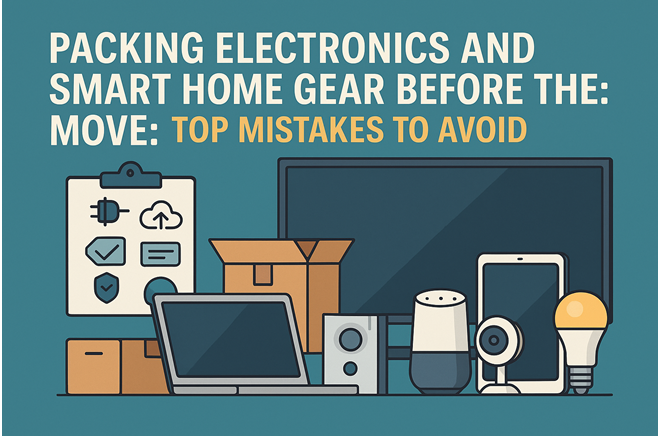
When you’re surrounded by screens, cables, and blinking smart devices, packing for a move can feel like you’re disarming a small spaceship. From voice assistants to Wi-Fi cameras and entertainment systems, modern homes are full of fragile tech that needs special care before moving day. Let’s talk about the biggest mistakes people make, and how to avoid them.
1. Forgetting to Back Up Devices
Before unplugging a single gadget, make sure everything important is backed up.
That means photos on your smart displays, saved settings on your thermostat, and any video footage from your home security system.
A factory reset without a backup can mean losing everything, so take five minutes to sync with your cloud account or external drive.
Quick tip: For Wi-Fi cameras or baby monitors, download and save all clips before disconnecting.
2. Leaving Devices Connected to Wi-Fi
It’s tempting to pull the plug and go, but connected devices can act up later if they weren’t properly removed from your home network. Unpair each device from your router and your phone app before packing it away. This helps you set them up faster in your new home and avoids privacy issues if someone new moves into your old place.
Checklist moment:
- Remove the device from the mobile app
- Disconnect from Wi-Fi
- Reset to factory settings (if you’re selling or gifting)
3. Skipping Original Boxes and Padding
Those oddly shaped foam inserts and moulded boxes aren’t just marketing, they’re protection.
If you still have them, use them. If not, wrap devices individually in anti-static bubble wrap or soft cloths.
Avoid packing multiple items in one box; friction between screens, cables, and remotes can cause scratches or internal damage.
Pro move: Label each box clearly: “Living Room TV – Fragile – Keep Upright.”
4. Mixing Cables and Accessories
Few things are more frustrating than a tangle of identical black cords when setting up your gear again.
Bundle cables and accessories for each device separately and label them.Small zip-lock bags or reusable pouches work great, just tape them to the device they belong to.
Bonus idea: Take photos of your setup before disconnecting so you can reconnect everything easily later.
5. Ignoring Temperature and Moisture Risks
Smart home gadgets and AV equipment don’t like heat or humidity.
Leaving boxes in the garage or moving truck overnight during extreme weather can lead to condensation and corrosion.
Always ask your residential movers if they provide climate-controlled transport or temporary storage.
6. Not Updating or Deactivating Accounts
If your smart home runs through Google Home, Alexa, or Apple HomeKit, deactivate location-specific automations before moving. You don’t want your “Good Night” routine turning off the lights in your old house by mistake.
Also, make sure your new address is updated in all related apps, especially for devices linked to home security or delivery notifications.
7. Forgetting About Insurance
Many people assume their movers automatically cover electronics, but that’s not always true.
Double-check your moving insurance or ask if “full replacement value” applies to electronics and smart devices. It’s better to confirm coverage now than regret it later.
Smart Home Pre-Move Checklist
Back up data and photos
Disconnect from Wi-Fi and apps
Label and photograph all connections
Use original or padded boxes
Store in a climate-safe area
Confirm moving insurance
Update addresses and automation settings
Final Thought
Your electronics are more than gadgets, they’re part of how your home runs. Taking a bit of time to prepare them properly can save you from major stress, extra costs, and hours of troubleshooting once you’re in your new space.
Pack smart. Move smarter.