

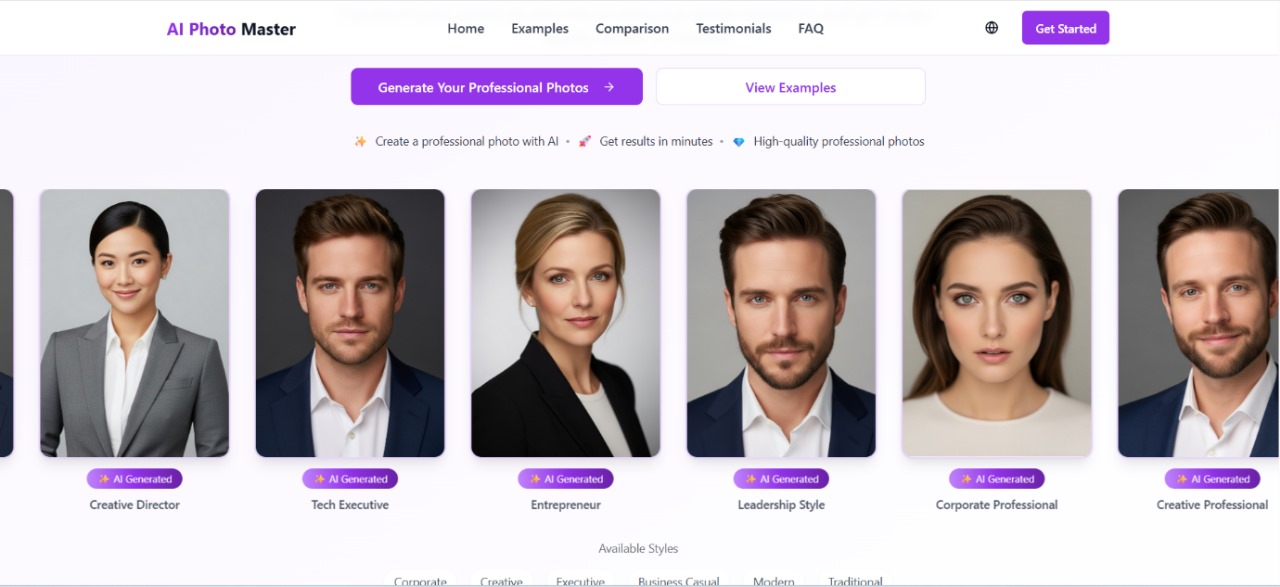
From jaw-dropping transformations to subtle touch-ups, here are the top 7 ways AI Photo Master enhances your photos instantly—no editing experience needed.
1. Portrait Enhancement That Flatters Naturally
Whether you’re snapping selfies for Instagram or updating a professional headshot, AI Photo Master uses smart facial recognition to enhance features without overdoing it. It smooths skin, removes blemishes, brightens eyes, and even whitens teeth—all while preserving natural texture.
Perfect for:
- Influencers curating polished social feeds
- Professionals updating LinkedIn profiles
- Online daters wanting to put their best face forward
The best part? It avoids the overly airbrushed look many filters create.
2. Sky Replacement for Boring Background Fixes
Ever take a perfect shot only to be let down by a dull gray sky? AI Photo Master can automatically replace skies in your images with stunning sunsets, clear blues, or dreamy clouds—instantly and believably.
Perfect for:
- Real estate listings
- Travel bloggers enhancing scenic shots
- Personal branding with outdoor photography
It even adjusts the lighting on the rest of the image to match the new sky, so nothing looks out of place.
3. Auto-Retouch for E-Commerce Perfection
Online shoppers make split-second decisions based on images. AI Photo Master offers intelligent auto-retouch features that clean up product photos—removing dust, adjusting shadows, and sharpening key details.
Perfect for:
- Shopify and Etsy sellers
- Amazon product listings
- Digital catalogs or lookbooks
It’s like having a professional product photographer in your pocket.
4. Background Removal in One Click
Need to isolate a product or subject for a cleaner presentation? AI Photo Master removes backgrounds with pixel-level accuracy. Whether you’re placing a model against a white backdrop or showcasing a product in a mockup, this tool gets the job done—fast.
Perfect for:
- Social media banners
- Profile pictures
- Marketing materials and thumbnails
You can even swap in custom backgrounds or use transparent ones for flexible design work.
5. Lighting Correction Without a Studio Setup
Not everyone has access to perfect lighting, but that shouldn’t stop you from capturing stunning images. AI Photo Master intelligently balances lighting—correcting overexposed skies, lifting shadows on faces, and bringing life to flat compositions.
Perfect for:
- Lifestyle content creators
- Fashion shoots on the go
- Low-light event photos
The AI mimics real studio lighting without needing any gear.
6. Color Grading and Tone Matching
Want all your images to share the same aesthetic or mood? AI Photo Master can automatically apply consistent color grading and tones across multiple photos, helping you build a cohesive visual brand.
Perfect for:
- Instagram feeds with specific color themes
- Brand portfolios
- YouTubers and content creators
Think of it as your personal photo stylist—ensuring every image is on-brand and scroll-stopping.
7. Batch Editing to Save Time and Energy
Whether you’re uploading hundreds of product shots or editing a gallery from a recent shoot, AI Photo Master’s batch editing feature applies the same enhancements across multiple files. No more repeating edits one by one.
Perfect for:
- Wedding or event photographers
- E-commerce drops
- Social media managers
The AI ensures consistency while cutting editing time by hours—if not days.
Final Thoughts
AI Photo Master isn’t just another editing tool. It’s a smart assistant that understands what makes a photo visually impactful—helping you stand out in a saturated digital space. With its intuitive design and instant enhancements, it empowers creators, entrepreneurs, and everyday users to produce professional-grade images in seconds.
In short: less time editing, more time creating.
Whether you’re leveling up your product listings or refining your personal brand, these seven features show how AI Photo Master delivers instant, studio-quality results—without the learning curve.
From jaw-dropping transformations to subtle touch-ups, here are the top 7 ways AI Photo Master enhances your photos instantly—no editing experience needed.
1. Portrait Enhancement That Flatters Naturally
Whether you’re snapping selfies for Instagram or updating a professional headshot, AI Photo Master uses smart facial recognition to enhance features without overdoing it. It smooths skin, removes blemishes, brightens eyes, and even whitens teeth—all while preserving natural texture.
Perfect for:
- Influencers curating polished social feeds
- Professionals updating LinkedIn profiles
- Online daters wanting to put their best face forward
The best part? It avoids the overly airbrushed look many filters create.
2. Sky Replacement for Boring Background Fixes
Ever take a perfect shot only to be let down by a dull gray sky? AI Photo Master can automatically replace skies in your images with stunning sunsets, clear blues, or dreamy clouds—instantly and believably.
Perfect for:
- Real estate listings
- Travel bloggers enhancing scenic shots
- Personal branding with outdoor photography
It even adjusts the lighting on the rest of the image to match the new sky, so nothing looks out of place.
3. Auto-Retouch for E-Commerce Perfection
Online shoppers make split-second decisions based on images. AI Photo Master offers intelligent auto-retouch features that clean up product photos—removing dust, adjusting shadows, and sharpening key details.
Perfect for:
- Shopify and Etsy sellers
- Amazon product listings
- Digital catalogs or lookbooks
It’s like having a professional product photographer in your pocket.
4. Background Removal in One Click
Need to isolate a product or subject for a cleaner presentation? AI Photo Master removes backgrounds with pixel-level accuracy. Whether you’re placing a model against a white backdrop or showcasing a product in a mockup, this tool gets the job done—fast.
Perfect for:
- Social media banners
- Profile pictures
- Marketing materials and thumbnails
You can even swap in custom backgrounds or use transparent ones for flexible design work.
5. Lighting Correction Without a Studio Setup
Not everyone has access to perfect lighting, but that shouldn’t stop you from capturing stunning images. AI Photo Master intelligently balances lighting—correcting overexposed skies, lifting shadows on faces, and bringing life to flat compositions.
Perfect for:
- Lifestyle content creators
- Fashion shoots on the go
- Low-light event photos
The AI mimics real studio lighting without needing any gear.
6. Color Grading and Tone Matching
Want all your images to share the same aesthetic or mood? AI Photo Master can automatically apply consistent color grading and tones across multiple photos, helping you build a cohesive visual brand.
Perfect for:
- Instagram feeds with specific color themes
- Brand portfolios
- YouTubers and content creators
Think of it as your personal photo stylist—ensuring every image is on-brand and scroll-stopping.
7. Batch Editing to Save Time and Energy
Whether you’re uploading hundreds of product shots or editing a gallery from a recent shoot, AI Photo Master’s batch editing feature applies the same enhancements across multiple files. No more repeating edits one by one.
Perfect for:
- Wedding or event photographers
- E-commerce drops
- Social media managers
The AI ensures consistency while cutting editing time by hours—if not days.
Final Thoughts
AI Photo Master isn’t just another editing tool. It’s a smart assistant that understands what makes a photo visually impactful—helping you stand out in a saturated digital space. With its intuitive design and instant enhancements, it empowers creators, entrepreneurs, and everyday users to produce professional-grade images in seconds.
In short: less time editing, more time creating.
Whether you’re leveling up your product listings or refining your personal brand, these seven features show how AI Photo Master delivers instant, studio-quality results—without the learning curve.
In a world dominated by visuals, the quality of your photos can make or break a brand, post, or personal impression. Whether you’re managing an e-commerce store, growing a social media presence, or curating a personal brand, image quality matters. That’s where AI Photo Master steps in—an advanced tool designed to instantly elevate your photos using artificial intelligence.
From jaw-dropping transformations to subtle touch-ups, here are the top 7 ways AI Photo Master enhances your photos instantly—no editing experience needed.
1. Portrait Enhancement That Flatters Naturally
Whether you’re snapping selfies for Instagram or updating a professional headshot, AI Photo Master uses smart facial recognition to enhance features without overdoing it. It smooths skin, removes blemishes, brightens eyes, and even whitens teeth—all while preserving natural texture.
Perfect for:
- Influencers curating polished social feeds
- Professionals updating LinkedIn profiles
- Online daters wanting to put their best face forward
The best part? It avoids the overly airbrushed look many filters create.
2. Sky Replacement for Boring Background Fixes
Ever take a perfect shot only to be let down by a dull gray sky? AI Photo Master can automatically replace skies in your images with stunning sunsets, clear blues, or dreamy clouds—instantly and believably.
Perfect for:
- Real estate listings
- Travel bloggers enhancing scenic shots
- Personal branding with outdoor photography
It even adjusts the lighting on the rest of the image to match the new sky, so nothing looks out of place.
3. Auto-Retouch for E-Commerce Perfection
Online shoppers make split-second decisions based on images. AI Photo Master offers intelligent auto-retouch features that clean up product photos—removing dust, adjusting shadows, and sharpening key details.
Perfect for:
- Shopify and Etsy sellers
- Amazon product listings
- Digital catalogs or lookbooks
It’s like having a professional product photographer in your pocket.
4. Background Removal in One Click
Need to isolate a product or subject for a cleaner presentation? AI Photo Master removes backgrounds with pixel-level accuracy. Whether you’re placing a model against a white backdrop or showcasing a product in a mockup, this tool gets the job done—fast.
Perfect for:
- Social media banners
- Profile pictures
- Marketing materials and thumbnails
You can even swap in custom backgrounds or use transparent ones for flexible design work.
5. Lighting Correction Without a Studio Setup
Not everyone has access to perfect lighting, but that shouldn’t stop you from capturing stunning images. AI Photo Master intelligently balances lighting—correcting overexposed skies, lifting shadows on faces, and bringing life to flat compositions.
Perfect for:
- Lifestyle content creators
- Fashion shoots on the go
- Low-light event photos
The AI mimics real studio lighting without needing any gear.
6. Color Grading and Tone Matching
Want all your images to share the same aesthetic or mood? AI Photo Master can automatically apply consistent color grading and tones across multiple photos, helping you build a cohesive visual brand.
Perfect for:
- Instagram feeds with specific color themes
- Brand portfolios
- YouTubers and content creators
Think of it as your personal photo stylist—ensuring every image is on-brand and scroll-stopping.
7. Batch Editing to Save Time and Energy
Whether you’re uploading hundreds of product shots or editing a gallery from a recent shoot, AI Photo Master’s batch editing feature applies the same enhancements across multiple files. No more repeating edits one by one.
Perfect for:
- Wedding or event photographers
- E-commerce drops
- Social media managers
The AI ensures consistency while cutting editing time by hours—if not days.
Final Thoughts
AI Photo Master isn’t just another editing tool. It’s a smart assistant that understands what makes a photo visually impactful—helping you stand out in a saturated digital space. With its intuitive design and instant enhancements, it empowers creators, entrepreneurs, and everyday users to produce professional-grade images in seconds.
In short: less time editing, more time creating.
Whether you’re leveling up your product listings or refining your personal brand, these seven features show how AI Photo Master delivers instant, studio-quality results—without the learning curve.