

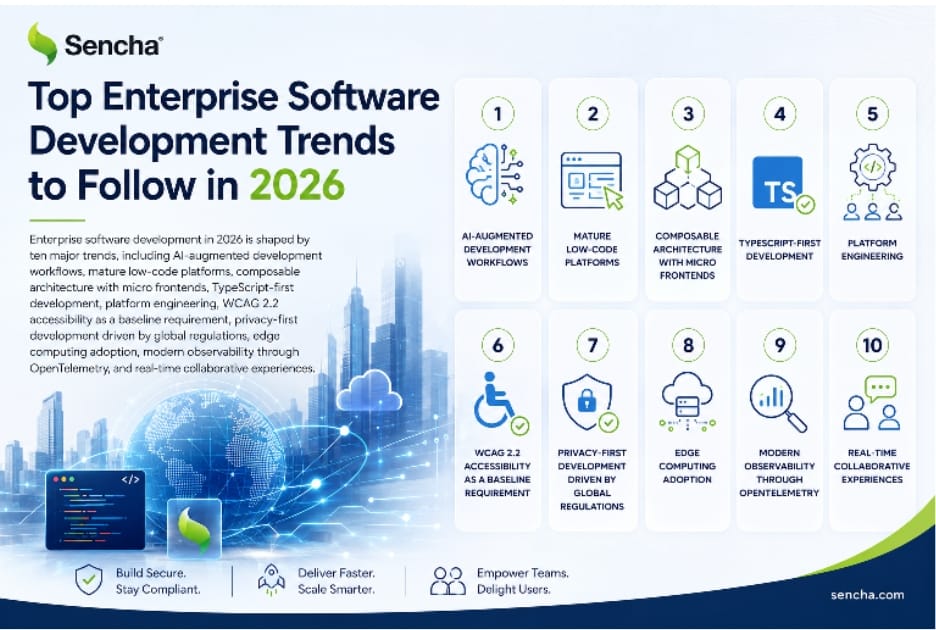
Enterprise software development in 2026 is shaped by ten major trends, including AI-augmented development workflows, mature low-code platforms, composable architecture with micro frontends, TypeScript-first development, platform engineering, WCAG 2.2 accessibility as a baseline requirement, privacy-first development driven by global regulations, edge computing adoption, modern observability through OpenTelemetry, and real-time collaborative experiences. Each trend reflects real shifts in how enterprise teams build, deploy, and operate software, and each has practical implications for technology selection, team structure, and development practices. Teams that align their tooling and processes with these trends produce better outcomes than teams that rely on patterns from earlier eras of enterprise development. This guide covers each trend with practical context, what it means for enterprise organizations, and how to adapt development practices to take advantage of the shifts.
Key Takeaways
|
Why These Trends Matter for Enterprise Software Development
Enterprise software development in 2026 is shaped by trends that reflect both technological evolution and changing expectations from users, regulators, and businesses. Some of these trends represent the maturation of patterns that emerged earlier (low-code platforms, micro frontends, TypeScript adoption), while others represent newer shifts (AI-augmented development, platform engineering, edge computing). All ten trends covered in this guide have practical implications for how enterprise teams build software, what tooling they choose, and how they organize their work.
Understanding these trends matters because enterprise software is increasingly central to business operations across industries. The applications enterprise teams build are not just internal tools; they are the primary interface between organizations and their customers, employees, partners, and regulators. The quality, security, accessibility, and performance of these applications directly affect business outcomes. Teams that align their tooling and processes with the trends shaping 2026 produce better outcomes than teams that rely on patterns from earlier eras of enterprise development.
This guide covers each trend with practical context, the implications for enterprise organizations, and guidance on how to adapt. The coverage is meant to support deliberate decisions about technology adoption rather than reactive responses to whatever appears in vendor marketing. Each trend has genuine substance behind it, and each affects different parts of the enterprise software development practice in different ways.
Trend 1: AI-Augmented Development Workflows
AI-augmented development has moved from experimental to standard in enterprise software development. AI code assistants, including GitHub Copilot, Cursor, Anthropic Claude, and other tools, are now common in developer workflows, with code completion, documentation generation, test scaffolding, and code review assistance becoming routine parts of daily development work.
The shift is meaningful because it changes developer productivity patterns in ways that compound over time. Routine code that previously required significant typing now flows from natural language descriptions. Boilerplate code that previously required reference lookups now generates from context. Documentation that previously required separate writing time now generates alongside the code itself. These individual savings produce substantial cumulative improvements in development velocity, particularly for tasks that previously took disproportionate time relative to their actual complexity.
Agentic workflows and autonomous coding
The newer development is agentic AI workflows that go beyond completion suggestions to autonomously handle multi-step tasks. These tools can take a high-level description, plan an implementation, write and test the code, and produce a pull request for human review. The model is not replacing developers but rather changing what developers spend time on, with more time on architecture, code review, and complex problem-solving, and less time on implementation mechanics.
What this means for enterprise teams
Enterprise teams should invest in AI development tooling, both for the productivity gains and to ensure consistency in how teams use AI. Establish guidelines for AI use, including which tasks benefit from AI assistance, how AI-generated code is reviewed, and what security and licensing considerations apply. The teams that adopt AI tooling thoughtfully now will be significantly more productive than teams that delay adoption. The teams that adopt AI tooling without governance will face quality and security issues from unreviewed AI-generated code reaching production.
Trend 2: Enterprise Low-Code Platforms Reach Maturity
Low-code platforms have matured significantly from their earlier reputation as tools only suitable for prototypes or simple internal applications. Enterprise low-code platforms now support production applications, including customer-facing experiences, applications that handle significant transaction volumes, and applications subject to enterprise compliance requirements.
Leading enterprise low-code platforms in 2026 include OutSystems, Mendix, Microsoft Power Apps, and Rapid Ext JS. Each platform takes a different approach to balancing visual development with code-level extensibility, deployment flexibility, and integration with existing enterprise infrastructure. The choice between platforms depends significantly on the team’s existing technology stack, the applications being built, and the team’s preferences around visual development versus traditional coding.
The shift to hybrid pro-code and low-code
The most significant pattern in 2026 is hybrid approaches that combine low-code platforms with traditional coding. Citizen developers use low-code interfaces to build specific applications and components. Professional developers extend these with traditional code where the low-code platform’s capabilities are not sufficient. This hybrid model produces faster delivery for common patterns while preserving the flexibility traditional coding provides for unique requirements.
What this means for enterprise teams
Enterprise teams should evaluate low-code platforms for application development software needs that match the platforms’ strengths, including internal tools, departmental applications, workflow automation, and customer-facing applications with conventional patterns. Use traditional coding for applications with unique requirements, complex performance demands, or specialized user experience needs. Many organizations benefit from running both approaches in parallel, with low-code platforms accelerating common cases and traditional coding handling complex cases. The market for enterprise application development software has matured enough that the previous concern of low-code applications being unsuitable for production has largely been resolved.
Trend 3: Composable Architecture and Micro Frontends
Composable architecture has matured significantly as the enterprise software industry has gained operational experience with microservices. The pattern of breaking applications into independently deployable services has expanded beyond backends to include frontends through micro frontend architectures, which let multiple teams build and deploy parts of the same user interface independently.
Micro frontends address a real problem in large enterprise organizations where multiple teams contribute to the same application. Without micro frontends, teams either accept long release cycles tied to monolithic frontend deploys or fight constant integration conflicts between team boundaries. With micro frontends, each team owns specific parts of the UI, deploys those parts independently, and integrates through well-defined boundaries. The trade-off is the architectural complexity of coordinating multiple deployment artifacts in the user’s browser.
Modular monoliths as the alternative
Not every application benefits from micro frontends. The complementary trend is modular monoliths, which preserve the operational simplicity of a single deployment while internally enforcing modular boundaries. For organizations where the team coordination problem is real but not severe enough to justify micro frontend complexity, modular monoliths produce many of the same architectural benefits at lower operational cost. The choice between micro frontends and modular monoliths depends on team scale, deployment cadence requirements, and organizational complexity.
API-first development
Composable architecture is supported by API-first development, where APIs are designed before the consuming applications, with clear contracts that multiple consumers can rely on. This approach produces more stable interfaces, better documentation, and easier integration than approaches where APIs emerge as side effects of building specific applications. For enterprise software development, API-first practices are increasingly the norm rather than the exception.
Trend 4: TypeScript-First Development Becomes Standard
TypeScript has shifted from an optional add-on to a default expectation for new enterprise JavaScript applications. The shift is meaningful because type safety changes the kinds of bugs that reach production, the speed at which developers can understand unfamiliar code, and the safety of refactoring existing applications. For enterprise software where applications run for years and pass through many developers, these advantages compound substantially over the application’s lifecycle.
By 2026, hiring for new enterprise JavaScript roles typically includes TypeScript expectations. Build tooling defaults to TypeScript support, including Vite, esbuild, Bun, and modern bundlers. Type definitions for major libraries are universal, with libraries that lack TypeScript types being increasingly rare. Even runtime JavaScript continues to gain type-related features through JSDoc improvements that produce similar safety without requiring TypeScript adoption.
Type-safe APIs through schema validation
Beyond TypeScript itself, schema validation libraries including Zod, Yup, Valibot, and ArkType provide runtime validation that produces TypeScript types from the same schema definition. This pattern produces single-source-of-truth schemas that drive both runtime validation at API boundaries and compile-time types throughout the application. The combination of schema validation and TypeScript produces significantly more reliable applications than either approach alone.
What this means for enterprise teams
Enterprise teams using JavaScript should plan TypeScript adoption if not already been completed. The migration cost is meaningful, but the long-term productivity and reliability gains justify it for applications expected to run for years. Teams adopting new frameworks should choose options with strong TypeScript support, which is now true of nearly all major framework options. Teams maintaining legacy JavaScript applications should consider whether incremental TypeScript adoption is appropriate, since the alternative is an increasingly difficult hiring and maintenance burden.
Trend 5: Platform Engineering and Internal Developer Platforms
Platform engineering emerged as a distinct discipline in 2026, focused on building internal developer platforms (IDPs) that abstract infrastructure complexity from application teams. The pattern lets application teams focus on business value while platform teams handle the underlying concerns of deployment, observability, security, and infrastructure. This division of responsibilities scales better than approaches where every team handles every aspect of operations.
Internal developer platforms typically provide self-service capabilities for common needs, including environment provisioning, deployment pipelines, observability integration, secrets management, and infrastructure-as-code patterns. Application teams use these capabilities through standardized interfaces rather than learning every underlying tool. The platforms encapsulate the organization’s best practices, including security defaults, compliance configurations, and operational standards.
Backstage and platform tooling
Backstage from Spotify has become a common foundation for internal developer platforms, with its plugin architecture supporting integration with many tools enterprise organizations use. Other software development platforms in this space include Humanitec, Port, and custom-built solutions tailored to specific organizational needs. The choice between off-the-shelf platforms and custom solutions depends on organizational scale, specific requirements, and the team’s preferences around building versus buying.
What this means for enterprise teams
Enterprise organizations should consider whether platform engineering investment makes sense for their scale. The pattern produces strong returns for organizations with many application teams that benefit from shared infrastructure abstractions. The investment is significant, including dedicated platform engineering teams, infrastructure for the platform itself, and ongoing maintenance, but the returns compound across all application teams using the platform. For smaller organizations, simpler shared tooling without a full IDP investment may produce better outcomes.
Trend 6: WCAG 2.2 Accessibility as Baseline Requirement
Accessibility has shifted from optional consideration to a baseline requirement in enterprise software development. WCAG 2.2 provides the current standard, with most enterprise applications targeting at least AA conformance. Section 508 compliance is mandatory for US government applications and many regulated industries. Similar accessibility regulations apply in the European Union (EU), the United Kingdom, Canada, Australia, and many other jurisdictions.
The drivers are both regulatory and practical. Regulations, including the European Accessibility Act (effective 2025), created enforcement timelines that have produced significant compliance work throughout 2025 and 2026. Beyond regulation, accessibility produces better usability for all users (not just users with disabilities), reduces legal risk from accessibility lawsuits that have grown common in many jurisdictions, and signals quality that affects enterprise procurement decisions.
Building accessibility into frameworks
The most practical approach to accessibility is choosing frameworks with strong accessibility built into their components. Modern UI frameworks, including the Ext JS Modern toolkit, Material UI, Vuetify, Angular Material, and other’s, provide ARIA semantics, keyboard navigation, and screen reader support as defaults rather than per-component implementation. Building applications on these frameworks is significantly cheaper than retrofitting accessibility into applications built without it.
What this means for enterprise teams
Enterprise teams should treat accessibility as a baseline requirement rather than an optional consideration. Audit existing applications against WCAG 2.2 standards. Choose frameworks with built-in accessibility for new applications. Train developers on accessibility patterns. Test with actual assistive technologies rather than only automated scanners. The investment is significant, but the regulatory and risk environment makes it essentially unavoidable for enterprise applications going forward.
Trend 7: Privacy-First and Compliance-Driven Development
Privacy regulations, including GDPR, CCPA, and many similar laws, have produced sustained pressure on enterprise software to handle personal data carefully. By 2026, privacy-first patterns are baseline expectations rather than optional considerations. The compliance landscape continues to evolve with new regulations and increased enforcement of existing ones, which makes ongoing investment in privacy capabilities necessary rather than optional.
Privacy-first development includes data minimization (collecting only what is needed), purpose limitation (using data only for declared purposes), consent management (obtaining and tracking user consent), data subject rights (supporting access, deletion, and portability requests), and security primitives that protect personal data throughout its lifecycle. These patterns affect application architecture, data modeling, and operational practices throughout the development lifecycle.
Data residency and sovereignty
Data residency requirements add geographical complexity to enterprise applications. EU GDPR requires careful handling of data leaving the European Economic Area. China, Russia, and India have similar data localization requirements. Industry-specific regulations, including HIPAA for US healthcare and PCI DSS for payment data, add further constraints. Modern enterprise applications often need explicit data residency configurations rather than treating geographic distribution as transparent. Cloud providers, including AWS, Azure, and Google Cloud, support regional deployment patterns that help meet these requirements.
What this means for enterprise teams
Privacy compliance is not a one-time effort but an ongoing capability. Build privacy considerations into the design phase rather than retrofitting them. Map data flows to identify where personal data lives and how it moves through the application. Implement consent management and data subject rights as first-class application capabilities. For organizations operating across multiple jurisdictions, treat regulatory compliance as a continuous concern rather than a project. The cost of building privacy in is significantly less than the cost of remediating after enforcement actions.
Trend 8: Edge Computing and Edge-First Architectures
Edge computing has matured significantly as a deployment pattern for enterprise applications. Edge platforms, including Cloudflare Workers, Vercel Edge Functions, AWS Lambda@Edge, and Fastly Compute@Edge, let applications run code at geographically distributed edge locations rather than in centralized data centers. This produces lower latency for users, reduced load on origin servers, and new architectural patterns including edge-rendered content and edge-cached APIs.
The pattern is particularly valuable for global applications where users in different regions would otherwise experience inconsistent performance. Edge deployment produces consistent low latency regardless of user location, which improves user experience and the Core Web Vitals metrics that affect both user satisfaction and search ranking. For applications with significant user bases distributed globally, edge architecture is increasingly the default rather than an optimization.
Edge databases and stateful workloads
Edge databases,s including Cloudflare D1, Turso, PlanetScale, and Neon, extend the edge pattern from stateless compute to stateful workloads. These databases replicate to edge locations or provide low-latency access to centralized databases through optimization, which lets edge-deployed applications work with persistent data without the latency penalty of centralized database access. The pattern is newer than edge compute and still evolving, but it removes one of the main architectural constraints that previously limited edge deployment to read-only or near-stateless workloads.
What this means for enterprise teams
Enterprise teams should evaluate edge architecture for applications with global user bases or performance-sensitive workloads. Start with edge-cached static content and progressively expand to edge-rendered application logic as the team gains experience. For applications with strict data residency requirements, edge deployment naturally combines with regional data placement to produce both low latency and compliance with data localization rules. The architectural complexity is real but well-supported by modern platforms.
Trend 9: Modern Observability with OpenTelemetry
Modern observability has matured significantly with OpenTelemetry becoming the de facto standard for instrumentation. OpenTelemetry provides vendor-neutral instrumentation libraries for major languages and frameworks, with traces, metrics, and logs all flowing through a common protocol. This standardization breaks the vendor lock-in that earlier proprietary instrumentation libraries created, since teams can switch observability backends without rewriting application instrumentation.
Observability platforms, including Datadog, New Relic, Honeycomb, Grafana Cloud, and Dynatrace, all support OpenTelemetry, with most platforms recommending it as the preferred instrumentation approach. Production error monitoring services, including Sentry, Bugsnag, and Rollbar, similarly integrate with OpenTelemetry for distributed tracing context. The result is an observability infrastructure that is significantly more interoperable than the proprietary patterns of earlier years.
Real user monitoring and synthetic monitoring
Real user monitoring (RUM) collects performance and behavior data from actual users in production, which surfaces issues that local testing cannot reproduce, including network conditions, device characteristics, and edge cases in user behavior. Synthetic monitoring complements RUM by running scripted tests against production from various locations and conditions. The combination provides visibility into both real user experience and predictable test results, which is essential for applications with significant user bases.
What this means for enterprise teams
Adopt OpenTelemetry for new instrumentation work and consider migrating existing instrumentation. The portability benefits compound over time as observability needs evolve. Configure observability platforms with appropriate sampling, retention, and alerting to balance visibility with cost. For enterprise applications with significant user bases, treat observability investment as foundational rather than optional, since the visibility it provides directly affects the team’s ability to maintain production quality.
Trend 10: Real-Time and Collaborative Experiences
Real-time experiences have moved from differentiator to baseline expectation in many enterprise application categories. Users increasingly expect live updates, collaborative editing, and real-time notifications across the applications they use daily. The infrastructure to support these patterns has matured significantly, which makes real-time features more accessible than in earlier years, when they required substantial custom infrastructure investment.
Real-time patterns are particularly valuable in collaborative applications where multiple users work on the same data simultaneously. Document editing, project management, customer service interfaces, financial trading platforms, operational dashboards, and many other enterprise application categories benefit from real-time capabilities that earlier generations of these applications could not provide. The user experience improvements are substantial, with real-time applications feeling significantly more responsive and collaborative than their batch-update predecessors.
WebSockets, Server-Sent Events, and modern transports
WebSockets remain the primary technology for bidirectional real-time communication, with mature browser support and well-established server libraries across languages. Server-Sent Events (SSE) provide a simpler alternative for one-way server-to-client streaming, which suits scenarios where the server pushes updates without needing complex client-to-server communication. WebTransport, a newer standard, provides QUIC-based transport that combines aspects of both with better characteristics for some use cases. The choice between transports depends on the specific application patterns.
Conflict-free replicated data types (CRDTs)
For collaborative editing scenarios where multiple users modify the same data simultaneously, CRDTs provide mathematical guarantees that concurrent updates converge to a consistent state without requiring server-side coordination. Libraries, including Yjs and Automerge, implement CRDTs for common data structures, which let applications add collaborative editing capabilities without solving the underlying distributed systems problems from scratch. CRDT-based collaboration produces a stronger user experience than operational transformation approaches that earlier collaborative tools used, particularly for offline-capable applications.
What this means for enterprise teams
Enterprise teams should evaluate where real-time capabilities would improve user experience or enable new application patterns. Implement WebSocket infrastructure thoughtfully, including reconnection handling, authentication, and scalability considerations. For collaborative applications, consider CRDT libraries that handle the distributed systems complexity. The investment in real-time infrastructure pays off for applications where the user experience improvements are substantial, but the implementation complexity warrants careful evaluation against expected benefits.
How Sencha Aligns With These Trends
We built Sencha Ext JS specifically for enterprise software development, and the framework’s design aligns naturally with several of the trends covered in this guide. Understanding these alignments helps with framework selection for enterprise teams evaluating their options.
Accessibility built into components
The Ext JS Modern toolkit provides WCAG 2.2 accessibility built into its 140+ components, including ARIA semantics, keyboard navigation, screen reader announcements, and color contrast meeting WCAG standards. For enterprise applications where accessibility is now a baseline requirement, this built-in support significantly reduces the per-component implementation work that frameworks without comprehensive accessibility require. The framework also supports Section 508 compliance for US government applications and similar accessibility regulations in other jurisdictions.
TypeScript support
Ext JS provides TypeScript definitions for its components and APIs, which lets enterprise teams using TypeScript get full type safety throughout their applications. The combination of comprehensive enterprise components and strong type support produces development experience that suits modern enterprise expectations. For teams maintaining JavaScript applications and considering TypeScript adoption, the framework’s TypeScript support removes one common barrier to adoption.
Comprehensive components reduce assembly work.
The 140+ pre-built components in Ext JS cover what enterprise applications routinely need, including data grids with sorting, filtering, grouping, and virtualization; charts including line, bar, pie, scatter, and combination charts; forms with built-in validation; calendars and date pickers; trees for hierarchical data; and many specialized components for enterprise scenarios. This consolidation reduces the integration work that comprehensive enterprise applications require when assembled from separate libraries. For teams evaluating software development platforms, including those that provide comprehensive UI component libraries, the assembly work reduction is a meaningful productivity factor.
Performance for data-intensive applications
Ext JS includes native virtualization that handles large datasets without performance degradation, which affects Interaction to Next Paint (INP) for data-intensive enterprise applications. The grid renders only the cells visible in the viewport plus a small buffer, and horizontal buffering extends the same technique to wide grids. For enterprise applications working with significant data volumes, this native performance support matches the Core Web Vitals optimization that modern web standards require.
React integration through ReExt.
For teams building primarily in React but needing enterprise data grids, charts, and other comprehensive components, ReExt lets Ext JS components run inside React applications. This integration produces the development experience of React with the component capability of Ext JS, which is particularly valuable for teams that have standardized on React but need enterprise UI components for specific application sections. Teams can evaluate Ext JS against their own enterprise software development requirements to determine fit.
What These Trends Mean for Enterprise Teams
The ten trends covered in this guide collectively reshape enterprise software development practice. Teams that adapt thoughtfully will be substantially more productive and produce better outcomes than teams that maintain practices from earlier eras. Several practical implications follow from the combined picture.
Tooling investment matters more than ever.
The right tooling choices compound across the application’s lifecycle. AI development tools, comprehensive frameworks, modern build infrastructure, observability platforms, and developer experience improvements all produce productivity gains that accumulate over the years. Enterprise teams should evaluate tooling investments as long-term commitments rather than short-term productivity hacks, since the right tooling pays off across many projects and many years.
Compliance is not optional.
Accessibility, privacy, security, and other compliance requirements have shifted from optional considerations to baseline expectations. Teams that ignore these requirements face increasing regulatory risk, legal exposure, and competitive disadvantage. Build compliance into the design phase rather than retrofitting it later. Choose tooling that supports compliance through built-in capabilities. Treat compliance as an ongoing capability rather than periodic project work.
Team structure follows architecture.
Architectural choices, including micro frontends, modular monoliths, platform engineering, and composable patterns,s all have organizational implications. The right architecture depends on team structure, and changes to team structure often require architectural adaptation. Treat architecture and organization as connected concerns rather than independent ones, since misalignment between them produces friction that compounds across the work.
User experience expectations have risen.
Users expect real-time updates, accessible interfaces, fast response to interactions, and a consistent experience across devices. These expectations apply to enterprise applications as much as consumer applications, since the same users move between consumer and enterprise contexts and bring consumer expectations with them. Enterprise applications that feel slow, inaccessible, or unresponsive compared to consumer applications produce frustration that affects business outcomes.
Continuous adaptation is the new normal.
The pace of change in enterprise software development continues to increase. Teams that lock into specific patterns or technologies face increasing technical debt as the broader ecosystem evolves. Build adaptability into both technology choices and team practices, with periodic evaluation of whether current approaches still match best practices. The goal is not chasing every trend but rather maintaining alignment with the patterns that produce good outcomes for enterprise applications.
Conclusion
Enterprise software development in 2026 is shaped by AI-augmented development, mature low-code platforms, composable architecture, TypeScript adoption, platform engineering, accessibility as baseline, privacy-first practices, edge computing, modern observability, and real-time experiences. Each trend reflects real shifts that affect how enterprise teams build software, what tooling they choose, and how they organize their work.
Teams that align their practices with these trends produce significantly better outcomes than teams that maintain patterns from earlier eras. The investment is meaningful, but the returns compound across the years that enterprise applications typically run. For framework and software development platforms selection specifically, comprehensive enterprise options that include accessibility, performance optimization, and modern development support produce stronger outcomes than approaches that assemble these capabilities from separate libraries. The careful selection of tools and practices that match these trends positions enterprise teams for success in a development landscape that continues to evolve.
Frequently Asked Questions About Enterprise Software Development Trends
What is the most important enterprise software development trend for 2026?
AI-augmented development workflows have the most immediate impact on enterprise software development practice in 2026. Code assistants, agentic workflows, and AI-powered development tools are changing developer productivity patterns in ways that compound over time. Teams that adopt AI tooling thoughtfully will be significantly more productive than teams that delay adoption, while teams that adopt without governance will face quality and security issues from unreviewed AI-generated code.
Beyond AI specifically, the broader picture is that several trends are converging simultaneously, which means no single trend is the most important. Teams need to think holistically about how AI, low-code platforms, composable architecture, TypeScript, platform engineering, accessibility, privacy, edge computing, observability, and real-time capabilities all interact. The trends reinforce each other in many cases, and decisions in one area affect outcomes in others.
How is AI changing enterprise software development?
AI is changing enterprise software development in several ways. Code assistants like GitHub Copilot, Cursor, and Claude provide completion and generation that significantly accelerate routine coding tasks. Agentic workflows extend this to autonomous multi-step task completion, including planning, implementation, testing, and pull request generation. AI-powered code review identifies issues that human reviewers might miss. AI documentation tools generate and maintain documentation alongside code changes.
Beyond development itself, AI is changing the applications enterprise teams build. AI-powered features, including search, recommendations, summarization, and content generation, are increasingly expected in enterprise applications. Integration patterns, including retrieval-augmented generation (RAG), agentic workflows within applications, and AI assistants embedded in enterprise software, all represent new application categories that did not exist in earlier years. The combination of AI in development and AI in applications produces broader change than either alone.
Are low-code platforms ready for production enterprise applications?
Yes, leading enterprise low-code platforms have matured significantly. Platforms including OutSystems, Mendix, Microsoft Power Apps, and Rapid Ext JS now support production applications, including customer-facing experiences, applications handling significant transaction volumes, and applications subject to enterprise compliance requirements. The previous concern that low-code applications were suitable only for prototypes or simple internal tools has largely been resolved.
However, low-code is not universally appropriate. Applications with unique requirements, complex performance demands, or specialized user experience needs may still require traditional coding. The most effective approach is often hybrid, where low-code platforms accelerate common patterns, and traditional coding handles complex cases. The choice between platforms depends on the team’s existing technology stack, the applications being built, and preferences around visual development versus traditional coding. Evaluate platforms against specific application requirements rather than choosing based on general capability claims.
Why is WCAG 2.2 compliance important in 2026?
WCAG 2.2 compliance is increasingly important due to both regulatory and practical drivers. Regulations, including the European Accessibility Act, US Section 508, similar laws in many other jurisdictions, and industry-specific accessibility requirements, produce real legal exposure for enterprise applications that fail accessibility standards. Accessibility lawsuits have grown common in many jurisdictions, with damages and remediation costs that exceed the cost of building accessibility in from the start.
Beyond regulation, accessibility produces better usability for all users. Patterns that help users with disabilities, including keyboard navigation, clear focus indicators, sufficient color contrast, and semantic markup, all benefit users without disabilities as well. Accessibility signals quality that affects enterprise procurement decisions, with many organizations now requiring accessibility compliance from software vendors. The combination of regulatory pressure, legal risk, and quality signals makes accessibility a baseline requirement rather than an optional consideration for enterprise applications.
What is platform engineering, and should our organization invest in it?
Platform engineering is the discipline of building internal developer platforms (IDPs) that abstract infrastructure complexity from application teams. Platform teams build and maintain shared capabilities, including environment provisioning, deployment pipelines, observability integration, secrets management, and infrastructure patterns. Application teams use these capabilities through standardized interfaces rather than learning every underlying tool. This division of responsibilities scales better than approaches where every team handles every aspect of operations.
The investment makes sense for organizations with multiple application teams that benefit from shared infrastructure abstractions. The cost is high, including dedicated platform engineering teams, infrastructure for the platform itself, and ongoing maintenance, but the returns compound across all application teams using the platform. For smaller organizations with fewer application teams, simpler shared tooling without a full IDP investment may produce better outcomes. Evaluate based on the number of application teams, the complexity of the underlying infrastructure, and whether common patterns across teams justify the platform investment.
How is observability changing in enterprise applications?
OpenTelemetry has become the de facto standard for instrumentation in 2026, providing vendor-neutral instrumentation libraries for major languages and frameworks. This standardization breaks the vendor lock-in that earlier proprietary instrumentation libraries created, since teams can switch observability backends without rewriting application instrumentation. Major platforms, including Datadog, New Relic, Honeycomb, Grafana Cloud, and Dynatrace, all support OpenTelemetry as the preferred instrumentation approach.
Beyond instrumentation standardization, observability practice has matured to combine traces, metrics, and logs into unified observability rather than treating them as separate concerns. Real user monitoring (RUM) provides visibility into the actual user experience that synthetic monitoring cannot fully replicate. Production error monitoring services, including Sentry, Bugsnag, and Rollbar, integrate with broader observability platforms for distributed tracing context. For enterprise applications with significant user bases, this observability infrastructure is foundational rather than optional.
What role does TypeScript play in modern enterprise development?
TypeScript has shifted from an optional add-on to a default expectation for new enterprise JavaScript applications. Type safety changes the kinds of bugs that reach production, the speed at which developers can understand unfamiliar code, and the safety of refactoring existing applications. For enterprise software where applications run for years and pass through many developers, these advantages compound substantially across the application’s lifecycle.
By 2026, hiring for new enterprise JavaScript roles typically includes TypeScript expectations. Build tooling defaults to TypeScript support. Type definitions for major libraries are universal. Schema validation libraries, including Zod, Yup, Valibot, and ArkType, produce TypeScript types from runtime schemas, which produce type-safe API boundaries from a single source of truth. Teams adopting new frameworks should choose options with strong TypeScript support, which is now true of nearly all major framework options, including comprehensive enterprise frameworks like Ext JS.
How does composable architecture affect enterprise development?
Composable architecture, including micro frontends and modular monoliths, supports team scaling and product evolution that mature enterprise applications require. Micro frontends let multiple teams build and deploy parts of the same user interface independently, which addresses the team coordination problems that grow with organizational scale. Modular monoliths preserve the operational simplicity of single deployments while enforcing modular boundaries internally, which produces many architectural benefits at lower operational cost.
The choice between architectural patterns depends on team scale, deployment cadence requirements, and organizational complexity. Small to medium teams often benefit more from modular monoliths than from the operational overhead of micro frontends. Larger organizations with many teams that genuinely need independent deployment often benefit from micro frontend complexity. API-first development supports both patterns by producing stable interfaces that multiple consumers can rely on. Enterprise teams should evaluate architectural patterns against actual scaling problems rather than adopting based on general industry trends.
What edge computing patterns benefit enterprise applications?
Edge computing patterns produce strong benefits for enterprise applications with global user bases or performance-sensitive workloads. Edge platforms, including Cloudflare Workers, Vercel Edge Functions, AWS Lambda@Edge, and Fastly Compute@Edge, let applications run code at geographically distributed edge locations rather than centralized data centers. This produces lower latency for users, reduced load on origin servers, and consistent performance regardless of user location.
Edge databases, including Cloudflare D1, Turso, PlanetScale, and Neon, extend the pattern from stateless compute to stateful workloads. For applications with strict data residency requirements, edge deployment naturally combines with regional data placement to produce both low latency and compliance with data localization rules. Start with edge-cached static content and progressively expand to edge-rendered application logic as the team gains experience. The architectural complexity is real but well-supported by modern platforms.
How important are real-time and collaborative experiences in enterprise applications?
Real-time experiences have moved from differentiator to baseline expectation in many enterprise application categories. Users expect live updates, collaborative editing, and real-time notifications across the applications they use daily. Document editing, project management, customer service interfaces, financial trading platforms, and operational dashboards all benefit substantially from real-time capabilities that earlier generations of these applications could not provide.
The infrastructure to support real-time patterns has matured significantly. WebSockets remain the primary technology for bidirectional communication. Server-Sent Events provide a simpler alternative for one-way streaming. CRDTs through libraries, including Yjs and Automerge, enable collaborative editing without server-side coordination overhead. The investment in real-time infrastructure pays off for applications where the user experience improvements are substantial, but evaluate the implementation complexity against expected benefits rather than adding real-time capabilities universally.
How can enterprise teams stay current with these trends?
Build continuous learning into the team’s practice through regular technology reviews, dedicated learning time, conference attendance, and engagement with industry communities. Set up periodic architecture reviews that evaluate whether current approaches still match best practices. Track major framework releases and standard updates to understand what changes affect your applications. Engage with vendor communities for the platforms and tools the team uses, since vendor roadmaps signal where ecosystems are heading.
Beyond passive learning, build adaptability into both technology choices and team practices. Choose tools with active development and healthy communities since these will continue to evolve. Avoid lock-in to specific patterns or technologies that may become outdated. Treat enterprise software development as a craft that requires ongoing refinement rather than a fixed set of skills. The teams that maintain this learning culture produce better outcomes over the years that enterprise applications typically run.
Which trends should we prioritize for our organization?
Prioritization depends on the organization’s specific situation, including current technology stack, team size, regulatory environment, and application portfolio. For most enterprise organizations in 2026, accessibility (WCAG 2.2 compliance) and privacy (GDPR, similar regulations) deserve immediate attention because they affect legal exposure and procurement decisions. TypeScript adoption deserves attention for any organization with significant JavaScript codebases. AI development tooling deserves evaluation for any organization seeking productivity improvements.
Beyond these baseline priorities, the right additional focus depends on specific circumstances. Organizations with multiple application teams benefit from platform engineering investment. Organizations with global user bases benefit from edge computing adoption. Organizations building data-intensive applications benefit from comprehensive frameworks with strong data handling capabilities. Organizations with significant operational complexity benefit from observability investment. Match the prioritization to actual organizational needs rather than general industry trends, and revisit priorities periodically as both the organization and the broader landscape evolve.