

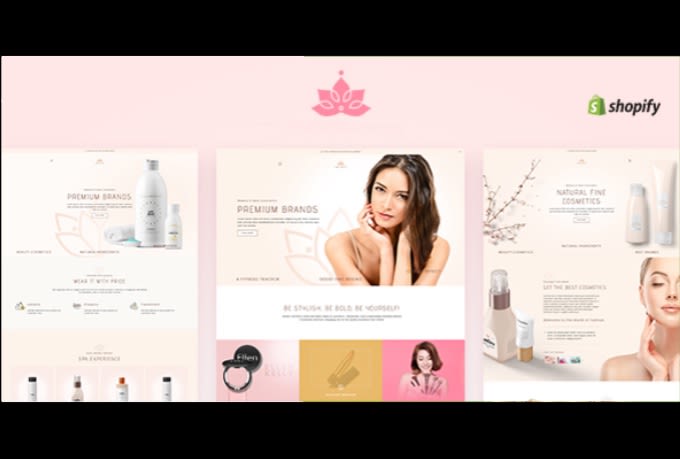
Imagine launching a new organic facial serum on your Shopify store. The custom glass droppers just arrived, but the label printing has a slight color discrepancy that clashes with your homepage design. Organizing a physical reshoot means spending another $5,000 and delaying the launch by three weeks. For scaling skincare brands, this visual bottleneck is a constant challenge. The choice is no longer just about hiring a photographer or using generic stock photos. Instead, it is about deciding when to invest in high-end studio sessions and when to deploy advanced AI models like gpt image 2 to generate high-converting Shopify product images.
In the highly competitive skincare market, visual trust is everything. Consumers judge the quality of a product by its packaging, texture, and the lifestyle context in which it is presented. However, creating hundreds of unique visual assets for different marketing channels can quickly drain your budget. By using gpt image 2, ecommerce teams can bridge the gap between creative quality and production speed, allowing them to test multiple visual directions in real-time.
The Skincare Visual Dilemma: Texture, Trust, and Turnaround Time
Skincare brands face unique visual hurdles. Unlike apparel, where fit is the primary concern, skincare relies heavily on sensory and emotional cues. A customer needs to feel the viscosity of a vitamin C serum, the matte finish of a clay mask, or the clean, premium reflection on a glass bottle. Traditional commercial photography remains the gold standard for capturing these raw product details, but it fails to scale when you need fifty localized lifestyle variations for ad testing across different markets.
This is where gpt image 2 changes the equation. By utilizing the model’s high-fidelity image-to-image capabilities, brands can take a single master shot of a bottle and generate dozens of lifestyle scenes. You can place the bottle on wet marble, next to fresh botanical ingredients, or in a sunlit luxury bathroom. This hybrid approach ensures you maintain the absolute physical truth of your product while letting gpt image 2 handle the contextual backgrounds. The real value is not replacing the physical product, but using gpt image 2 to multiply its presence across infinite scenarios.
Furthermore, the latest iteration of gpt image 2 features an advanced reasoning capability. This allows the model to analyze the structure of your uploaded skincare bottle, understand how light should naturally reflect off its glass surface, and render realistic shadows that match the background environment. This reduces the AI look that plague older image generation models, making the final output ready for professional use.
Head-to-Head: Traditional Skincare Product Photography vs. gpt image 2
To build an efficient creative pipeline, ecommerce managers must understand the trade-offs. The table below compares these two approaches across key design dimensions:
| Dimension | Traditional Photoshoot | gpt image 2 Workflow |
| Cost per Asset | $150 – $500+ (studio, stylist, models) | Under $1 (API tokens or platform subscription) |
| Turnaround Time | 2 to 4 weeks (planning to editing) | Minutes (instant generation and iteration) |
| Text & Label Accuracy | 100% (physical print) | 95%+ (native text rendering and editing) |
| Texture Realism | Flawless glass reflections and liquid textures | High realism, but requires prompt precision |
| Scalability | Low (requires manual setup changes) | High (limitless variations via API) |
While traditional shoots are essential for capturing the exact texture of a cream on skin, gpt image 2 excels at producing high-volume marketing assets. For instance, when running dynamic Facebook ads, you can quickly test if a clean marble background outperforms a rustic wooden background. Using an AI image generator for skincare allows you to run these visual experiments in minutes rather than weeks.
The decision to use gpt image 2 instead of a traditional shoot often comes down to the stage of your campaign. For a major product launch, a hero image shot in a studio is indispensable. But for retargeting ads, email banners, and seasonal promotions, the speed and low cost of gpt image 2 make it the superior choice.
The Hybrid Workflow: Integrating pikvee and gpt image 2
The most successful Shopify store owners do not replace their design teams; they optimize their ecommerce visual workflow. By using pikvee to manage and execute your creative assets, you can seamlessly integrate gpt image 2 into your daily operations. Here is a practical, step-by-step workflow to combine the best of both worlds:
Step 1: Capture the Master Product Asset
Start with a clean, high-resolution physical photo of your skincare product against a neutral background. Ensure the lighting is neutral and the label text is perfectly legible. This master image serves as your structural anchor, preventing gpt image 2 from distorting your actual brand logo or packaging shape.
Step 2: Define the Contextual Environment in pikvee
Upload your master image to your pikvee workspace. Use the image-to-image editing features powered by gpt image 2 to describe the target scene. For example, use a detailed prompt like: “A minimalist amber glass skincare bottle placed on a wet, light-gray concrete slab, surrounded by soft morning shadows and white jasmine flowers, photo-realistic, 4k resolution.”
Step 3: Run Text and Label Adjustments
One of the biggest upgrades in gpt image 2 is its native text rendering capability. If you need to generate localized graphics—such as adding “Organic” or “Cruelty-Free” badges directly to the image—you can instruct the model to render these specific words. The model’s 95% text accuracy rate ensures the text remains crisp and readable, even at smaller font sizes on mobile screens. If a typo occurs, you can use the gpt image 2 editing brush to regenerate the specific text area.
Step 4: Batch Export for Shopify Store Layouts
Export your generated assets in multiple aspect ratios. Since gpt image 2 natively supports flexible dimensions from wide-screen banners to vertical mobile cards, you can generate a 16:9 homepage banner and a 9:16 Instagram Story graphic in the same style. By coordinating this process within pikvee, you maintain brand consistency across all channels without manual resizing.
The Skincare Brand Quality Control Checklist
AI-generated images can sometimes look too perfect or exhibit minor structural anomalies. Before pushing any gpt image 2 asset to your Shopify product pages, run this quality control checklist:
- Label Legibility:Zoom in on the product label. Are the brand name and ingredients rendered clearly? If the text is distorted, use the gpt image 2 editing API to regenerate only the label region.
- Lighting and Shadow Consistency:Ensure the shadows cast by the product bottle match the direction of the light in the background scene. Inconsistent shadows are a telltale sign of poor AI composition. Fortunately, the spatial reasoning of gpt image 2 handles this better than legacy models.
- Liquid and Texture Integrity:For skincare, the texture must look appealing. If you are showing the actual serum droplet, verify that it does not look like plastic or gel.
- Brand Color Alignment:Skincare brands spend months perfecting their brand colors. Use pikvee to cross-reference the output colors against your official brand guidelines. If the colors shift, apply a quick color overlay in post-processing.
- Aspect Ratio and Crop Safety:Verify that the primary subject is centered and will not be cropped out on mobile screens. The flexible output sizes of gpt image 2 make this easier, but a manual check is always recommended.
Making the Strategic Decision
The decision is not binary. You do not have to choose between traditional photography and AI. Instead, use traditional photoshoots to build your core asset library, and then use gpt image 2 to multiply those assets into hundreds of marketing variations.
By leveraging platforms like pikvee, your design team can bypass the repetitive tasks of manual background removal and resizing. This allows you to launch campaigns faster, test more visual hooks, and keep your Shopify store looking fresh. Embrace gpt image 2 as a production engine that translates your creative vision into scalable, high-converting ecommerce assets.