

A captivating freelance portfolio is the gateway to success in today’s competitive gig economy. Whether you’re a writer, graphic designer, developer, or consultant, your portfolio is the most effective way to prove your skills, showcase your work, and attract potential clients. A strong portfolio sets you apart and gives clients the confidence to trust you with their projects.
GotFreelancer makes this process seamless with its comprehensive platform built specifically for freelancers. With tools like a powerful freelancer website builder and a flexible link in bio for freelancers feature, you can craft a professional online presence that speaks volumes about your expertise. This guide will walk you through creating an impressive freelance portfolio step-by-step using GotFreelancer.
Why You Need a Strong Freelance Portfolio
Your freelance portfolio is more than just a digital collection of your work—it’s your professional brand story. It’s a carefully curated showcase that demonstrates your capabilities, creative process, and value proposition to potential clients. A strong freelance portfolio allows you to stand out in a sea of competitors by highlighting your unique approach and results.
GotFreelancer understands this and offers you everything you need to create a compelling portfolio. Their tools help you align your freelancer profile with your career goals while making it easy to keep your portfolio updated, polished, and client-ready at all times.
Getting Started with GotFreelancer
The first step to building your portfolio is creating a freelancer profile on GotFreelancer. Signing up is fast and user-friendly, guiding you through the essentials like adding your skills, and writing a compelling bio. This initial setup creates the framework of your professional presence.
Once your profile is live, you gain access to GotFreelancer’s robust features, including its intuitive freelancer website builder. This builder allows you to translate your profile into a personalized website, increasing your credibility and making you more discoverable online.
Designing Your Portfolio with the Freelancer Website Builder
The freelancer website builder on GotFreelancer is a core feature for anyone serious about building an online brand. With professionally designed templates, you can create a beautiful website in minutes. You don’t need any coding experience to get started. Customize everything—GotFreelancer has beautiful themes to choose from—to reflect your brand. You can add sections like Services, Projects, and Testimonials to give visitors a complete picture of your work and experience.
Curating Projects for Your Freelance Portfolio
The quality of your freelance portfolio relies heavily on the projects you include. Select work that best represents your expertise, creativity, and range. Include a mix of project types, industries, and formats to show your versatility and problem-solving skills.
GotFreelancer makes portfolio uploads quick and straightforward. Just add a link to your work—like Behance, GitHub, or Dribbble—along with a title and short description. That’s it.
This clean setup lets you present your projects professionally without overcomplicating the process, helping clients understand your skills at a glance.
Crafting the Perfect Freelancer Profile
Your freelancer profile acts as the front page of your portfolio. This is where potential clients learn about you—your background, your values, and your skills. With GotFreelancer, you can personalize your profile with a professional photo, concise headline, and detailed bio that reflects your personality and expertise.
Make your profile as specific as possible. Instead of saying “graphic designer,” say “graphic designer specializing in minimalist branding for tech startups.” Writing a clear, specific bio helps you stand out and makes it easier for clients to understand exactly what you offer.
Adding a Link in Bio for Freelancers
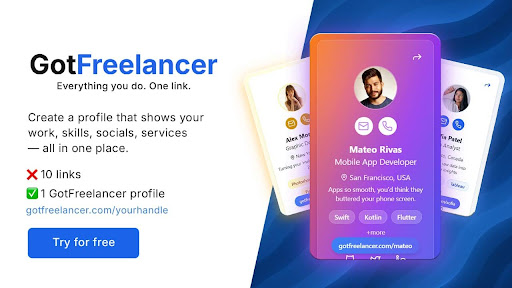
If you promote yourself on platforms like Instagram, TikTok, Twitter, or LinkedIn, you’ll benefit greatly from GotFreelancer’s link in bio for freelancers tool. This feature lets you compile all your essential links—portfolio, website, contact form, and social profiles—into one elegant, mobile-optimized page.
You’ll get a clean, shareable short link like GotFreelancer.com/yourhandle, perfect for bios across social platforms. With just one click, potential clients can view your work, find your contact details, and take action—boosting your visibility and helping you land more projects.
Showcasing Testimonials and Social Proof
Nothing builds trust faster than genuine testimonials from satisfied clients. GotFreelancer makes it easy to collect and display feedback on your website and freelancer profile. Include the client’s name, company (if permitted), and their thoughts on your performance.
Adding visual elements—like a headshot or branded logo—alongside written reviews makes your profile more engaging and credible. When potential clients see others vouching for your services, they’re far more likely to get in touch.
Writing a Compelling Bio
Your bio is one of the most important parts of your GotFreelancer profile—it’s where you introduce yourself and make a memorable first impression. Use it to share your story, what drives you, your career journey, and what sets your services apart.
GotFreelancer’s profile layout keeps things clean and focused, so make every word count. Write in a natural, authentic voice and include relevant keywords that reflect your niche. A well-crafted bio builds trust, shows professionalism, and encourages clients to learn more about you.
Keeping Your Portfolio Fresh and Relevant
Freelancers often forget to update their portfolio once it’s live. However, a stale freelance portfolio can hurt your credibility. GotFreelancer allows you to easily edit, add, or remove projects, ensuring your content stays current and relevant.
Set a reminder to update your portfolio every quarter. Add recent projects, client wins, or skills you’ve acquired. Refreshing your content regularly not only reflects growth but also helps maintain high search engine rankings.
Promoting Your Portfolio Across Platforms
Promotion is key to getting your portfolio seen. Share your freelancer profile and freelance portfolio on LinkedIn, Twitter, Instagram, and even freelance job boards. Use your link in bio for freelancers to guide followers to your GotFreelancer site.
Email marketing is also a valuable tool. Create a newsletter that includes case studies, blog posts, or client testimonials. GotFreelancer’s analytics feature helps you track visitor behavior so you can refine your promotional strategy over time.
Growing Your Freelance Brand with GotFreelancer
GotFreelancer is more than just a platform—it’s a complete branding solution for freelancers. From building a polished freelancer profile to creating a dynamic freelance portfolio and leveraging the freelancer website builder, it empowers you to take control of your online presence.
By using features like the link in bio for freelancers, testimonials, you can scale your brand and grow your freelance business with confidence. Build trust, attract high-paying clients, and establish yourself as a professional in your niche by maximizing everything GotFreelancer has to offer.