

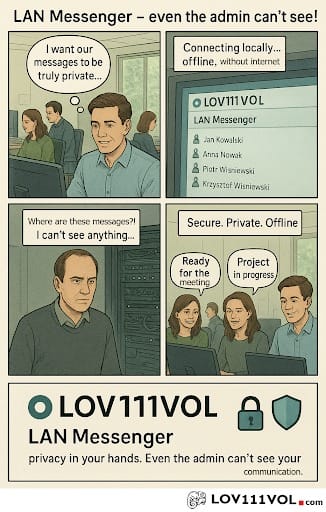
Choosing the right LAN messenger is less about finding the application with the longest feature list and more about finding software that fits the way your organisation actually communicates. Businesses that want private internal conversations, reduced dependence on internet connectivity, or communication between computers on the same network may benefit from a local network messaging solution, but different products can vary considerably in their networking, security, storage, and administration options. Before choosing software, it is worth looking beyond the basic ability to send a message and evaluating how the application handles offline operation, user access, file sharing, encryption, installation, data storage, and future team requirements.
1. Offline Operation
One of the first features to evaluate is whether the messenger can operate without an internet connection. This is particularly important for organisations that work in controlled environments, have unreliable internet service, or want internal communication to remain available during an outage.
A genuine offline messaging capability means users can communicate through the local network without depending on an external cloud service for every conversation. However, buyers should distinguish between an internet outage and a complete network outage. If the LAN itself is unavailable because of a switch failure, power problem, Wi Fi issue, or network configuration problem, an offline messenger may not be able to communicate either.
When comparing products, ask whether the software requires a cloud account, external server, or internet connection during normal operation. This can help determine whether it genuinely fits an organisation looking for communication without internet.
2. Local Network Support
A LAN messenger should be designed to work naturally within the organisation’s existing network. Check whether it supports the type of connection your team uses, including wired Ethernet, Wi Fi, or both.
Network discovery is another practical consideration. If users need to manually configure IP addresses or network settings for every workstation, deployment may become unnecessarily complicated. A well designed system should provide a reasonable process for connecting authorised users while still giving administrators enough control over the environment.
Businesses should also check compatibility with existing firewalls, network segmentation, and security policies. A messaging application cannot function properly if the network prevents the participating computers from communicating.
3. Private Messaging
Private one to one conversations are a basic requirement for most workplace messaging systems. Employees may need to ask a colleague a quick question, discuss an individual task, or send information that does not concern an entire department.
A good LAN chat application should make private conversations easy to start and manage. Buyers should consider whether users can identify colleagues clearly, whether conversations are easy to navigate, and whether the system provides appropriate controls over access.
The goal is convenience without sacrificing organisational control. If private conversations are part of everyday work, the messaging interface should be straightforward enough that employees do not need technical knowledge to use it.
4. Group Chats
Businesses rarely communicate only through one to one messages. Departments, project teams, shifts, and temporary working groups often need shared conversations.
Group chat functionality allows several users to receive and contribute to the same discussion. This can be useful for coordinating a project, communicating an operational update, or discussing an issue that involves several departments.
When evaluating group messaging, look beyond the ability to create a room. Consider whether administrators can manage membership, whether users can leave or join groups appropriately, and whether group access can be aligned with organisational roles.
For a small office, simple group messaging may be enough. Larger organisations may need stronger administration and permission controls.
5. File Sharing
Text messages are only part of workplace communication. Employees regularly exchange spreadsheets, reports, images, presentations, PDFs, and other documents.
A LAN messenger with file sharing can keep document exchange within the same communication workflow. Instead of sending a message in one application and transferring the related document through another service, users may be able to handle both activities together.
However, businesses should examine how files are transferred and stored. Consider file size limitations, supported formats, access permissions, malware protection, and whether transferred files remain available after a conversation ends.
Local file sharing can be convenient, but it should not be treated as automatically secure. Organisations still need appropriate endpoint protection and data handling policies.
6. Encryption
Encryption should be an important part of any buyer’s evaluation, particularly when employees may discuss confidential business information.
LOV111VOL’s product information states that its LAN Messenger uses AES encryption and public/private key technology to protect communication. The product is also described as supporting encrypted private messages, group conversations, and file sharing. These features are relevant when evaluating a messenger local network application for internal use.
However, buyers should avoid assuming that the presence of encryption guarantees complete security. Ask how encryption is implemented, what information is encrypted, how keys are handled, and whether data is also protected when stored.
Security is a system wide responsibility. A well encrypted messenger cannot compensate for compromised computers, weak passwords, exposed network equipment, or inappropriate user permissions.
7. User Accounts
User management becomes increasingly important as more people join a messaging system. Each employee should ideally have an identifiable account rather than relying on shared credentials.
Individual accounts make it easier to control access and understand who is using the system. They can also simplify administration when employees join, leave, or change departments.
Before choosing software, determine how accounts are created, whether administrators can disable accounts, and whether there are controls for managing users across multiple teams.
For a small business, simple account management may be sufficient. Larger organisations should consider whether the application’s user administration can scale with their workforce.
8. Permissions and Access Control
Permissions determine what users are allowed to do. Not every employee needs administrative access, and not every team member necessarily needs access to every group or resource.
A good LAN messenger should provide enough control for an organisation to apply the principle of least privilege. Administrators should be able to decide who can access particular functions, manage groups, and perform administrative tasks.
LOV111VOL’s wider product information describes user and role based access controls, while its LAN communication offering is positioned for teams operating in local and offline environments.
Businesses should still verify the exact permission model available in the version they intend to deploy. Requirements can change significantly between a six person office and a larger organisation with multiple departments.
9. Data Storage
Understanding where messages and files are stored is essential. A business should know whether data remains on individual computers, is stored in a shared database, or uses another storage architecture.
Local storage can provide organisations with greater control over their information, but it also creates responsibility for backups, access control, recovery, and maintenance.
LOV111VOL’s product information presents its broader platform as capable of local or offline operation and describes centralised document storage and permission controls. For any messaging deployment, buyers should confirm the specific storage method used by the messenger and determine whether it aligns with internal data management requirements.
10. Backup and Recovery Options
A messaging system may contain important business information, so buyers should ask what happens if a computer, database, or storage location fails.
A sensible backup strategy should protect important communication data without creating another security weakness. Backups should be stored appropriately, protected from unauthorised access, and tested periodically to confirm that restoration actually works.
The important point is that backup responsibility may fall on the organisation when using local software. With a cloud service, some backup and infrastructure responsibilities may be handled by the provider. With an on premises or local system, administrators need to understand exactly what they are responsible for.
11. Ease of Installation
Installation can become a significant issue when software needs to be deployed across many computers. Buyers should consider whether the application requires complicated configuration or can be installed and started relatively quickly.
LOV111VOL’s installation information describes downloading the application, extracting the ZIP archive, and launching the supplied startup file.
A simple installation process can reduce deployment time, but organisations should still test the software on a small number of computers before rolling it out more widely. Network permissions, antivirus software, Windows settings, and firewall policies can affect real world installation even when the application itself is straightforward to start.
12. Windows Compatibility
Operating system compatibility should be checked before purchasing or deploying a LAN messenger. If most company computers use Windows, native Windows support may be a priority.
LOV111VOL’s product information describes its LAN Messenger for Windows PCs and laptops. Buyers using other operating systems should verify compatibility rather than assuming that software designed for Windows will work natively elsewhere.
Compatibility should also include the specific Windows versions used by the organisation. IT teams should test the application on the actual devices and configurations used by employees.
13. Network Configuration
Even the best messaging application depends on a functioning network. Before deployment, administrators should understand how the software communicates between computers and whether particular ports, firewall rules, or network permissions are required.
This is especially important in larger organisations where different departments may be separated into network segments. A system that works immediately on a small office network may require additional configuration across a more complex infrastructure.
Testing the application in the intended network environment can identify these issues before employees depend on it for daily communication.
14. Scalability for Teams
Finally, consider how the software will perform as the organisation grows. A tool that works perfectly for five employees may not provide the same administrative experience for fifty or several hundred.
Scalability involves more than the number of users. Consider group management, account administration, database performance, network traffic, file transfers, permissions, and support requirements.
LOV111VOL’s broader platform materials describe solutions intended for both smaller teams and larger organisations, while its pricing information currently describes a free individual offering and a team option with a stated limit of up to six users under certain conditions. Buyers should therefore verify current licensing and user limits before making a deployment decision.
How to Compare LAN Messenger Options
A useful comparison starts with the organisation’s actual requirements. Instead of asking which application has the most features, identify what employees need every day.
For example, a small office might prioritise easy installation, private messaging, group chats, file sharing, and offline operation. A factory may place more emphasis on local network reliability and communication during internet outages. A restricted environment may focus heavily on encryption, access control, local storage, and administrative oversight.
Security should be evaluated alongside usability. If a system is extremely secure but difficult for employees to use, staff may look for unofficial communication methods. Conversely, a convenient application with weak access controls may create unnecessary risk.
Final Checklist Before Choosing
Before selecting local messaging software, test it in the environment where it will actually be used. Confirm that computers can communicate correctly, check firewall behaviour, test private and group conversations, transfer representative files, review storage arrangements, and verify how accounts and permissions are managed.
It is also worth documenting who will administer the system, how updates will be handled, where backups will be stored, and what employees are allowed to share. These practical details often matter more than an impressive feature list.
For organisations looking for communication between users on the same network, a practical LAN messaging platform can provide useful capabilities such as local communication, private and group conversations, file sharing, and offline operation, but the best choice is ultimately the one that fits the organisation’s network architecture, security requirements, user needs, administrative capacity, and long term communication strategy.