

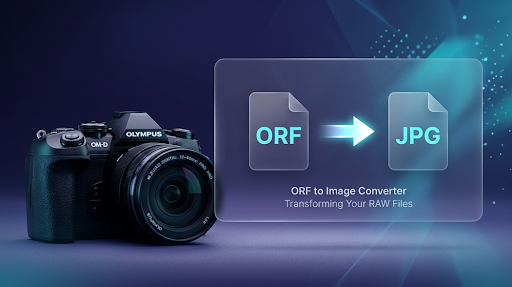
Have you ever taken a beautiful photo with your Olympus camera, only to find out you can’t open it on your phone? Or maybe you tried to upload it to Instagram, but the app didn’t recognize the file?
If so, you have met the ORF file.
In this guide, we will learn everything about the ORF to Image Converter. We will explain what these files are, why they are tricky, and how you can change them into normal pictures like JPG or PNG in just a few clicks. Best of all, we will show you how to do it for free without being a computer expert!
What is an ORF File? (The Simple Version)
ORF stands for Olympus Raw File.
Think of an ORF file like a “digital negative.” Back in the old days of film cameras, you couldn’t see the picture immediately. You had a roll of film that needed to be developed in a dark room.
An ORF file is exactly like that. It contains all the raw data that the camera’s sensor captured. It hasn’t been “cooked” yet. This is why professional photographers love it—it holds so much detail! But for a regular person, it can be a headache because most apps and websites cannot “read” this raw data.
Why are ORF files so big?
Unlike a normal JPG, which throws away some data to save space, an ORF file keeps everything. It remembers every tiny shadow and every bright light. This makes the file very big. One ORF photo can take up as much space as 10 regular JPG photos!
Why Do You Need an ORF to Image Converter?
You might be asking, “If the ORF file is so good, why should I change it?” Here are the main reasons:
1. Compatibility (Works Everywhere)
A JPG or PNG file can be opened on any device. Whether you have an iPhone, an Android, a Windows PC, or a Mac, these formats just work. ORF files, on the other hand, usually require expensive software like Adobe Photoshop to open.
2. Social Media Sharing
Facebook, Instagram, and WhatsApp do not support ORF files. If you want to show your vacation photos to your friends, you must convert them to a web-friendly format first.
3. Saving Storage Space
Since ORF files are huge, they fill up your hard drive very fast. By using an ORF to Image Converter, you can shrink the file size by 80% or 90% while still keeping the photo looking great.
4. Easier Printing
Most local photo printing shops ask for JPG files. They usually can’t print directly from a RAW ORF file.
How Does an Online ORF to Image Converter Work?
You don’t need to be a scientist to use an online converter. It’s as easy as sending an email.
When you upload your ORF file to an online tool, the website uses a powerful “engine” to read the raw data. It then applies standard colors and brightness to the image and saves a new copy as a JPG or PNG.
The best part? Your original ORF file stays safe on your computer. The converter just makes a “new version” of it.
Step-by-Step Guide: Converting ORF to JPG/PNG
Let’s walk through the process. It is so simple that a 4th grader can do it in less than a minute.
Step 1: Find a Reliable Converter
Open your web browser and search for a ORF to Image Converter. Look for one that is easy to use and doesn’t ask you to sign up for an account.
Step 2: Upload Your Photos
Look for a big button that says “Upload” or “Select Files.” You can also just drag your photos from your folder and drop them onto the website.
Step 3: Choose Your Format
The tool will ask: “What do you want to turn this into?”
- Choose JPG if you want a small file for the web.
- Choose PNG if you want the highest quality for editing.
Step 4: Click Convert
Press the “Convert” button. The website will take a few seconds to process the image.
Step 5: Download and Enjoy
Once it’s finished, click “Download.” Your photo is now ready to be shared, printed, or posted!
JPG vs. PNG: Which One Should You Choose?
When using an ORF to Image Converter, you usually have two main choices. Here is a simple breakdown to help you decide:
Use JPG (Joint Photographic Experts Group) if:
- You want to post on Instagram or Facebook.
- You want to send photos via email or WhatsApp.
- You are low on phone storage.
- Pro Tip: JPG is the king of the internet!
Use PNG (Portable Network Graphics) if:
- You plan to do more editing later.
- You want the colors to be as perfect as possible.
- You don’t mind the file being a bit larger.
- Pro Tip: PNG is “lossless,” meaning it doesn’t lose any quality when you save it.
Is it Safe to Use an Online ORF Converter?
Many people worry about their privacy. “Will the website keep my photos?” is a common question.
Most high-quality online tools are very safe. They use HTTPS encryption, which means your files are protected while they travel over the internet. Most of these tools also have an automatic delete system. They usually delete your uploaded files from their servers within 1 hour.
Safety Checklist:
- Does the website have a padlock icon in the URL bar? (Good!)
- Does it ask for your password or credit card? (Bad! Stay away!)
- Is the website free to use? (Good!)
Tips for Getting the Best Results
To make sure your converted photos look amazing, follow these simple tips:
- Don’t Convert Too Many at Once: If you have 500 photos, try converting them in small batches of 20 or 30. This prevents the website from slowing down.
- Check the Lighting: Since ORF is a RAW format, sometimes the “auto-conversion” might look a bit dark. Use a converter that allows you to adjust the “Quality” setting.
- Keep Your Originals: Never delete your ORF files right away! Keep them on a backup drive. They are your “Master Copies.” If you ever become a professional editor, you will want those original files.
Common Questions About ORF Files
Q1: Can I open ORF files in Google Photos?
Ans: Google Photos can sometimes “preview” ORF files, but it often struggles to show them in full quality. It is much better to convert them to JPG before uploading them to your Google account.
Q2: Why does my ORF file look different than the screen on my camera?
Ans: When you look at the screen on your Olympus camera, you are actually seeing a “preview” JPG that the camera made. The ORF file itself is the raw data. When you convert it, the converter tries its best to match what the camera showed you.
Q3: Is there any free software to open ORF?
Ans: Yes! Olympus provides its own software called “OM Workspace.” However, it is a very large program and can be slow. An online ORF to Image Converter is much faster for most people.
Conclusion: The Easiest Way to Handle Olympus Photos
Photography should be fun, not frustrating. You shouldn’t have to worry about file formats or technical jargon.
An ORF to Image Converter is the bridge between your high-end Olympus camera and the rest of the world. It takes the “kacha” (raw) data and turns it into a beautiful, shareable masterpiece.
Whether you are a student, a hobbyist, or just someone who found an old camera in the attic, converting your files is the first step to enjoying your memories.
Try it today! Take those hidden ORF files off your memory card, run them through a converter, and see your photos come to life in a way that everyone can see.
🔹 Explore more powerful file conversion and online utilities at AllFileTools –
🔹 For technical support, digital solutions, and expert services, visit LetDigitalFly IT Services –
🔹 Discover additional career and productivity resources at Resume Slip Builder –