

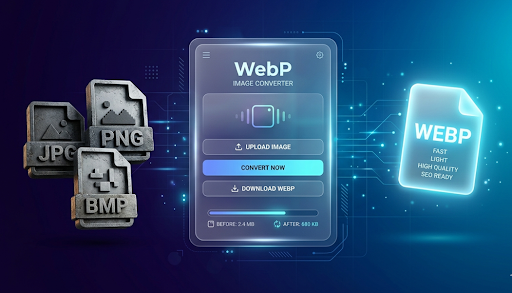
In the fast-paced world of the internet, every millisecond counts. If you run a website, manage a blog, or handle digital marketing, you know that high-quality visuals are essential. However, those beautiful images often come with a heavy price: slow loading times. This is where the Images to WebP Converter becomes your most valuable digital asset.
In this deep-dive guide, we will explore why converting your JPG, PNG, and BMP files to WebP is no longer just an option—it is a necessity for anyone who wants to stay ahead in 2026.
What is an Images to WebP Converter?
An Images to WebP Converter is a specialized online tool designed to transform traditional image formats into Google’s modern WebP format. Unlike older formats that were created decades ago, WebP was built specifically for the modern web.
Think of it like packing a suitcase. A JPG is like throwing clothes in loosely—it takes up a lot of space. Converting to WebP is like using vacuum-seal bags; you keep all your clothes (the image quality), but they take up 30% less space in your trunk (the server).
Why Format Matters
For years, we relied on three main types:
- JPG (Joint Photographic Experts Group): Great for photos but loses quality when compressed.
- PNG (Portable Network Graphics): Perfect for transparency but results in very large file sizes.
- BMP (Bitmap): Extremely high quality but massive files that are “heavy” for browsers to load.
The WebP converter takes the best features of all these formats and merges them into one lightweight file.
Why Should You Use a WebP Converter? (The Real Benefits)
Using a converter isn’t just about changing a file extension. It’s about improving the entire “health” of your digital presence.
1. Lightning-Fast Loading Speeds
Data shows that most users leave a website if it takes more than 3 seconds to load. Large images are the #1 cause of slow websites. By using an Images to WebP Converter, you can reduce your image weight by up to 35% without losing visible quality. This makes your pages snap open instantly.
2. Better SEO Rankings
Google loves speed. In their “Core Web Vitals” update, page loading speed became a primary ranking factor. If your site uses WebP images, Google sees your site as “optimized.” This gives you a better chance of appearing on the first page of search results compared to a competitor using heavy PNGs.
3. Reduced Hosting Costs
Every time someone visits your site, your server sends data. If your images are large, you consume more bandwidth. For high-traffic sites, this can lead to expensive hosting bills. Converting to WebP saves bandwidth, which saves you money.
How the Conversion Process Works (Step-by-Step)
Our tool is designed so that even a 4th-grade student can use it without confusion. Here is the simple “Human-Way” to do it:
Step 1: Open your browser and go to a trusted site like AllFileTools.com. And use this Tool Images to WebP Converter
Step 2: Click “Select Files” or “Upload” to choose your JPG, PNG, or BMP files from your device.
Step 3: Select “WebP” as your output format from the settings menu.
Step 4: Click the “Convert” button and wait a few seconds for the magic to happen.
Step 5: Click “Download” to save your new, high-quality WebP file to your computer or phone.
Breaking Down the Formats: JPG, PNG, & BMP vs. WebP
To understand why you need a converter, you have to understand what you are leaving behind.
JPG to WebP
JPGs use “lossy” compression. When you make a JPG smaller, it gets “blocky” or blurry. WebP uses better math (predictive coding) to keep the edges sharp even at very small sizes.
PNG to WebP
PNGs are famous for transparent backgrounds (like logos). Usually, making a PNG small makes it lose its transparency. WebP supports transparency (alpha channel) while being much smaller than a standard PNG. It’s the best of both worlds.
BMP to WebP
BMP files are “raw” and huge. They are rarely used on websites because they are too heavy. If you have BMP files, converting them to WebP is like changing a giant truck into a sleek sports car—it’s just much more efficient for the road.
Is WebP Supported Everywhere?
A few years ago, people were worried that WebP wouldn’t show up on iPhones or older browsers. That is no longer a problem. As of 2026, every major browser supports WebP:
- Google Chrome (Desktop & Mobile)
- Apple Safari (iOS & macOS)
- Mozilla Firefox
- Microsoft Edge
If a user happens to be on a very ancient browser, most modern website platforms (like WordPress or Shopify) can automatically show the old JPG as a backup. But for 99% of your users, WebP is the perfect choice.
The “Human” Side of WebP: Why We Care
Technology shouldn’t be complicated. We built this Images to WebP Converter because we believe the internet should be accessible to everyone.
When images are smaller, people with slow internet connections in rural areas or developing countries can access information faster. By using WebP, you aren’t just helping your SEO; you are making the internet more inclusive for people who don’t have high-speed 5G or expensive fiber optics.
Frequently Asked Questions (Simplified)
Will my images lose quality?
No. To the human eye, the difference is invisible. The “data” that is removed is stuff that your eyes don’t need to see a beautiful picture.
Is it safe to use an online converter?
Yes. Our tool processes the images and does not store your personal data. Your privacy is a priority.
Can I convert WebP back to JPG?
Yes, but you usually won’t need to. WebP is a “final” format for the web. If you need to edit the photo later, it’s always good to keep your original file in a folder on your computer.
Does this help my mobile app?
Absolutely. Mobile apps load much faster when the assets (icons and backgrounds) are in WebP format.
Conclusion: Start Converting Today
The digital world is moving toward efficiency. If you continue to use old, heavy image formats, your website will feel like an old library—slow and dusty. By embracing the Images to WebP Converter, you turn your website into a high-speed digital experience.
It’s easy, it’s free, and it’s the single best thing you can do for your SEO today. Stop making your users wait for images to load. Give them the speed they deserve and give Google the optimization it craves.
Try our Images to WebP Converter now and see the difference in your site’s performance!
🔹 Explore more powerful file conversion and online utilities at AllFileTools –
🔹 For technical support, digital solutions, and expert services, visit LetDigitalFly IT Services –
🔹 Discover additional career and productivity resources at Resume Slip Builder –