

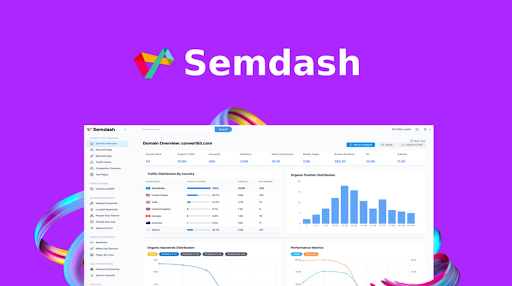
Semdash is an SEO research tool designed to help businesses and marketers improve their website rankings. It offers a variety of features including keyword research, backlink analysis, and competition tracking. The tool gathers data from Google and presents it in an easy-to-understand way. Users can find keyword opportunities, analyze competitor strategies, and track search engine results pages (SERP). Semdash aims to save time by combining many SEO tasks in one place. It works well for beginners and experts alike. You can get detailed insights into your website’s performance and your competitors.
Semdash Review | SEO Research Made Simple:
Semdash Pros and Cons:
Pros:
– Easy-to-use interface for all skill levels
– Comprehensive SEO features in one tool
– Affordable lifetime deal on AppSumo
– Regular data updates and good accuracy
– Bulk analysis saves time for agencies
Cons:
– Only supports Google data, no other search engines
Semdash Pricing Plans:

Semdash offers simple, transparent pricing with three main plans designed to fit different needs and budgets. All plans include unlimited access to core features. The Starter plan costs $29 per month and includes 1,000 credits. This entry-level option is perfect for small businesses or individuals just beginning with SEO research. The most popular option is priced at $49 monthly, providing 4,000 credits – a great balance of affordability and capacity for growing businesses. For power users and agencies, the Pro plan at $199 monthly delivers 10,000 credits, supporting extensive research needs.
All plans include the same essential features: Keyword Research, Competition Analysis, Backlink Research, and SERP Checker. This means even at the lowest tier, you get access to all of Semdash’s powerful SEO tools.
Key Features and Capabilities:
01. Domain Overview
This feature gives a quick snapshot of any website’s SEO health. You can see traffic trends, keyword rankings, and backlink profiles. It helps you understand how well a domain performs in search engines. This overview is useful for spotting strengths and weaknesses fast. It also shows you where your competitors stand. The data updates regularly, so you get fresh insights. With this, you can track progress over time and adjust your SEO strategy. The interface is simple, making it easy to compare multiple domains. This saves you from switching between many tools. In my opinion, it’s a great way to start any SEO project.
02. Keyword Gap
Keyword Gap finds keywords your competitors rank for but you don’t. It highlights missed opportunities to boost your site traffic. You enter your domain and competitors’ domains, and the tool shows the keyword differences. This helps you focus on keywords that can bring new visitors. The report is clear and actionable. You can export the data to plan your content strategy. The feature supports bulk analysis, so you can check many competitors at once. For the purpose of growing your site, this is very useful. You can quickly spot gaps in your keyword coverage and fill them.
03. Backlink Gap
Backlinks are important for SEO, and this feature compares your backlinks with competitors’. You see which sites link to your competitors but not to you. This helps you find new link-building opportunities. The tool also shows the quality of backlinks, so you focus on the best ones. You can filter results to target specific industries or regions. This saves time and improves your outreach efforts. By building better backlinks, your site can rank higher. The Backlink Gap feature is easy to use and gives clear data for link-building campaigns.
04. Traffic Share
Traffic Share shows how much search traffic each competitor gets for specific keywords. You can see who controls the most traffic in your niche. This helps you understand market share and competition levels. The tool breaks down traffic by keyword, so you know what drives visitors. This data helps you decide where to focus your SEO efforts. If a competitor has a large share, you might target less competitive keywords. The feature updates regularly to reflect current trends. It’s useful for tracking changes in your industry’s search landscape.
05. Competitor Domains
This feature lists your main competitors based on keyword overlap and traffic. It helps you find new rivals you might not know about. You can analyze their strategies and compare metrics side by side. The list updates as the market changes. This keeps you aware of new players and shifting competition. You can use this data to plan your marketing and SEO moves. Knowing your competitors well is key to staying ahead.
06. Top Pages
Top Pages shows the best-performing pages on any website. You see which pages get the most traffic and backlinks. This helps you understand what content works well. You can model your pages after top performers or find content gaps. The feature also shows keyword rankings for each page. This helps you optimize existing content or create new pages. It’s a simple way to improve your site’s SEO by learning from others.
07. Historical SERP
This tool tracks how keyword rankings change over time. You can see if your site or competitors improve or drop in rankings. This helps you measure the impact of SEO efforts. It also alerts you to sudden changes that might need attention. The data covers weeks or months, giving a clear trend picture. You can use this to adjust your strategy quickly. It helps keep your SEO work on track.
08. Keyword Discovery
Keyword Discovery finds new keywords related to your niche. It shows search volume, competition, and trends. You can explore long-tail keywords that are easier to rank for. The tool suggests keywords based on your input or competitor data. This helps keep your content fresh and relevant. You can build keyword lists for content planning. The feature is simple but powerful for keyword research.
09. Backlinks and Referring Domains
This feature provides detailed backlink data. You see which sites link to your domain and their quality. You can track new and lost backlinks over time. It helps you maintain a healthy backlink profile. The feature also shows referring domains, which are sites linking to you. This helps identify strong partnerships or spam links. Managing backlinks is easier with this clear data.
10. Bulk Analysis
Bulk Analysis lets you check SEO metrics for many domains or keywords at once. This saves time compared to checking one by one. You can upload lists and get reports quickly. It’s useful for agencies or marketers managing many sites. The feature supports exporting data for further use. It helps you handle large SEO projects efficiently.
The way I see it, Semdash offers a solid set of SEO tools at a fair price. It covers keyword research, backlink analysis, competitor tracking, and more. The lifetime deal on AppSumo makes it very affordable. If you want a simple yet powerful tool to improve your SEO, this is a good choice. Beginners and experts both find value here. The only downside is it only supports Google data. At the end of the day, Semdash is a smart investment for those serious about SEO research without high ongoing costs. If you want to save time and get clear SEO insights, Semdash deserves your attention.