

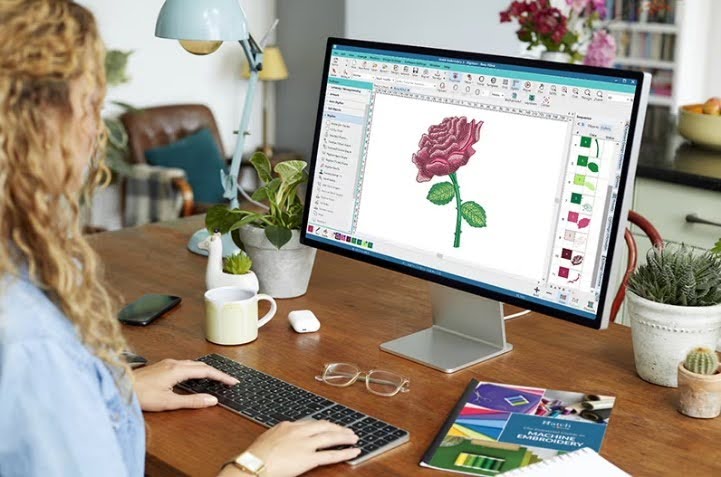
Turning a normal picture into an embroidery file is not as easy as it looks. A design that looks good on screen can behave very differently on a machine. Lines can break. Shapes can distort. And colors may not stitch the way you expect.
That is why proper preparation is so important. When artwork is converted in the right way, the final stitch comes out clean, smooth, and professional. This is also where JPG To DST Conversion becomes a key part of the process. It helps turn simple image files into machine-ready stitch files that embroidery machines can read correctly.
In this guide, you will learn simple steps to convert artwork into stitch-friendly files. Everything is explained in easy words so anyone can understand it, even beginners.
What Does Stitch-Friendly File Mean?
Before learning the process, let’s understand the basic idea.
Simple Meaning
A stitch-friendly file is a design file that an embroidery machine can read and follow.
Why It Is Important
Machines do not understand images like humans do. They need instructions like:
- Where to stitch
- What direction to follow
- Which color to use
- How dense the stitches should be
Without this, the design cannot be stitched properly.
Why Normal Images Are Not Enough
Most people start with JPG or PNG images. These are fine for viewing but not for stitching.
Main Problem
These files are made of pixels. When you zoom or resize them:
- They become blurry
- Edges lose shape
- Details disappear
Machine Limitation
Embroidery machines cannot read pixels. They need structured stitch paths.
Step 1: Choose the Right Artwork
Good conversion always starts with good artwork.
Use Clear Images
A clear design makes conversion easier and more accurate.
Avoid Low Quality Files
Blurry or dark images are hard to convert.
Keep Design Simple
Simple shapes convert better than complex ones.
Step 2: Clean the Artwork
Before conversion, the design must be cleaned.
Remove Extra Noise
Delete unwanted marks or dots.
Fix Broken Lines
Make sure all shapes are complete.
Adjust Contrast
Clear contrast helps see edges better.
This step helps experts like Absolute Digitizing create clean and accurate stitch files.
Step 3: Break the Design into Parts
A design is not stitched as one single block.
Why Breakdown Is Needed
Different parts need different stitch types.
Example
- Text area
- Background
- Small details
Each part is handled separately.
Result
Better control and cleaner stitching.
Step 4: Assign Stitch Types
Now comes the most important part.
Satin Stitch
Used for smooth edges and text.
Fill Stitch
Used for large areas.
Running Stitch
Used for fine outlines.
Why It Matters
Each stitch type gives a different look and feel.
Step 5: Set Stitch Direction
Stitch direction changes how the design looks.
Why Direction Matters
It controls shine, flow, and texture.
Simple Tip
Change direction for different sections to add depth.
Result
Design looks more natural and professional.
Step 6: Adjust Stitch Density
Density means how close stitches are placed.
High Density
- Strong and bold look
- Good for thick designs
Low Density
- Soft and light look
- Good for delicate areas
Balance Is Key
Too much density can damage fabric. Too little can leave gaps.
Step 7: Choose Thread Colors
Color choice is not just visual. It affects stitching too.
Match Brand Colors
Always follow correct brand shades.
Use Contrast
Good contrast makes design visible.
Avoid Too Many Colors
Too many colors can make design messy.
Step 8: Set Underlay Stitches
Underlay is the base layer of stitching.
Why It Is Needed
It supports the top stitches.
Benefits
- Better shape
- Strong structure
- Smooth finish
Without underlay, designs may look weak.
Step 9: Test the File
Testing is very important in embroidery work.
Why Testing Helps
It shows real output before final stitching.
What to Check
- Thread breaks
- Alignment issues
- Fabric response
Fix Issues Early
Small changes can improve final quality.
Step 10: Final File Saving
Now the design is ready to be saved.
Save in Correct Format
Common formats include DST, PES, and EXP.
Keep Backup
Always save the original editable file.
Common Mistakes to Avoid
Even simple mistakes can ruin the final result.
Skipping Artwork Cleaning
Dirty artwork leads to poor stitch output.
Wrong Stitch Choice
Using wrong stitch types creates messy designs.
Ignoring Fabric Type
Each fabric behaves differently.
No Testing
Skipping test runs leads to unexpected errors.
Real Experience in File Conversion
In real embroidery work, file conversion is a very important step. Many beginners think they can directly use image files. But this often leads to poor results.
Designs may look fine on screen. But when stitched, they lose shape or clarity.
After switching to proper conversion steps, the difference becomes clear. Designs become sharp. Machines run smoothly. And final output looks professional.
This is why many businesses trust experts like Absolute Digitizing for clean and accurate stitch file preparation.
Why Professional Conversion Matters
Professional conversion is not just about software. It is about skill and understanding.
Better Accuracy
Experts understand how machines behave.
Clean Output
They make sure every stitch is placed correctly.
Time Saving
No need for repeated fixes or rework.
Consistent Quality
Every design follows the same high standard.
How Experts Work Step by Step
Let’s look at a simple workflow used by professionals.
Step 1: Study Design
Understand artwork and its details.
Step 2: Plan Stitch Map
Decide stitch flow and direction.
Step 3: Build File
Create stitch instructions.
Step 4: Adjust Settings
Fix density, underlay, and color.
Step 5: Final Testing
Check output on real fabric.
Brands like Absolute Digitizing follow this structured approach to ensure reliable results every time.
Tips for Better Stitch Files
Here are some simple tips you can follow.
Keep Designs Simple
Simple designs convert better.
Use High Quality Images
Clear images give better results.
Avoid Over Detailing
Too many small details may not stitch well.
Always Test
Testing helps avoid mistakes.
Where Stitch-Friendly Files Are Used
These files are used in many industries.
Fashion Industry
Clothing and apparel designs.
Corporate Branding
Logos on uniforms and products.
Gifts and Custom Items
Personalized embroidery work.
Sports Wear
Caps, jerseys, and jackets.
Future of Stitch File Conversion
Embroidery is improving with better tools and software.
Faster Tools
New software makes conversion quicker.
More Accuracy
AI tools help, but human skill is still important.
Better Results
The combination of tools and experience gives the best output.
Final Thoughts
Converting artwork into stitch-friendly files is a step-by-step process. It needs care, attention, and understanding.
From cleaning artwork to testing final files, every step matters. A small mistake can affect the whole design.
When done correctly, the result is clean, sharp, and professional embroidery.
If you want consistent and high-quality results, always focus on proper conversion methods. Experts like Absolute Digitizing make sure every file is prepared with care, so your final stitch work always looks its best.