

Every WooCommerce store starts with the same foundation, but what truly shapes its efficiency and growth are the tools added along the way. The right plugins can simplify catalog management, streamline payments, automate paperwork, strengthen marketing efforts, and improve customer communication without adding operational strain.
In 2026, store owners are looking for solutions that automate most operational tasks and bring clarity to day-to-day processes. From product imports and order documentation to payments, compliance, and customer engagement, each plugin listed below addresses a practical need within a growing eCommerce business.
Let’s explore the essential WooCommerce plugins that help store owners build structured, scalable, and well-organized online stores.
1: Product Import Export for WooCommerce
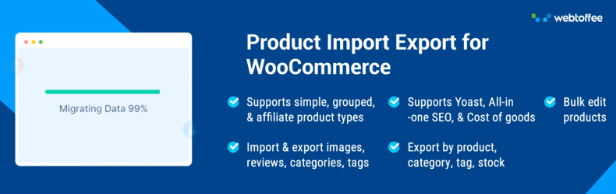
This WooCommerce Product Importer plugin simplifies the way store owners handle large product catalogs. If you are setting up a new store, migrating data, or updating inventory in bulk, this plugin helps you move product information in and out of WooCommerce easily.
The plugin supports importing and exporting products using CSV, XML, Excel, and TSV files, giving you flexibility in how you manage data. You can handle all product types, including simple, variable, grouped, affiliate, and subscription products. Advanced filtering options allow you to export products based on category, tags, stock status, or other criteria, which makes it easier to work with specific segments of your catalog. It also enables bulk updates to prices, stock levels, categories, and attributes, helping you make large-scale changes in just a few steps.
For ongoing operations, the plugin supports scheduled imports and exports through FTP/SFTP. This allows you to sync product data automatically with suppliers or external systems. With structured bulk management and automation built-in, store owners can maintain accurate product data while saving considerable time.
2: WooCommerce FedEx Shipping Plugin with Print Label
The WooCommerce FedEx Shipping Plugin by PluginHive simplifies shipping management by connecting your WooCommerce store directly with your FedEx account. Instead of manually calculating shipping costs, creating labels, and updating tracking details, the plugin automates the entire fulfillment process. It displays real-time FedEx shipping rates at checkout based on your account rates, helping customers choose the most suitable shipping option while ensuring accurate shipping charges for every order.
The plugin supports a wide range of FedEx services, including domestic and international shipping, FedEx One Rate, FedEx Ground, Express services, SmartPost, and LTL Freight. Store owners can generate official FedEx shipping labels in bulk or individually, schedule pickups, create return labels, and automatically send tracking information to customers. For international shipments, it also generates commercial invoices and Electronic Trade Documents (ETD), making customs clearance faster and reducing manual paperwork.
Beyond shipping automation, the plugin offers advanced packaging options using both custom and FedEx packaging, support for negotiated shipping rates, estimated delivery dates, and compatibility with popular WooCommerce extensions such as WPML, Dokan, WCFM Marketplace, and WC Vendors. Whether you manage a small online store or handle high-volume orders, the plugin helps streamline shipping operations, minimize fulfillment errors, and deliver a better post-purchase experience for your customers.
3: Akismet Anti-Spam
Akismet Anti-Spam protects your WooCommerce store and WordPress site from unwanted comments and malicious submissions. It works quietly in the background, helping you maintain a clean and trustworthy space for customers without constant manual moderation.
The plugin automatically checks comments and contact form entries against a global spam database that is continuously updated. Suspicious content is filtered before it ever appears publicly, reducing the risk of spam links, fake messages, and harmful content reaching your audience. Each submission comes with a status history, so you can see how it was handled and review moderation actions when needed. This visibility gives store owners better control over comment management.
Akismet also displays URLs directly within the comment body, making hidden or misleading links easier to identify. By combining automated filtering with clear moderation insights, the plugin helps protect your store’s reputation while saving valuable administrative time.
4: PDF Invoices & Packing Slips for WooCommerce
PDF invoices & packing slips for WooCommerce brings structure to your order documentation process. It allows you to automatically generate professional invoices, packing slips, and credit notes so every order is backed by clear and consistent paperwork.
The plugin creates PDF invoices that can be customized to match your store’s branding and tax requirements. You can add detailed tax information, configure custom invoice number sequences, and choose from multiple layouts. Customers can access their documents directly from their My Account or order emails, which reduces support requests and keeps order records organized. For businesses that require structured e-invoicing, it also supports UBL and XML invoice formats.
In addition, the WooCommerce invoice plugin enables bulk export of invoices, packing slips, and related order documents for accounting or reporting purposes. It supports multilingual invoices along with RTL layouts, making it suitable for stores operating in different regions. With automated document generation and flexible configuration options, store owners can manage invoicing with minimal effort.
5: Tidio
Tidio adds real-time communication to your WooCommerce store, helping you connect with visitors at the exact moment they have questions. It brings customer conversations, automation, and lead capture into one place, so support and sales efforts stay organized.
The plugin combines live chat with AI-powered chatbots, allowing you to respond instantly while also automating common queries. You can proactively start conversations based on visitor behavior, which is useful for recovering abandoned carts or guiding customers during checkout. All interactions from live chat, Facebook Messenger, Instagram, and email are managed inside a single inbox, giving store owners a centralized view of customer communication.
The chat widget is fully responsive and works smoothly across devices, making it easy for customers to reach out from desktop or mobile. With automation, centralized messaging, and real-time engagement tools, Tidio helps store owners offer timely support while creating more opportunities to convert visitors into paying customers.
6: GDPR Cookie Consent Plugin for WooCommerce
GDPR Cookie Consent Plugin for WooCommerce helps store owners manage user consent in a clear and structured way. It displays customizable cookie banners that allow visitors to accept or reject different categories of cookies, supporting compliance with privacy regulations.
The plugin includes an automatic cookie blocker that prevents scripts from loading until consent is provided. It supports the latest TCF v2.3 framework and integrates with popular consent modes, which is important for stores that use advertising and analytics platforms. An advanced cookie scanner identifies the cookies used on your site, making it easier to categorize them properly and present accurate information to visitors. Granular control options allow users to choose which cookie categories they are comfortable enabling.
It also maintains a detailed consent log that records user preferences and timestamps for compliance documentation. With clear consent collection, structured logging, and flexible configuration, this CMP plugin gives store owners control over privacy requirements without complicating the user experience.
7: Mollie Payments for WooCommerce
Mollie Payments for WooCommerce makes it simple to accept a wide range of payment methods through a single integration. It allows store owners to offer customers familiar and trusted ways to pay, which can directly influence conversion rates at checkout.
The plugin supports major credit and debit cards along with other local payment methods, giving businesses flexibility across regions. It also includes international options and pay after delivery methods, helping you cater to different buying preferences. Refunds can be processed fully or partially from within WooCommerce, keeping payment management aligned with your order workflow. Payout schedules are configurable, so you can choose daily, weekly, or monthly settlements based on how you manage cash flow.
Pricing is transaction-based, with no startup, monthly, or gateway fees. With broad payment coverage and straightforward configuration, Mollie provides a reliable foundation for handling transactions in WooCommerce.
8: Smart Coupons for WooCommerce
Smart Coupons for WooCommerce gives you full control over how discounts, offers, and incentives work inside your store. It helps you build promotional campaigns that feel structured and intentional instead of limited to percentage or fixed discounts.
The advanced coupons plugin allows you to create advanced coupons that apply automatically at checkout, which reduces friction and improves redemption rates. You can configure Buy One Get One (BOGO) deals with specific conditions, set advanced usage restrictions, and generate bulk coupon codes for large campaigns. It also supports abandoned cart coupons that trigger at the right time, helping recover potential lost revenue. URL-based coupons make it easy to run targeted promotions through email or ads, as customers can apply discounts instantly with a single click.
In addition, the plugin includes options for gift cards, store credits, free gift campaigns, and sign-up coupons for new users. You can display promotional banners with countdown timers to highlight time-sensitive offers. Altogether, these features make it easier for store owners to plan, execute, and manage promotional strategies effortlessly.
9: Variation Swatches for WooCommerce
Variation Swatches for WooCommerce improves how customers select product options by replacing standard dropdown fields with visually engaging swatches. It makes choosing sizes, colors, or styles more intuitive, especially for stores with multiple variations.
The plugin automatically converts variation dropdowns into button-style swatches, creating a cleaner product page layout without extra configuration. You can display image swatches for attributes like color or pattern, and use label or text-based swatches for sizes and other options. This visual presentation helps customers quickly understand available choices and reduces confusion during selection.
For inventory clarity, the plugin can mark out-of-stock variations with a cross sign or blur effect, making availability instantly visible. By presenting variations in a more accessible format, store owners can enhance the product browsing experience while keeping the setup simple and manageable.
10: Product Feed for WooCommerce
Product Feed for WooCommerce helps you showcase your catalog across popular shopping and social platforms without managing each channel manually. It allows you to generate structured product feeds that keep your listings consistent wherever your customers browse.
The plugin lets you create and manage feeds for more than 25 sales channels, including Google Shopping, Facebook, Instagram, TikTok, etc. You can refine what gets included by filtering products or categories and applying specific rules, which is useful when you want to promote selected collections or exclude certain items. This level of control helps maintain accurate and optimized listings across platforms.
To keep data up-to-date, the plugin supports scheduled feed updates using server cron. This means pricing, stock status, and product changes sync automatically without repeated manual exports. For store owners expanding beyond their website, it offers a practical way to manage multichannel visibility from within WooCommerce.
11: Checkout Field Editor for WooCommerce
The Checkout Field Editor for WooCommerce gives store owners full control over the checkout form. It allows you to adjust the information you collect from customers so the checkout process matches your business requirements.
With this plugin, you can add new fields, edit or remove default ones, change labels, rearrange field positions, and apply custom CSS classes when needed. This flexibility is useful when you need additional billing details, delivery instructions, or business information that WooCommerce does not capture by default. The plugin also supports validation for both default and custom fields, helping prevent incomplete or incorrect submissions and reducing order-related errors.
It is compatible with both Classic and Block-based checkout, making it suitable for different store setups. By refining the checkout structure and keeping it aligned with your workflow, store owners can create a smoother purchase process while collecting accurate customer data.
12: Sequential Order Numbers for WooCommerce
Sequential Order Numbers plugin brings clarity to order management by replacing random order IDs with sequential numbers. This makes tracking, accounting, and internal communication much more organized, especially as your store grows.
The plugin automatically generates sequential order numbers and allows you to define your own starting point. You can add custom prefixes and suffixes to align order numbers with your branding or financial system. It also supports custom increments, giving you flexibility in how numbers progress. For stores that handle promotional or zero-value purchases, you can create separate sequences for free orders, keeping them distinct from regular transactions.
An auto-reset option lets you restart numbering based on your preferred interval, which can be helpful for annual accounting or reporting cycles. With consistent numbering and flexible configuration, store owners can maintain cleaner WooCommerce order records.
13: Yoast SEO
Yoast SEO helps WooCommerce store owners improve search visibility. It provides real-time feedback so you can optimize product pages, wordpress blog posts, and category descriptions as you create them.
The plugin includes a setup wizard that walks you through essential configuration steps, allowing it to generate structured data that search engines can interpret accurately. Its SEO analysis offers clear suggestions for keyword usage and overall content performance, while the readability analysis highlights areas where the content can be improved for better engagement. SERP previews for desktop and mobile show how your pages may appear in search results, helping you refine titles and descriptions before publishing.
On the technical side, Yoast handles meta tag optimization automatically and generates XML sitemaps that support proper indexing. Canonical URL settings help prevent duplicate content issues, and LLMs.txt management gives you control over how large language models interact with your content. Together, these features give store owners both strategic guidance and technical support to maintain strong search performance.
14: WooCommerce Marketing Automations
The Ecommerce Marketing Automation app helps store owners build structured communication flows that guide customers from their first visit to repeat purchases. It brings email campaigns, popups, and automated follow-ups into one system, so marketing efforts remain consistent and measurable.
This Marketing Automation for WooCommerce app allows you to capture leads using signup forms that integrate directly with your store. You can trigger popups for new visitors, send automated welcome emails, and set up cart recovery workflows that remind shoppers to complete their purchases. Follow-up emails can be configured to thank customers, suggest relevant products, or encourage another order. These automated sequences run based on user behavior, helping you engage customers at the right moment without constant manual input.
With clear automation workflows and centralized campaign management, store owners can turn routine customer interactions into consistent revenue opportunities while keeping day-to-day marketing tasks under control.
15: Subscriptions for WooCommerce
Subscriptions for WooCommerce allow store owners to sell products and services on a recurring basis, creating predictable revenue streams. It works well for physical subscription boxes, digital memberships, service plans, and ongoing deliveries such as monthly essentials.
The plugin enables you to create subscription-based products with flexible billing intervals and defined subscription periods. You can add sign-up fees or offer free trials to attract new customers, and even let shoppers build their own subscription boxes by choosing the items they want delivered regularly. Customers have the ability to manage or cancel their subscriptions from their accounts, which keeps the process transparent and reduces administrative requests.
For store management, the plugin helps track recurring payments and logs subscription-related issues for easier troubleshooting. By turning one-time purchases into recurring relationships, store owners can build a steady income while offering customers convenient, automated reordering options.
16: Shipping Labels for WooCommerce
Shipping Labels for WooCommerce simplifies order fulfillment by letting you generate and print shipping documents directly from your dashboard. It helps reduce manual handling and keeps your packing process organized as order volume increases.
The plugin allows you to create shipping labels, dispatch labels, and delivery notes in just a few clicks. You can customize label templates to match your store’s requirements, including layout adjustments and essential order details. Bulk printing options make it easy to process multiple orders at once, which is useful during peak sales periods. Having all shipping documents generated within WooCommerce keeps your workflow centralized and consistent.
In addition to label creation, the plugin provides a complete document solution for order dispatch. By bringing label generation, customization, and bulk processing together, it helps store owners manage fulfillment tasks more efficiently while minimizing errors in the shipping process.
17: Advanced Shipment Tracking for WooCommerce
Advanced Shipment Tracking for WooCommerce keeps customers informed after an order leaves your store. It allows you to add tracking details to orders and automatically share that information through email notifications and the customer’s My Account page.
The plugin makes it easy to assign one or multiple tracking numbers directly from the order edit screen or orders list. It also introduces “Shipped” and “Partially Shipped” order statuses, giving customers a clearer understanding of their delivery progress. This added clarity reduces support requests related to shipping updates and improves post-purchase communication.
With support for more than 850 shipping carriers worldwide, the plugin works well for both local and international businesses. It also includes a customizable tracking widget that can be placed on your site, allowing customers to check shipment status without logging in. By centralizing tracking management within WooCommerce, store owners can streamline fulfillment communication and build greater transparency into the delivery process.
18: WooCommerce Product Recommendations
The WebToffee WooCommerce Product Recommendations plugin functions as an intelligent recommendation engine for WooCommerce store operators who want to increase their sales and average order value and customer engagement by presenting appropriate product recommendations throughout their online store. The system enables you to build upselling and cross-selling and best-selling and frequently purchased together and currently viewed and personalized recommendation systems with simple configuration requirements.
You can use pre-built templates and advanced conditional display rules to manage product recommendations because they enable you to determine recommended products and their visibility across different locations such as product pages and category pages and shopping cart and checkout pages based on customer activities. The system allows you to sort products according to various criteria including price and popularity and rating and it provides access to all product categories which guarantees that your recommendations will always match your customers’ specific requirements.
The product recommendations plugin can display recommendations in grid format or slider format while it automatically hides out-of-stock products and creates automatic recommendations according to your established rules which makes it a versatile solution that improves customer shopping experiences and increases revenue for your WooCommerce business.
19: WebYes Accessibility Tool
The WebYes Accessibility Tool enables your WordPress and WooCommerce store to achieve better accessibility because it helps create equal access for all visitors who use the site including people with disabilities. The tool provides an accessibility toolbar which enables users to modify font sizes and contrast settings and cursor dimensions and spacing parameters to enhance their reading and browsing experience.
The plugin enables organizations to demonstrate compliance because it supports main accessibility standards which include WCAG 2.1 and ADA. The solution establishes genuine accessibility because it resolves back-end code problems while maintaining website performance unlike front-end accessibility widgets which use overlay systems.
The WebYes Accessibility Checker Chrome Extension provides developers and testers with a free tool which enables them to perform fast accessibility tests on any website based on WCAG standards. The tool enables you to discover common problems which include missing alt text and incorrect heading structures and low contrast, while allowing you to see elements currently on the screen and check image alt texts and observe keyboard focus sequence and evaluate performance in both desktop and mobile environments. The tool provides a lightweight solution which protects user privacy and enables users to evaluate site accessibility while ensuring compliance with WCAG and ADA and EAA standards.
Final Note
Choosing the right plugins can shape how efficiently your WooCommerce store operates day to day. From managing products and payments to handling marketing, compliance, subscriptions, and shipping, each tool listed above addresses a specific operational need that store owners commonly face.
As your business grows, having structured systems in place becomes essential for maintaining accuracy, saving time, and delivering a consistent customer experience. By selecting plugins that align with your store’s goals and workflow, you create a setup that supports both smooth operations and long-term scalability.