

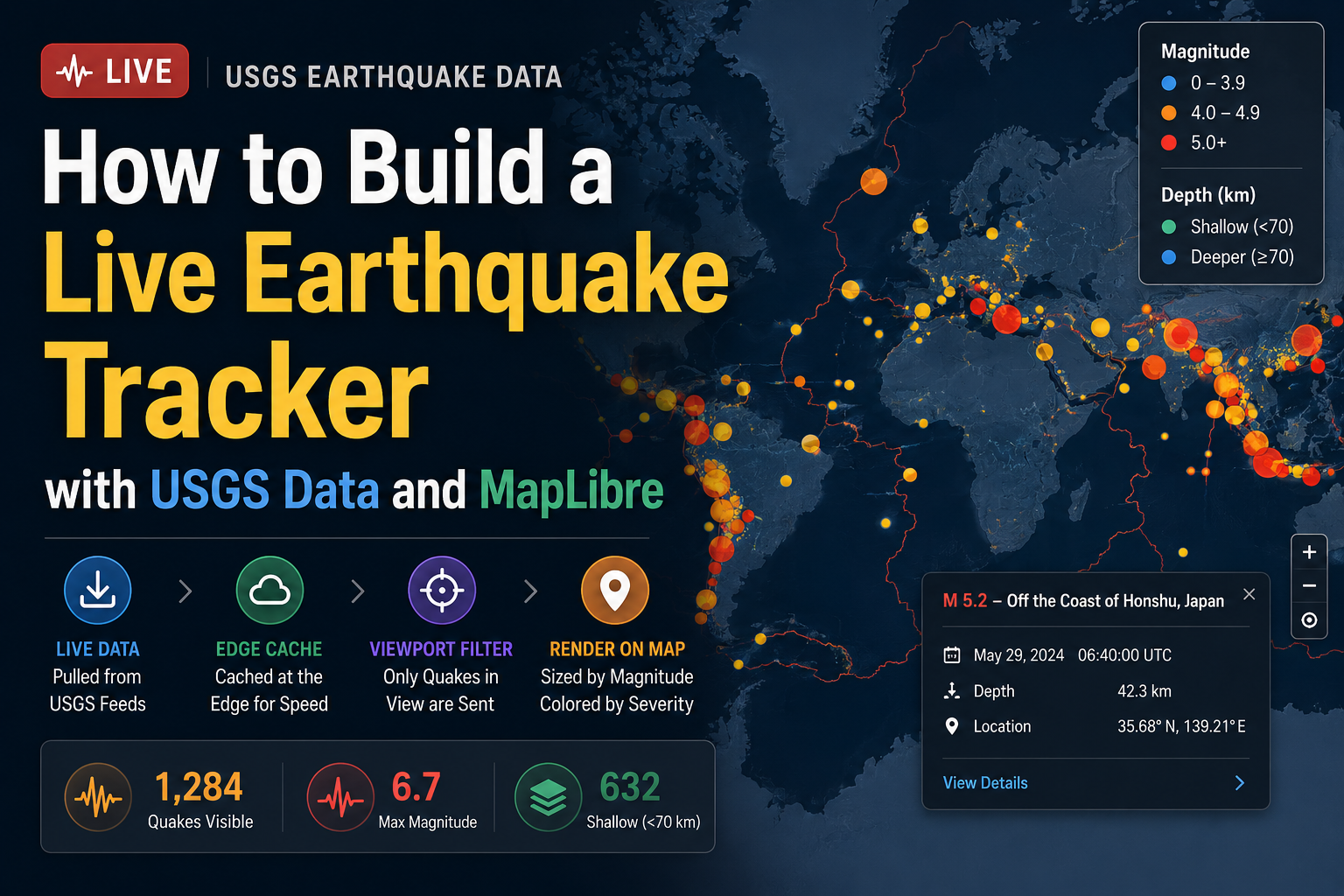
Pull live quakes from the USGS, cache them at the edge, filter by what’s on screen, and draw them as colored circles on a map. Here’s the whole thing.
Earthquake data is one of the best ways to learn live mapping. It’s free, it’s official, it’s genuinely live, and it has the exact shape that trips people up: thousands of points streaming in, each carrying values you want to show on a map. Nail the pattern once and you can reuse it for ships, weather stations, delivery vans, or your own customer list.
So here’s how the LatLng Earthquake Tracker works under the hood: recent quakes from the USGS, drawn as circles on vector tiles, sized by magnitude, colored by severity, and filtered to whatever you’re currently looking at. It’s small enough to keep in your head and general enough to copy.
The shape of it
The data moves through four stages, and the trick is just putting each job in the right place:
- The USGS publishes earthquake data as public GeoJSON feeds, refreshed every minute.
- Edge cache. Rather than hitting the USGS on every request, you grab the feed once and hold it in worker memory. Queries become instant and you stay a polite guest of a free service.
- Viewport query. The client only asks for events inside the current map bounds, so the payload stays tiny no matter how busy the global feed is.
- MapLibre draws the points on LatLng vector tiles, letting the styling rules size and color each circle.
None of it is heavy. The cleverness is all in where each step happens.
Step 1: The data
The USGS gives you summary feeds at predictable URLs, split by time window and minimum magnitude:
https://earthquake.usgs.gov/earthquakes/feed/v1.0/summary/all_day.geojson
https://earthquake.usgs.gov/earthquakes/feed/v1.0/summary/all_week.geojson
https://earthquake.usgs.gov/earthquakes/feed/v1.0/summary/significant_week.geojson
Each feed is a GeoJSON FeatureCollection. The one detail worth burning into memory is the geometry: the USGS puts depth as the third coordinate, so a point is [longitude, latitude, depth in km].
{
“type”: “Feature”,
“geometry”: { “type”: “Point”, “coordinates”: [139.21, 35.68, 42.3] },
“properties”: {
“mag”: 5.2,
“place”: “off the coast of Honshu, Japan”,
“time”: 1717645200000,
“type”: “earthquake”
}
}
That’s the whole contract. Use properties.mag for the visual weight, coordinates[2] for depth, and the first two coordinates for position. The tracker leans on the daily and weekly feeds, swapping between them when you change the time filter.
Step 2: Cache the feed at the edge
The single most important call is to not fetch the USGS on every user request. The feed only changes once a minute, and proxying it per request is slow for users and rude to a free service. Caching it in worker memory with a short window fixes both:
const FEEDS = {
day: “https://earthquake.usgs.gov/earthquakes/feed/v1.0/summary/all_day.geojson“,
week: “https://earthquake.usgs.gov/earthquakes/feed/v1.0/summary/all_week.geojson“,
};
const cache = {}; // { day: {data, at}, week: {…} }
const TTL = 60_000; // refresh at most once a minute
async function getFeed(period) {
const now = Date.now();
const hit = cache[period];
if (!hit || now – hit.at > TTL) {
const res = await fetch(FEEDS[period]);
cache[period] = { data: await res.json(), at: now };
}
return cache[period].data;
}
On an edge runtime that warm cache is shared across requests hitting the same instance, so the vast majority of queries never touch the USGS at all.
Step 3: Filter by viewport, magnitude, and depth
With the feed in hand, the rest is filtering. The client sends its current map bounds, and you hand back only the events inside that box that clear the magnitude threshold:
function inBounds([lon, lat], [w, s, e, n]) {
return lon >= w && lon <= e && lat >= s && lat <= n;
}
function queryQuakes(fc, { bbox, minMag }) {
const features = fc.features.filter(f =>
(f.properties.mag ?? 0) >= minMag && inBounds(f.geometry.coordinates, bbox)
);
return { type: “FeatureCollection”, features };
}
Two stats fall straight out of the same data. Max magnitude is just the biggest mag in the visible set, and a quake counts as shallow when its depth is under 70 km, since shallow ones tend to do more damage at the surface than deep ones:
const maxMag = Math.max(0, …visible.map(f => f.properties.mag ?? 0));
const shallow = visible.filter(f => f.geometry.coordinates[2] < 70).length;
Step 4: Render on vector tiles with MapLibre
The basemap is LatLng’s vector tiles, loaded straight into MapLibre. The quakes go in as one GeoJSON source with a circle layer on top:
const map = new maplibregl.Map({
container: “map”,
style: “https://tiles.latlng.work/v1/metadata?key=pk_latlng_your_key”,
center: [0, 20],
zoom: 1.5,
});
map.on(“load”, () => {
map.addSource(“quakes”, { type: “geojson”, data: { type: “FeatureCollection”, features: [] } });
map.addLayer({
id: “quakes”,
type: “circle”,
source: “quakes”,
paint: {
// size grows with magnitude
“circle-radius”: [“interpolate”, [“linear”], [“get”, “mag”], 0, 3, 5, 12, 8, 26],
// color steps by severity band
“circle-color”: [
“step”, [“get”, “mag”],
“#2c7fb8”, // magnitude 0 to 3.9
4, “#fdae61”, // 4.0 to 4.9
5, “#d7191c”, // 5.0 and up
],
“circle-opacity”: 0.8,
“circle-stroke-width”: 1,
“circle-stroke-color”: “#ffffff”,
},
});
});
This is the part worth slowing down on. The logic that sizes each circle by magnitude and colors it by severity lives entirely in the layer’s paint rules, which MapLibre runs on the GPU. You never loop over features in JavaScript to set styles. You describe the rule once and it applies to every point, including ones you add later.
Step 5: Wire up the live updates
The map drives everything. Whenever someone pans or zooms, you read the new bounds, ask for the matching events, and swap the source data. MapLibre redraws the circles for you:
async function refresh() {
const b = map.getBounds();
const bbox = [b.getWest(), b.getSouth(), b.getEast(), b.getNorth()];
const data = await fetch(
`/api/quakes?period=${period}&minMag=${minMag}&bbox=${bbox.join(“,”)}`
).then(r => r.json());
map.getSource(“quakes”).setData(data);
updateStats(data.features); // visible count, max mag, shallow
}
map.on(“moveend”, refresh);
The time filter just changes which feed getFeed reads, and the magnitude buttons set minMag. Clicking a circle or a table row selects the event and shows its place, magnitude, and depth, which is a click handler on the quakes layer reading the feature properties.
The pattern you actually get to keep
Strip the earthquake bits away and you’re left with a template that fits almost any live point dataset:
Fetch a feed once, cache it at the edge, return only what’s on screen, and let the map’s styling rules do the visual encoding.
Swap the USGS feed for ship positions and you’ve got a shipping tracker. Swap it for weather observations and you’ve got a weather map. Swap it for your own geocoded records and you’ve got a customer or asset map. The data source changes. The architecture doesn’t.
Build your own
Everything above runs on a free key. The basemap tiles and any geocoding you layer on are covered by the free tier, which is 3,000 requests a day with no card.
- Grab a maps key from the LatLng dashboard.
- Drop a MapLibre map on a page with the LatLng tile style.
- Point a worker at the USGS feeds and cache them.
- Add the circle layer and the moveend refresh, and you’re done.
Earthquake data courtesy of the U.S. Geological Survey. Basemap © OpenStreetMap contributors.