

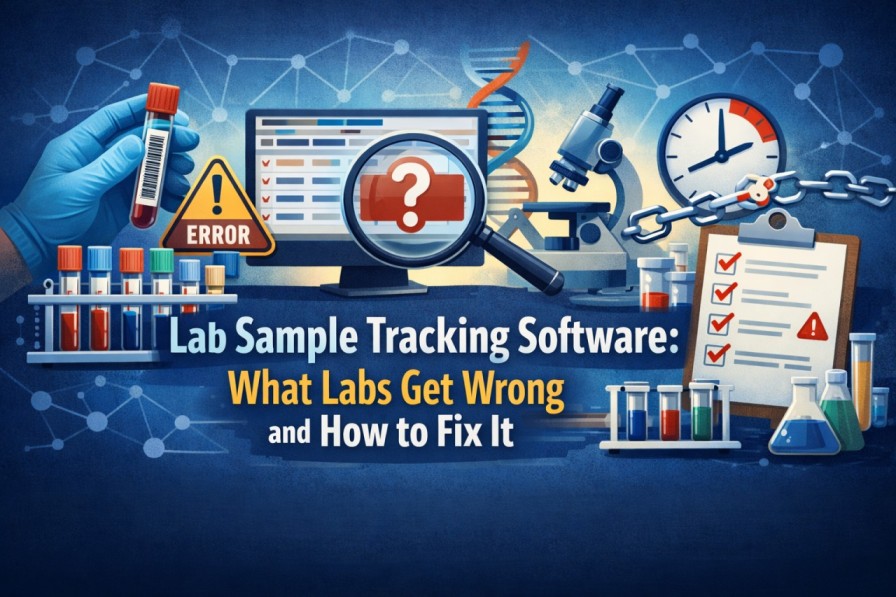
Somewhere in a clinical lab right now, a vial is sitting in the wrong place. Nobody moved it on purpose. It got set down during a busy handoff, the technician got pulled away, and now it’s just somewhere. That scenario plays out in labs of every size, every day, and it rarely gets written up as an incident because by the time anyone notices, the sample gets found and life moves on. Until the one time it doesn’t.
This is the part where lab sample tracking software either earns its place or collects dust on a server. Most labs that buy a tracking system do see improvement. But plenty also buy one, run staff through a half-day demo, and then scratch their heads six months later when the same problems persist. The tool rarely deserves the blame for that. What gets labs in trouble is treating software like a fix rather than a process change.
Why Manual Tracking Keeps Failing
Nobody’s blaming the lab techs. They’re moving fast, handling dozens of samples per shift, and doing it with tools that were never meant to scale — paper logs, shared spreadsheets, a whiteboard in the hallway. That works, but not forever. A clinical lab pushing hundreds of specimens a day doesn’t need a catastrophic failure to feel the damage; a 1% error rate quietly means several patients a week getting wrong or delayed results. In pharma and biotech, where every clinical trial sample needs a documented chain of custody, that math gets worse fast.
Manual systems also don’t catch mistakes in real time. A mislabeled vial doesn’t announce itself. It travels through prep, sits in storage, gets pulled for testing, and the error only surfaces when results don’t match, sometimes days later. At that point, you’re not just dealing with a tracking problem; you’re potentially repeating the entire collection process.
What Good Specimen Tracking Software Actually Looks Like
The basics are well understood: scan a barcode or RFID tag at each handoff, log the timestamp and user, and build a movement history. But labs that get the most out of specimen tracking software use it beyond just location data.
Status tracking is where things get genuinely useful. Knowing a sample is in the building doesn’t help if you can’t tell whether it’s been centrifuged, whether it’s still viable, or whether it’s cleared for the next step. Systems that log status alongside location give lab managers a real working picture of the testing pipeline — not just a map of where things are sitting.
RFID-based platforms go further. Fixed readers at doorways, freezers, or processing stations update sample location automatically — no manual scan required. In high-throughput environments, that alone saves significant technician time. For labs with temperature-sensitive specimens, pairing RFID tracking with environmental sensors means cold chain failures get flagged immediately, not during the next scheduled check.
Compliance Doesn’t Have to Be a Documentation Marathon
Labs under CAP, CLIA, ISO 15189, or FDA 21 CFR Part 11 need every sample documented — who handled it, when, and what happened at each stage. Producing that manually means pulling logs from multiple staff, cross-referencing timestamps, and hoping nothing slipped through.
When the software builds that record automatically, audit prep mostly disappears. A regulator asks for a specimen’s movement history, and you pull it up in seconds — no hours spent cross-referencing logs from multiple staff members.
Features Labs Overlook When Buying
Most labs evaluate tracking software on the obvious question — can it track samples accurately? — and skip the things that trip them up later. Inventory management is one of those. If you run clinical trials, knowing how many samples of a given type are available, which lots expire when, and when to reorder matters just as much as knowing where a vial is right now? Systems without inventory alerts leave labs short of material mid-trial more often than people expect.
LIMS integration is another one. A standalone tracking tool that doesn’t connect to your Laboratory Information Management System creates a data island. Staff re-enter information manually, which brings back the exact errors the software was supposed to fix. Before signing anything, confirm how the platform connects to your existing stack.
Scalability catches labs off guard too. A system that works well for a 20-person team can buckle when a second building gets added or sample volumes double. That conversation should happen before you commit, not six months in when you’re already hitting limits.
Making the Switch — the Realistic Version
Switching to dedicated lab sample tracking software takes real effort upfront. You’ll need to map existing workflows, get buy-in from technicians who’ve worked a certain way for years, and be patient through the first weeks when the new process feels slower than the old one.
The return comes, though — fewer lost specimens, faster audit prep, better visibility into equipment availability, and staff spending their time on actual science rather than chasing down vials. For labs handling serious sample volumes, that’s not a close call. The better question isn’t whether to make the switch; it’s which platform actually fits your workflow, your compliance requirements, and the team using it every shift.
AssetPulse RFID Asset Tracking Solutions for Laboratories
AssetPulse builds RFID-based asset tracking solutions specifically for laboratory environments, giving teams real-time visibility into sample and equipment location at every stage of the testing workflow. Their AssetGather platform is used by research labs, biotech companies, and clinical facilities to reduce specimen errors, stay audit-ready, and get more out of the equipment they already own.