

Whether you’re cruising Texas highways, commuting through Virginia, or navigating New Jersey’s busy toll corridors, having the right electronic toll pass is one of the smartest moves you can make as a driver. Paying tolls the old-fashioned way — by cash or mail invoice — costs more money, wastes time, and can even lead to vehicle registration holds if invoices go unpaid.
This guide covers three major toll systems in the United States — TxTag, EZPassVA, and EZPassNJ — breaking down exactly who needs each one, how to set up your account, and how to manage everything online.
Why Every Toll Road Driver Needs an Electronic Pass
Before we dive into each system, here’s why electronic toll passes are worth it for every regular driver in the USA:
- Discounted toll rates — electronic pass holders consistently pay lower rates than cash or pay-by-mail customers
- No processing fees — mail invoices come with added fees on top of the actual toll amount
- Faster commutes — drive through toll plazas without stopping or slowing down
- One account, multiple vehicles — manage your entire household’s vehicles under a single account
- Avoid registration holds — unpaid toll invoices escalate quickly and can result in your state DMV blocking your vehicle registration renewal
Now let’s break down each system.
TxTag — The Official Texas Toll Pass
TxTag is the electronic toll system operated by the Texas Department of Transportation (TxDOT). It is the go-to toll pass for drivers using state-managed toll roads across Texas, with strong coverage in Austin, Dallas-Fort Worth, and parts of the Houston metro area.
Who Needs TxTag?
Any driver who regularly uses TxDOT-operated toll roads in Texas needs a TxTag. It also offers interoperability with toll roads in Oklahoma and Kansas, making it a solid choice for drivers who travel north from Texas regularly.
How to Open a TxTag Account
- Visit txtag and click “Open an Account”
- Enter your full name, home address, email, and phone number
- Add your vehicle details — license plate number, state, make, and model
- Set up your payment method and make an initial deposit of at least $20
- Submit your application and wait for your TxTag sticker to arrive by mail within 5 to 7 business days
- Activate your sticker by logging into your account and clicking “Activate Tag”
Installing Your TxTag Sticker
Place the sticker on the inside of your windshield in the upper center area behind your rearview mirror. It must be on clear, non-tinted glass for the signal to work properly. Press firmly for 30 seconds to secure it in place.
Managing Your TxTag Account
Log in at tx-tag.com to add funds, view toll history, pay outstanding invoices, and manage multiple vehicles. Set up AutoPay to automatically replenish your balance when it drops below a set threshold so you never drive with an empty account.
Important note: Since November 2024, the Harris County Toll Road Authority (HCTRA) assumed management of several Houston-area toll roads previously under TxTag. If you drive Houston toll roads regularly, verify your coverage at tx-tag.com or consider also opening an EzTag account for full Houston coverage.
E-ZPass VA — Virginia’s Statewide Toll Pass
E-ZPass VA is Virginia’s official electronic toll collection system, managed by the Virginia Department of Transportation (VDOT). It covers toll roads, bridges, and tunnels across the entire state of Virginia and is part of the broader E-ZPass network accepted in 19 states along the East Coast and Midwest.
Who Needs E-ZPass VA?
E-ZPass VA is essential for drivers who:
- Commute on Virginia toll roads including the Dulles Toll Road, Dulles Greenway, or Richmond area expressways
- Use the Chesapeake Bay Bridge-Tunnel or other Virginia toll bridges
- Travel frequently between Virginia and neighboring states like Maryland, Washington D.C., North Carolina, West Virginia, or Tennessee
- Use Virginia’s Express Lanes on I-66, I-95, or I-395 where tolls vary by time of day and traffic
If you drive in Northern Virginia near Washington D.C., E-ZPass VA is practically a necessity. The Express Lanes on I-66 inside the Beltway are E-ZPass only during peak hours — no cash or pay-by-mail option is available.
How to Open an E-ZPass VA Account
- Go to ezpassva and click “Open an Account”
- Select your account type — personal or business
- Enter your name, Virginia address, email address, and phone number
- Add your vehicle information including license plate number and state
- Choose your transponder type — standard E-ZPass tag or the E-ZPass Flex tag, which has a switch for HOV/carpool mode on Express Lanes
- Set up your payment method and make an initial deposit to fund your account
- Your transponder will be mailed within 5 to 10 business days
Installing Your E-ZPass VA Transponder
Mount the transponder on the inside of your windshield using the provided mounting strips. Position it in the upper center behind the rearview mirror on clear glass. If your vehicle has a metallic windshield coating or heavy tinting, contact E-ZPass VA for an external mounting solution to avoid signal interference.
Managing Your E-ZPass VA Account Online
Log in at ezpassva.us.com to add funds, update your vehicle list, review toll transaction history, download monthly statements, and adjust AutoPay settings. Virginia toll agencies process violations quickly, so keeping your account funded at all times is critical to avoiding fines.
E-ZPass Flex tip: If you use Virginia’s Express Lanes with qualifying HOV occupancy, switch your Flex transponder to HOV mode before entering the lane. This allows you to use Express Lanes at no charge when you meet the occupancy requirement, saving you significant money on daily commutes.
E-ZPass NJ — New Jersey’s Electronic Toll System
E-ZPass NJ is New Jersey’s official electronic toll pass, administered by the New Jersey Turnpike Authority and the South Jersey Transportation Authority. It covers New Jersey’s extensive toll road network and is part of the same 19-state E-ZPass interoperability network, making it one of the most useful toll passes on the entire East Coast.
Who Needs E-ZPass NJ?
E-ZPass NJ is a must-have for drivers who:
- Use the New Jersey Turnpike (I-95) or Garden State Parkway regularly
- Cross toll bridges between New Jersey and New York or New Jersey and Pennsylvania
- Commute through Atlantic City Expressway or other South Jersey toll roads
- Travel frequently between New Jersey and neighboring states including New York, Pennsylvania, Delaware, and Maryland
New Jersey has one of the densest toll road networks in the entire United States. Without E-ZPass NJ, the cumulative cost of pay-by-mail invoice fees adds up to hundreds of extra dollars per year for frequent commuters.
How to Open an E-ZPass NJ Account
- Visit ez-pass and click “Open an Account”
- Choose your account type — personal, commuter, or business
- Enter your full name, New Jersey address, email, and contact information
- Add your vehicle’s license plate number, state, and vehicle class
- Select your transponder — standard E-ZPass tag for most personal vehicles
- Set up your payment method with a credit card, debit card, or bank account
- Make your initial deposit to activate your account
- Your transponder will arrive by mail within 7 to 10 business days
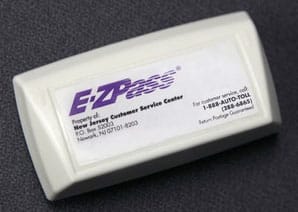
Installing Your E-ZPass NJ Transponder
Place the transponder on the inside of your windshield in the upper center position behind the rearview mirror. Use the provided velcro strips or adhesive mount for a secure fit. Ensure the transponder faces outward toward the toll reader and is positioned on clear, unobstructed glass.
Managing Your E-ZPass NJ Account Online
Log in at ez-pass-nj.com to check your balance, add vehicles, review transaction history, pay any outstanding toll bills, and download statements. E-ZPass NJ also offers a commuter discount plan for drivers who use the New Jersey Turnpike or Garden State Parkway frequently — enrolling in this plan can significantly reduce your monthly toll costs if you drive these roads five or more days per week.
TxTag vs E-ZPass VA vs E-ZPass NJ: Which One Do You Need?
Here’s a quick breakdown to help you choose:
Choose TxTag if: You live in or regularly drive through Texas on TxDOT-managed toll roads, especially in the Austin or Dallas-Fort Worth area.
Choose E-ZPass VA if: You live in Virginia, commute on Northern Virginia Express Lanes, or frequently travel between Virginia and surrounding states on the East Coast.
Choose E-ZPass NJ if: You live in New Jersey, commute on the Turnpike or Garden State Parkway, or regularly cross toll bridges between New Jersey, New York, and Pennsylvania.
You may need more than one if you are a long-distance driver who travels between Texas and the East Coast. Keep your Texas toll pass for western roads and your E-ZPass for seamless coverage across 19 eastern and midwestern states.
Common Toll Pass Problems and Fixes
Transponder not being read? Confirm the device is mounted on clear glass behind the rearview mirror and is activated in your online account. Metal window tinting is the most common cause of signal failure.
Received an invoice after using your pass? Check your account balance — a zero or negative balance at the time of travel causes the system to bill you by mail instead. Set up AutoPay to prevent this.
Forgot your password? Use the “Forgot Password” link on each portal’s login page to reset via your registered email address.
Charged for a toll you didn’t drive? Log into your account, locate the transaction in your history, and submit a dispute through the online dispute form. All three systems investigate and resolve disputes typically within 30 days.
Final Thoughts
No matter where you drive in the United States, having the right electronic toll pass is one of the easiest ways to save money and time on the road. TxTag keeps Texas drivers moving efficiently across the Lone Star State, E-ZPass VA unlocks Virginia’s Express Lane network and bridges, and E-ZPass NJ simplifies commuting across one of America’s busiest toll road systems.