

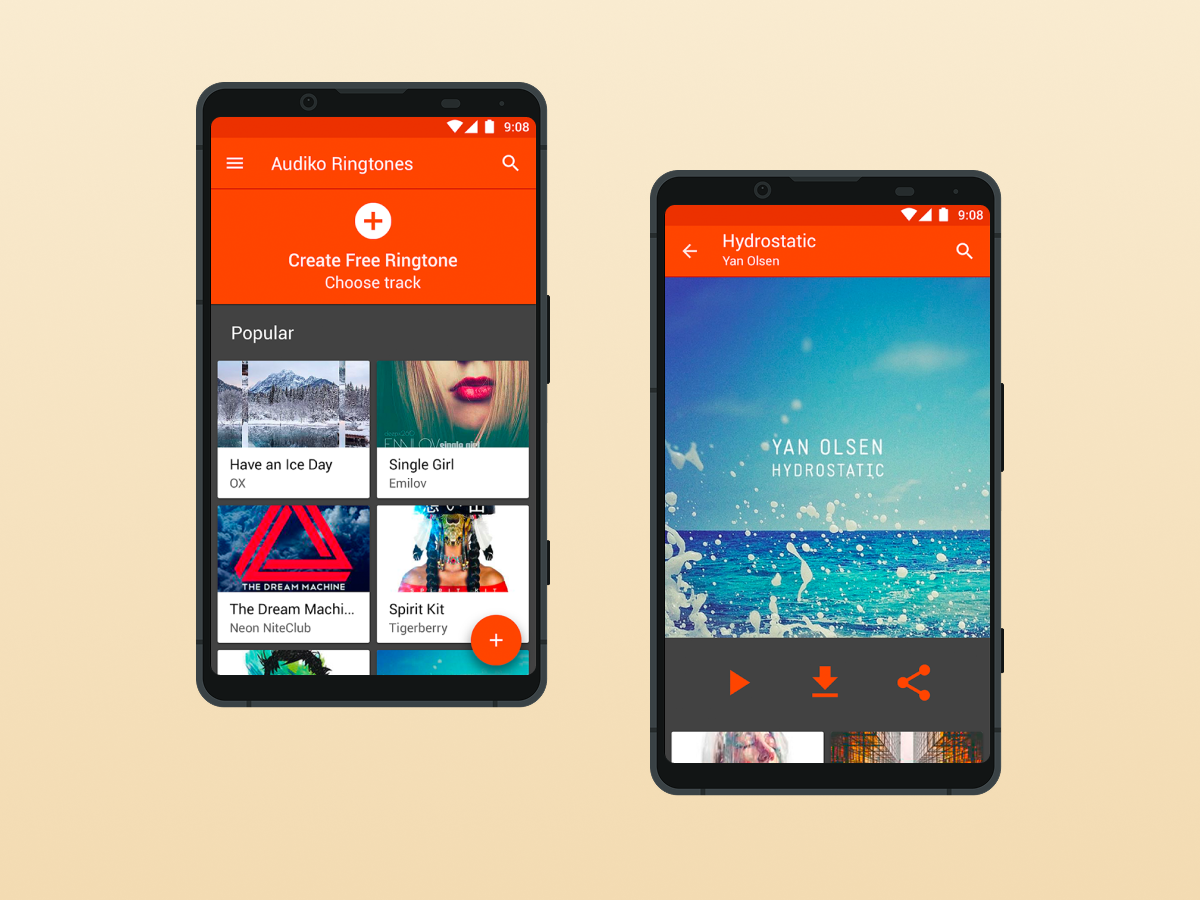
In a world where smartphones have become our second selves, personalization is no longer optional — it’s expected. From wallpapers and widgets to app themes and lock screens, users go out of their way to make their phones truly theirs. But there’s one area many still overlook: sound.
Ringify, a fast-growing Android app, is changing that. It’s designed to help users create a personalized sound experience by offering custom ringtones, notifications, and alarm tones, all within a sleek and easy-to-use platform. As personalization trends evolve in 2025, Ringify – best app for ringtone is emerging as a top pick for Android users who want more control over how their phone sounds.
Let’s explore why Ringify is being called a must-have ringtone app this year.
The Need for Better Phone Sounds
Let’s face it — most default ringtones are either dull, overused, or instantly forgotten. They rarely reflect the personality or preferences of the user. Worse, they make it hard to distinguish your phone from everyone else’s in a crowded room.
Custom audio alerts offer a simple yet powerful form of expression. A unique ringtone lets you know exactly who’s calling. A personalized alarm tone can change how you wake up in the morning. Even a distinct notification sound can help separate personal messages from work alerts.
That’s where Ringify comes in — making sound customization simple, fun, and accessible.
What Is Ringify?
Ringify is a free Android app that gives users a curated collection of custom ringtones, notification sounds, and alarm tones. Whether you’re looking for something trendy, quirky, calming, or bold, Ringify offers tones for all moods and occasions.
But it’s not just about variety. Ringify is built to streamline the entire customization process. No technical steps, no file renaming, no confusing folder paths. It’s designed for everyday users who want quick results.
Key Features That Make Ringify Stand Out
A Wide Selection of Sounds
Ringify’s library is updated regularly with new ringtones for 2025, including music-inspired tones, sound effects, ambient alarms, and playful notifications. You’re not limited to a few generic options.
One-Tap Application
Set a tone as your ringtone, notification, or alarm with a single tap. It’s fast, intuitive, and eliminates the need to navigate Android’s complicated sound settings.
Contact-Based Ringtones
Want to assign a unique ringtone to your partner, friend, or boss? Ringify makes it easy to apply personalized tones to specific contacts so you know who’s calling at a glance.
Lightweight and Battery-Friendly
Ringify doesn’t bloat your phone with unnecessary background services. It’s small in size, fast to load, and designed to work on nearly all Android devices, even older ones.
No Hidden Charges
Ringify offers full access to its features without paywalls. It’s a free ringtone app that gives users the freedom to explore and apply sounds without annoying interruptions.
Why It’s Trending in 2025
Personalization is a top trend across all areas of mobile tech. From lock screen widgets to AI-generated wallpapers, users are looking for more ways to stand out. But audio personalization is still underused—making it a space ripe for growth.
Apps like Ringify are catching attention because they bring value without complexity. It requires no audio editing skills and no advanced settings management. For Gen Z users who want something fun, or professionals who need clear alert distinctions, Ringify delivers.
Its growing popularity on the Play Store shows that users are responding positively to a tool that focuses on sound without adding clutter.
How to Get Started with Ringify
You don’t need a tutorial to start using Ringify—though the process is simple enough to explain in under a minute.
- Download Ringify from the Google Play Store
- Open the app and browse the ringtone, alarm, or notification categories
- Tap on any sound to preview it
- Hit “Set” and choose how you want to use it
- That’s it—your custom tone is now active
There’s no need to connect to a computer, download from sketchy websites, or modify system settings. Ringify does the work behind the scenes while giving you full control.
Who Should Use Ringify?
Anyone with an Android phone can benefit from Ringify, but it’s especially great for:
- Professionals who want different tones for work and personal contacts
- Students who want fun or distinct alerts
- Early risers looking for better alarm sounds
- Minimalists who want quick, useful personalization
- Anyone tired of factory tones
If you’re someone who enjoys having a phone that feels like yours, then Ringify will likely become one of your go-to apps.
Final Thoughts
While visual customization often takes the spotlight, sound is just as important in creating a personalized phone experience. Whether it’s setting a motivational alarm or assigning a unique ringtone to someone special, Ringify makes that process smoother than ever.
In a crowded app marketplace, Ringify shines not by overwhelming you with features, but by doing one thing extremely well: helping you control how your phone sounds. And in 2025, that’s more relevant than ever.
Ringify isn’t just another ringtone app — it’s a personalization tool that fits into how we live, work, and connect.
You can download Ringify for free from the Google Play Store and start customizing your alerts today. It might just become your favorite new app of the year.